Scrolling ticker
A band of text that scrolls on the top or bottom of the screen.
Desktop alert software delivers pop-up notifications that appear on top of every open application on employee computers – without relying on email. DeskAlerts is built for organizations that need urgent messages seen: IT outages, emergencies, compliance deadlines.
Prefer numbers first? Get custom pricing ↓
When email, intranet, and chat fail to reach employees, the alert goes out as a pop-up, full-screen, or ticker message directly on employees’ computers – three steps from console to confirmation.
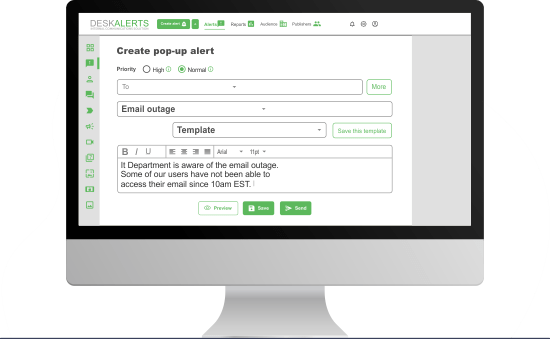
Write the alert once in a browser-based console: pick a pre-built template or brand your own with the skin editor, set the size, position and level of intrusiveness.
Send to everyone or scope the alert to exactly the people affected – synchronized from Active Directory or Microsoft Entra ID.
Audience options:
The alert appears over whatever employees are working on. High-priority messages stay on top until acknowledged.
Per-person received / not received / acknowledged statistics
Employees who were offline get the alert when back online, within the alert’s active window
One-click resend to those who have not confirmed
Employees receive urgent or critical alerts via an app installed on their PCs.
Prefer numbers first? Get custom pricing ↓

From IT outages to emergency evacuations and compliance updates, DeskAlerts delivers real-time desktop notifications that reach employees instantly. The platform combines desktop notification software, emergency communication tools, and employee notification capabilities in a single solution.
IT Communication
Inform employees about planned maintenance work
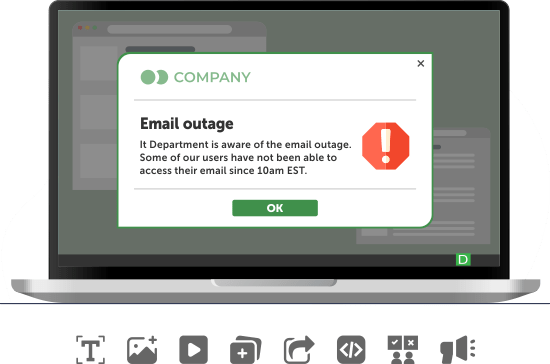
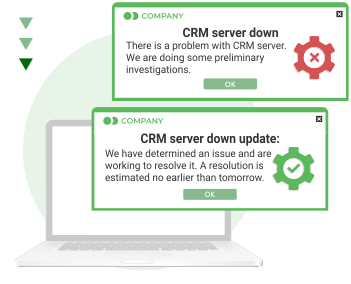
Alert tool for unplanned outages
Send information about policies and regulations that require employee consent
Reminders to log out of the system, shut down the PC, etc.
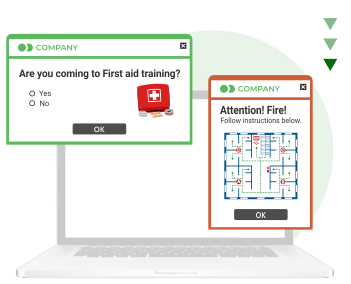
Emergency alerts
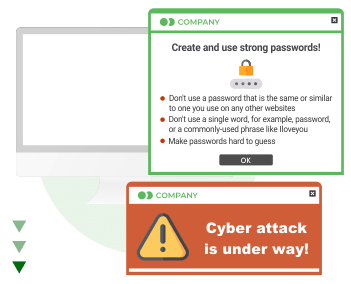
Cyber security
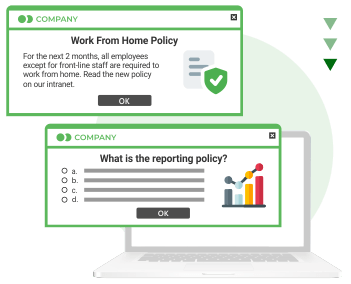
Corporate compliance
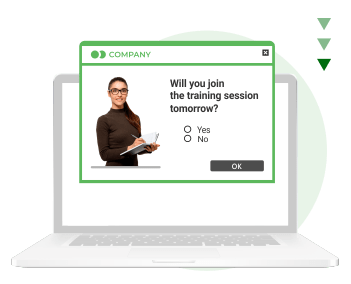
HR Communications

Company news

High-priority alerts appear over every open application and stay on screen until closed or acknowledged.
Disable the close button until the employee clicks Acknowledge – every confirmation is logged per person.
Send now, schedule for later, or repeat on a cadence – daily, weekly, monthly, or a custom pattern.
Employees who were offline get the alert when they are back online, within the alert’s active delivery window.
One click resends the alert only to those who have not confirmed it yet.
Normal alerts pause automatically while an employee presents in Teams or Zoom (Windows agent); high-priority alerts still break through.
Let employees postpone non-urgent alerts, set auto-close timers, or make a message leave no history after it closes.
Pre-built templates and drafts – or your own look via the skin editor.
Pre-configured emergency buttons send a full-screen alert to everyone affected in one click – on top of whatever they are doing.
Synchronization with Active Directory and Microsoft Entra ID across multiple domains – target groups, organizational units, IP ranges, or an individual.
Customize alerts with your corporate colors, fonts, and logo. Reinforce your brand identity through internal communication.
Pricing is scoped per organization – Get custom pricing ↓
| Channel | Appears over work | Works when email is down | Read confirmation | Best for |
|---|---|---|---|---|
| Desktop alert | Yes – high-priority, on top of every application | Yes – own agent-to-server channel | Yes – per person | Urgent, must-see messages |
| No – waits in the inbox | No | Partial – open tracking | Detail and reference | |
| Teams / chat | No – scrolls away in busy channels | Depends on the same network | Not at scale | Team conversation |
| Digital signage | Ambient – on shared screens | Yes | No | Common areas, frontline |
| SMS (via Twilio integration) | On the phone lock screen | Yes | No | Off-network reach |
Evaluating vendors? See DeskAlerts side by side with SnapComms, AlertMedia, Everbridge, and others – criteria, sources, and dates on one page.
Every DeskAlerts deployment is scoped individually: the configuration is defined first, and the quote prices that configuration.
Scope – the problem to solve and the goals that take priority
Configuration – modules, deployment model, and support level selected against that scope
Quote – priced for the agreed configuration and employee count
Submit your request – we will contact you to review requirements, arrange a product demonstration, and finalize configuration and pricing.
A band of text that scrolls on the top or bottom of the screen.
Send corporate surveys straight to employees’ desktops and – as push notifications – to their phones.

Set the corporate background of employees' PCs and easily change it.

Keep employees informed even when they are not at their desks.

Education, Great Britain
We Use It to Ensure that Urgent Messages Are Communicated Quickly and Clearly
“We have been using DeskAlerts for 5 years now and find the product excellent at communicating important information to our entire Trust quickly. It is so easy to use and maintain so provides a cost effective solution for “real time” messaging. Originally, used just by the IT team, the product is now in daily use by the Trust’s Communications team to ensure that urgent messages are communicated quickly and clearly to a large number of staff, thus helping to support the delivery of patient care to the highest standard.”

Tens of thousands of dollars preserved through faster IT alerts
“It's very important when we send a message about maintenance or downtime and that type of thing that people will read it, will acknowledge it, and that there will be no excuse like "I didn't see the email". DeskAlerts software is pretty simple to use and can be learned quickly. And it's natively easy.”

Alert verification: from 2–3 hours with 4–5 people to 1 hour
“We have several information systems, where from time to time we need to perform some maintenance tasks. Before DeskAlerts we needed 2- 3 hours to check that everybody has been informed about maintenance (emails, calling, ...) and this involved 4-5 persons. Next usage is informing employees about special situations, related to specific building, area, ... . Before we had to send 2-3 persons to walk through offices and share information to everybody, now we simply inform them by using DeskAlerts (easy 1 hour is lost). With DeskAlerts we can very fast react and prevent possible contamination of product. This can sometimes mean saving several 1000 €.”
Desktop alert software is a system that delivers pop-up notifications on top of every open application on employee computers, independent of email. Alerts are targeted from Active Directory, can require acknowledgment, and produce per-person delivery statistics – so the sender knows exactly who has seen the message.
Yes. Alerts travel from the DeskAlerts server to a lightweight agent on each computer, so delivery does not depend on the mail system. Employees who were offline receive the alert as soon as they are back online, and screensaver, wallpaper, and lock-screen messages keep information visible on unattended Windows machines.
Four mechanisms work together: high-priority alerts appear over every window and stay on screen until acknowledged; employees who were offline get the alert on return; one click resends the message to anyone who has not confirmed; and per-person statistics show exactly who is still unreached.
Yes. DeskAlerts supports content scheduling, so you can set a drill alert to go out at a specific date and time without manual intervention at the moment of sending. You can also configure recurrence if the drill runs on a regular schedule.
Yes. The DeskAlerts content editor supports rich content including links. You can embed a clickable link to a SharePoint page, internal document, or any other internal resource directly within the alert.
This depends on how the alert is configured. If the alert is still within its active display window when the user logs in, it will appear. If the Keep Active window has passed before the user logs in, the alert will not be shown.
For critical communications where you need to ensure latecomers receive the message, setting a longer display window or pairing the alert with email delivery is recommended.
Yes, but only for high-priority alerts. Messages configured as High Priority appear on top of all open windows and stay on screen until acknowledged. Normal-priority alerts follow standard system notification behavior and may be suppressed by DND settings.
Yes – on the Windows agent DeskAlerts is screen-share aware. Normal-priority alerts are suppressed automatically while an employee is presenting in Microsoft Teams or Zoom, so a routine notice never interrupts a meeting. High-priority emergency alerts still break through, which is exactly the behavior most organizations want.