



Employee Notification System
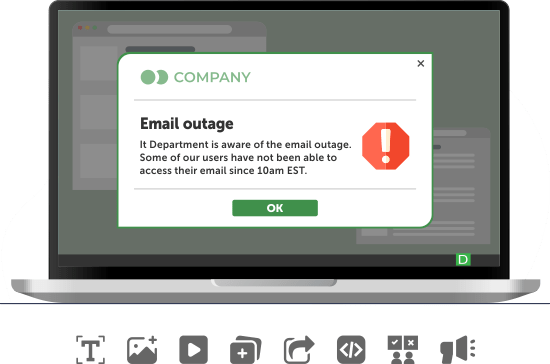
An employee notification system is software that puts an urgent alert on the screens and devices your employees work on, targets it through the company directory, and keeps a record of who received it and who acknowledged it.
DeskAlerts starts on the work computer – Windows and macOS – and reaches the same employees through the iOS and Android app, SMS, email and Microsoft Teams, and digital signage for emergency alerts.
Used by organizations such as Deloitte, the NHS, Roche, KPMG and DHL
What email, Teams and the intranet are not built to do: interrupt and record by name
Email, a Teams channel and intranet news reach everyone and can be addressed to directory groups; for an urgent message, that is where their usefulness ends.
A separate system – an employee notification or alert system – has to justify its cost on the two things they lack.
What it costs when the message depends on an inbox
The outage notice stuck in the mail queue
When the mail server is what failed, the email announcing the outage sits in the queue of the server that is down, and the helpdesk takes the calls the notice was meant to prevent.
The instruction that changes at handover
An instruction sent to the day shift reaches the night shift as a supervisor's summary. On a ward or a plant floor, the gap between the original wording and the relayed one is where incidents start.
The audit answered with a sent-items log
Asked who acknowledged a policy, the team produces a sent-items log. Read receipts for critical employee messages do not close the gap: recipients can decline to send them, so the log proves sending, not receipt.
Five things the system must do before it earns a place on the shortlist
Each is a test to run in a vendor demo, not a feature to take on trust.
Reach desk-based and frontline employees
The first question is how to reach employees who have no company computer – shift workers, contractors, regional sites.
Take priority on the employee's screen
A critical employee alert has to take over the screen; routine news should not interrupt in the same way.
Target from the directory
An alert to one site, department or shift should use the groups IT already maintains, not a list someone keeps by hand.
Return a record by name
Ask, in the demo, to see by name who acknowledged the test alert and who did not – the record an auditor or an incident review will ask for.
Fit your IT environment
The operating systems, sign-on and collaboration tools you run, monitoring systems that should trigger alerts, cloud or on-premises hosting – and deployment with the tools you already use to push software.
What it is bought for: emergencies, outages and policies employees must acknowledge
Emergency alerts to staff
An emergency channel keeps its weight only while staff do not learn to ignore it. Nick Williams, Senior Computing Officer at the University of Southampton:
“In order to make sure that users don't get ‘message fatigue’, we only use DeskAlerts for ‘emergency only’ messages …”
Routine news can go out as a ticker or a screensaver instead.
IT outage notices
The desktop agent takes its alerts from the DeskAlerts server, not the mail system. The City of Lenexa, Kansas:
“The DeskAlerts software comes in particularly handy when our email servers are down. We are able to let our staff members know as soon as a problem occurs and notify them when we're back up and running at full capacity.”
– Dan Harless, IT Manager
HR and compliance announcements
For a new policy or a mandatory training date, the acknowledgment click is a record for an audit, not an electronic signature: where a regulator expects a signed attestation, policy attestation software does that job.
How DeskAlerts meets the five criteria
Reach
Besides physical computers, the desktop agent runs in Microsoft Remote Desktop Services and Azure Virtual Desktop sessions, so staff who sign in to shared or virtual desktops on a shift receive the alert there. The mobile app receives push notifications even when the app is inactive. Teams delivery runs through the DeskAlerts bot.
Priority
For a critical alert, the full-screen format takes over the screen, and a high-priority alert opens on top of the windows the employee has open. With acknowledgment switched on, the close button is disabled: the employee closes the alert with Acknowledge or, if the sender adds Postpone, defers it. On Windows, the agent can be set to hold back routine alerts while the employee shares a screen in Teams or Zoom.
Targeting
Users, groups and organizational units are synchronized from Active Directory – more than one AD server if needed – and users and groups from Microsoft Entra ID, including two or more tenants for a group of companies. An alert can also go to an IP range, such as one building's network, or to specific computers. Publisher policies set which recipients each sender may address, and an optional approval step holds an alert as Pending Approval until a publisher with the approval role approves it.
Record
Two-way acknowledgment becomes a record: each alert's statistics count Received, Not received and Acknowledged and export to CSV or XLSX, and the Users Report shows the same three states for each employee by name. Resend can go to everyone, to recipients who have not acknowledged or to those who have not received the alert, and the action log shows who sent what.
Fit
Single sign-on for publishers runs through Okta, Entra ID or Active Directory. The REST API creates alerts from monitoring systems or sensors – Catalyst Papers used it to trigger plant-wide messages when production sensors detected hazardous conditions. IT deploys the Windows agent as a silent MSI install through Group Policy, SCCM, Intune or PDQ Deploy. The server runs on-premises or in the DeskAlerts cloud, hosted in the US, EU, UK, Australia or UAE; DeskAlerts is SOC 2 Type II compliant and holds UK Cyber Essentials certification.
Limits worth knowing
Acknowledgment is a desktop feature: the mobile app records receipt when the employee opens the alert, and a mobile alert does not take over the mobile phone's screen. The record names who acknowledged; an acknowledgment is not proof of reading. Channels do not fail over automatically – moving the follow-up to SMS, Teams or a phone call is the sender's decision.
In an emergency, the same system sends the alert you prepared
Emergency buttons are built in advance – message, audience, appearance and acknowledgment settings – and anyone with sending rights fires one with a single click from the desktop tray menu or the mobile app. Digital signage screens set up as recipients switch to the emergency alert, and the Panic Button works in the other direction, sending an employee's S.O.S. to a response team. Scenarios, the readiness checklist and the Panic Button workflow are on the employee emergency notification system page.
Text alerts and the mobile app for employees without a desk
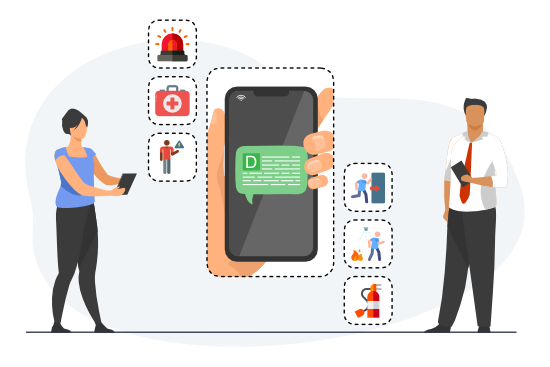
For drivers, care staff and plant operators, SMS delivers the alert as a text message and Text-to-Call as a phone call that reads it aloud. More on the employee text alert system page.
These employees can also register in the DeskAlerts app with their Active Directory or Entra ID account – a colleague's QR code fills in the server address – and find surveys and RSVP requests alongside their alerts. See the employee notification app page.
Employee notification system, critical event platform or employee app: which one do you need?
Employee alert systems sit between two other kinds of product. The table shows what is typical of each category; individual products differ.
| Desktop-first employee notification system (DeskAlerts) | Critical event management and mass notification platform | Intranet and employee app | |
|---|---|---|---|
| First channel | Pop-up or full-screen alert on the work computer | SMS, voice call and mobile app; desktop typically an add-on | App feed and push notifications |
| Typical buyer | IT, internal communications, compliance, security – with a managed fleet of computers | Corporate security, business continuity, campus and public safety | Internal communications and HR |
| Record after the alert | Acknowledgment by name; statistics exportable | Delivery and response reports | Open and read analytics on content |
| What it typically has that DeskAlerts does not | – | Threat intelligence, geofencing, automated escalation across channels, alerts to the public | Document library, social feed, intranet search |
| Choose it when | The audience is your workforce and you need the record | The audience includes people outside your directory, and location drives the alert | The need is content and engagement rather than urgency |
Vendor-by-vendor comparisons are on the compare pages; for organization-wide alerts at scale, see the employee mass notification system page.
Frequently asked questions
-
Can it confirm that employees read the alert?
No system can confirm reading. On a desktop, DeskAlerts records that a named employee clicked Acknowledge. When employees on the mobile app need to reply, send an RSVP alert: a two-choice question on desktop, the mobile app, email, SMS, Teams and Text-to-Call, with Voted and Not voted totals and answers per option, exportable to CSV or Excel.
-
Does an employee notification system work for contractors and employees without a domain account?
Yes, if the server's device policy allows computers outside the domain to register. Simple registration lets a user sign up with credentials created for DeskAlerts. Phone numbers and email addresses for SMS and email come from Active Directory or are added to the recipient record.
-
What happens if a computer is off when the alert goes out?
The sender sets a Keep Active period, during which the system keeps trying to deliver to offline devices. A computer that comes online within that period receives the alert, and the statistics show it as Not received until then.
-
Does DeskAlerts need a separate SMS provider?
Yes. DeskAlerts does not send SMS natively: SMS and Text-to-Call run through a third-party gateway under your own account, and Twilio is the documented provider. A Twilio trial account can message only verified numbers, so production use needs a paid Twilio account.
-
What does a rollout consist of?
DeskAlerts Support provides the installation packages, including a macOS package with your server address built in; the directory sync builds the audience before the first alert goes out. You can also request a trial.
See the alert on your own screens – book a demo
The demo sends an alert to a computer and the mobile app and walks through the report that follows. Prefer numbers first? See pricing.