





Skip to the main content.
TRIAL
REQUEST DEMO
TRIAL
REQUEST DEMO

Emergency Notification System for Business

DeskAlerts is emergency notification software for business: a prepared alert goes to the affected computers and the mobile app, with SMS and Text-to-Call for employees away from their screens.

Get demo

DeskAlerts has completed a SOC 2 Type II audit and is GDPR compliant


Customers include Deloitte, NHS trusts, Roche, Savola, KPMG, Raiffeisen Bank and DHL

Deloitte logo NHS logo Roche logo The Savola Group logo KPMG logo Raiffeisen Bank logo DHL logo

Public alerts reach phones in an area; an employee emergency notification system reaches your workforce by name

After an evacuation or a lockdown, the post-incident review asks three questions: who was warned, in what words, and who confirmed. Many organizations answer with a sent-items log, a Teams channel nobody was required to open, and a supervisor’s memory of what was said at the shift handover.

Public warning – Wireless Emergency Alerts, the Emergency Alert System, NOAA Weather Radio, the county’s opt-in list – warns whoever is in an area. An employee emergency notification system is the private layer you run yourself: it works on the devices IT manages, addresses people from the company directory and returns a record per recipient.

Who presses, who clears, who keeps the directory

The person who presses the evacuation button is rarely the one entitled to give the all-clear, and neither of them maintains the directory. Write the three names into the emergency action plan per site and per shift before the console is configured – software can only mirror a decision that has been made. For urgent messages beyond emergencies, see the employee alert system.
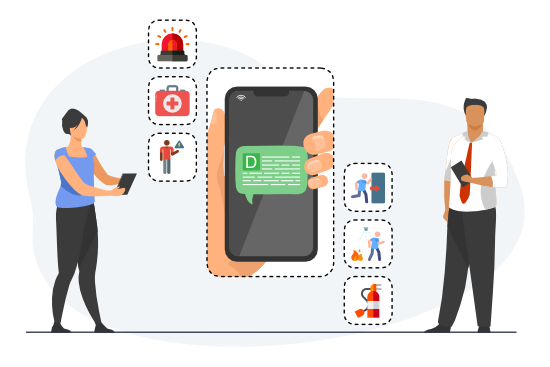

Employee emergency notification system: an emergency alert on employees’ mobile phones

What emergency notification software must answer at the post-incident review

Every vendor deck promises multi-channel delivery and acknowledgment. Four things to see in the demo instead:

Did the alert interrupt?

EvidenceThe alert appeared over the application the employee was using and could not be closed without a response.

Demo testSend a high-priority alert to a computer running a full-screen presentation, then ask how an operating-room or control-room workstation is left out. A banner in the corner, or “we only target by user,” is a weak answer.

Who confirmed, by name?

EvidenceA list of who confirmed and who did not, exportable for the review file.

Demo testAsk for the list right after a test send to one site’s audience. An open rate or a delivery percentage does not answer it.

What does the audit trail hold?

EvidenceWho sent which alert, to which audience, through which channels, and what came back from each recipient.

Demo testAsk for the sender’s activity log next to the alert report. A server log only IT can read falls short.

Who was not at a desk?

EvidenceThe same alert went to the shift on the floor, the driver on the road and the contractor who is in no directory, while the employee audience matched the groups IT already maintains.

Demo testTarget one building or one shift from the directory, then add a contractor by phone number. A separate SMS tool with its own contact list means a second directory to keep.

Emergency communication system for business: what reaches employees when mail, Teams or the internal phones are down

A chemical release on a plant floor at 2:40 a.m. The night shift has no mailboxes. The PA covers the floor but not the office building, the contractor trailers or the second site, and within minutes the internal phone lines are jammed.

An emergency communication system must then meet three conditions. It must not depend on the mail server. It must reach a mobile phone that has a signal but no data. And it must deliver to a computer that was switched off when the alert went out – but stop once the instruction is out of date.

In DeskAlerts, the desktop agent gets its alerts directly from the DeskAlerts server; the mail server plays no part in delivery. SMS notifications for employees and Text-to-Call go through the Twilio integration. The Keep Active setting sets how long the server keeps trying to reach computers that were offline. Press Stop on the evacuation alert the moment the all-clear goes out; otherwise a computer switched on within the Keep Active period can still show the evacuation instruction.

Fire or evacuation

ChannelsFull-screen pop-up, mobile app, digital signage

Who gets itEveryone in the affected building

Severe weather or site closure

ChannelsPop-up, mobile app, SMS and Text-to-Call, email

Who gets itAffected sites and field staff

Lockdown or violent incident

ChannelsFull-screen pop-up, mobile app; SMS to staff off site

Who gets itEveryone on site, told to silence phones; staff off site, told not to come in

Cyber incident

ChannelsPop-up and ticker, mobile app, SMS – none of them sent through a mail or Teams tenant that may be compromised

Who gets itEveryone who must disconnect; IT and security first

IT outage with email down

ChannelsDesktop pop-up, mobile app, SMS

Who gets itAffected employees and the service desk

Several sites or regions

ChannelsThe scenario’s channels, sent per site

Who gets itOne audience per site – a directory group, the site’s IP range or its named computers

All-clear

ChannelsThe same channels as the first alert

Who gets itThe same audience as the first alert, including those it did not reach

Reach employees across channels

Computer

Computers

On Windows and macOS computers; screensavers and lock screens on Windows only.

Mobile

Mobile devices

Push notifications on iOS and Android, with SMS and Text-to-Call for mobile phones without the app, and the Microsoft Teams bot.

Digital signage

Digital signage

Screens on the shop floor and in common areas that run the DeskAlerts signage page; an emergency alert overrides what they are showing.

Emergency alert system for businesses: the alarm is one job, the instruction is another

When the siren sounds, the analyst in noise-canceling headphones and the custodian in the annex may not hear it – and those who do hear it do not know whether to evacuate or shelter in place. The siren, strobe or PA tone is the alarm; emergency alert systems for businesses are the software that carries the instruction and the record.

Where OSHA 29 CFR 1910.165 applies, the alarm must be “capable of being perceived above ambient noise or light levels by all employees in the affected portions of the workplace” and be “distinctive and recognizable as a signal to evacuate the work area or to perform actions designated under the emergency action plan.” California went further: Labor Code section 6401.9, operative since July 1, 2024, requires employers within its scope to maintain a written workplace violence prevention plan with “effective means to alert employees of the presence, location, and nature of workplace violence emergencies,” and the Standards Board must adopt a standard by December 31, 2026 (Cal/OSHA). The alarm covers presence; location and nature are the instruction.

An emergency notification system for business carries that instruction in the crisis team’s exact wording – in DeskAlerts, with the evacuation map or the shelter route, and color-coded alerts for hospital emergency codes.
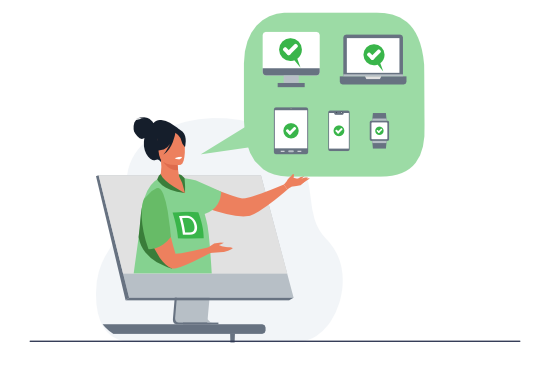
Emergency alert system for businesses: the same alert on desktop, laptop, tablet and phone

Mass notification system for business: one purchase, not two

Procurement sends two requests under two names and gets largely the same vendors back – and IT asks why the computer fleet it already manages is not the first channel in either.

Mass, meaning the whole workforce at once

Many of the products sold as mass notification systems are phone-first: SMS, voice calls and an app, run from a contact list the vendor hosts. DeskAlerts is screen-first: the managed computer is the primary channel and the mobile phone is the follow-up. For a workforce that spends its shift at managed computers, the two requests describe one product. For criteria to compare emergency notification systems, see our comparison guide; for the channels beyond the desktop, see the mass notification system for employees.

A mass communication system for days without an incident

In DeskAlerts, the same console handles routine messages: maintenance windows, building notices, policies employees must acknowledge. Deliver routine news as a ticker or screensaver and reserve full-screen pop-ups for genuine emergencies – senders stay practiced, audience lists stay current and the emergency format keeps its weight. After the all-clear, a survey to the same audience collects employee feedback for the review.

How DeskAlerts runs it: from the prepared button to the acknowledged alert

The work happens before the incident. Administrators prepare emergency alerts as buttons such as “Fire in the building,” “Severe weather” or “IT outage,” each with its wording, audience, color-coded skin, pop-up size and the list of people authorized to press it.

An authorized sender then presses the button in the desktop tray menu or in the mobile app’s Emergency tab, or a monitoring system sends an alert through the REST API.
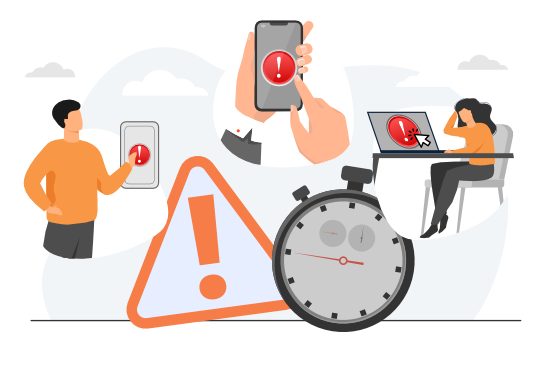

Emergency notification software: an authorized sender presses a prepared emergency button
Screen takeover icon

Screen takeover for critical alerts

Screen takeover means a high-priority alert covers whatever the employee is working in, full-screen when the button is set that way. When acknowledgment is required, the close control is switched off and only Acknowledge dismisses the alert.

Acknowledgment icon

Two-way acknowledgment

Two-way acknowledgment is recorded per person: the employee answers with Acknowledge, and the Users Report keeps what each person received and acknowledged across alerts and drills – an employee whose computer is not receiving shows up in the drill review, not in the incident.

Audit trail icon

The audit trail for each alert

Each alert’s audit trail names the sender and the channels used, and lists every recipient as Received, Not received or Acknowledged, with export to CSV or XLSX. The Users Action Log records each publisher’s sends and sign-ins with timestamps.

Directory audiences icon

Audiences from Active Directory and Entra ID

Users, groups and organizational units sync from one or more Active Directory servers and from Microsoft Entra ID; several Entra tenants can feed the same console. Mobile numbers come from the phone attributes synchronized from Active Directory; contractors are added as recipients in the console.

Deployment icon

Deployment across the fleet

The Windows agent installs silently through SCCM, Intune or Group Policy; the macOS agent runs on macOS 12.6.1 or later.

Follow-up icon

Follow-up on another channel

Resend the alert to anyone who has not yet received or acknowledged it, or reach them by SMS, Text-to-Call or the mobile app.

Hosting and sign-in

Host the server in your own data center – optionally as a two-server load-balanced farm – or in the DeskAlerts cloud in the United States, the EU, the UK, Australia or the UAE. Publishers sign in through Active Directory, Entra ID or Okta. DeskAlerts holds UK Cyber Essentials certification, and its legal entity, ToolbarStudio Inc., participates in the EU-U.S. Data Privacy Framework.

Where DeskAlerts stops

  • Acknowledgment is a desktop function on Windows and macOS. In the mobile app, opening the alert counts as receipt, and the alert arrives as a standard push notification rather than a full-screen takeover.
  • The record shows who acknowledged; an acknowledgment confirms the click, not that the text was read.
  • There is no automatic switch between channels: following up on another channel is the sender’s decision.
  • SMS and Text-to-Call require your own account with a third-party gateway; Twilio is the documented provider.
  • As crisis communications software, DeskAlerts handles the alerting: the plan, the spokesperson and the media response belong to crisis management.
  • DeskAlerts is not a critical-event-management platform – it offers no threat intelligence or travel-safety features – and it does not replace sirens, PA systems or public warning.

Panic Button: the S.O.S. in the other direction

  • Emergency buttons run from the crisis team to the workforce; the Panic Button runs from one employee to the response team, which gets a pop-up. An S.O.S. from the mobile app includes a map link to the employee’s location.
  • The person who pressed it receives a confirmation alert on their own device; make sure front-desk and lone-worker staff know it appears.
  • Every activation is kept in the Panic Button history with name, time and contact details.
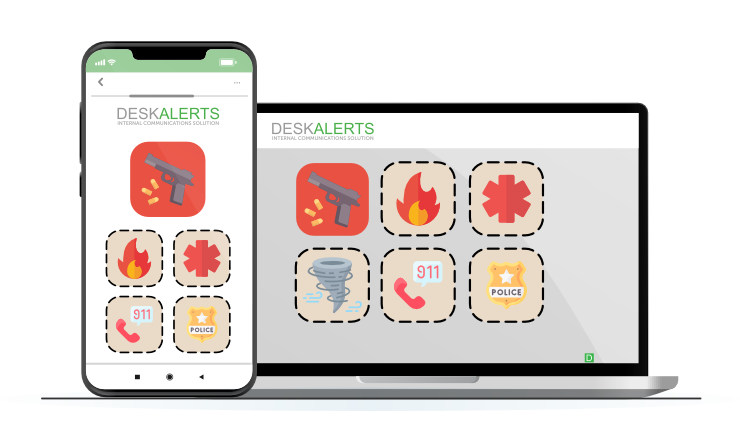
Panic Button sending an S.O.S. from a corporate device to the response team

Before the first drill: what to have in place

  • Emergency buttons for your top scenarios and an all-clear button for each
  • Authorized senders per button on every shift, nights and weekends included
  • Audiences synchronized from the directory, plus contractors as recipients
  • Acknowledgment on for shelter-in-place, lockdown and IT instructions, off for evacuation – there the roll call is the record
  • Channels agreed per scenario
  • An owner and a deadline for reading the report after every alert and drill

What customers report

“We used DeskAlerts to lower the number of internal calls. When the external phone network went down, we used DeskAlerts to tell employees to switch to SMS messaging.”

CHU Saint-Pierre logo

Geoffrey Collet, Application Development Manager, CHU Saint-Pierre, on March 22, 2016, a day of several terrorist attacks in Belgium · Healthcare, Belgium, 2,000 employees

Read the case study


Verso Corporation logo
“We mainly use DeskAlerts for mill safety events, i.e., fire, chemical leak, bad weather, etc., and IT systems events, i.e., systems outage, upgrades, etc.”
Verso Corporation
Mike Oehler, IT Specialist · Manufacturing, United States, 1,700 employees
Catalyst Paper logo
“By monitoring sensors in various areas of our production environment, we are able to trigger plant-wide messages in the event that hazardous conditions arise, such as dangerous levels of sulphur dioxide (SO2) and hydrogen sulphide (H2S).”
Catalyst Paper
Jon Claude, Manager, Manufacturing Systems · Manufacturing, Canada, 1,000 employees
West Suffolk NHS Foundation Trust logo
“It has proved invaluable for contacting staff out of hours.”
West Suffolk NHS Foundation Trust
Liz Fox, IT Technical Project Manager · Healthcare, United Kingdom, 3,000 employees

Where it is used: healthcare, education, manufacturing, finance, government

Healthcare icon

Healthcare

Peterborough and Stamford Hospitals used DeskAlerts to manage the move of 600 patients and about 3,500 staff into a new building.

Healthcare · Peterborough and Stamford case study

Education icon

Education

The University of Southampton chose to reserve DeskAlerts for “emergency only” messages, so that users know an on-screen alert is directly relevant to them.

Education · Schools · Southampton case study

Manufacturing icon

Manufacturing

Littelfuse (16,000 employees) wanted a hard-to-miss pop-up that brings emergency messages to the desktop “without using any of the existing MS platforms.”

Manufacturing · Littelfuse case study

Finance icon

Finance and insurance

Topdanmark broadcasts system alerts to its users and to information monitors around its building; its service desk reports a lighter helpdesk workload during system failures.

Finance · Topdanmark case study

Government icon

Government

The City of Lenexa, Kansas (800 employees), notifies staff about emergencies, office closures, bad weather and system outages, including when its email servers are down.

Government · Lenexa case study

Case studies icon

More customer cases

All case studies

Desktop-first alerting, a critical-event platform or PA hardware: what each one is for

Desktop-first employee alerting (DeskAlerts)Critical-event-management platformsPA, sirens and in-building hardware
What it is forThe instruction on the employee’s own screen and devicesRunning the whole event, not only the alertThe signal meant to be perceived across the area it covers, regardless of device
Who buys itIT, safety, security and internal communications teams with a managed computer fleetLarge enterprises with a resilience function and audiences that include the public and travelersSite facilities and security teams
Its strengthScreen takeover and acknowledgment on managed computersThreat feeds, geofencing, automatic escalation chains and alerts to the public – alerting for critical event management at scaleDesigned to meet the alarm standard
Alongside DeskAlerts–DeskAlerts can run beside the platform as the channel for employee screensThe map and the instruction on the affected screens while the siren sounds

For how DeskAlerts compares with named vendors, see the compare pages.

Emergency alerts in practice: our use-case guide

Inside the guide:

  • Real-world emergency scenarios and the actions for each;
  • Which DeskAlerts tools to use at each stage of a crisis.
Cover of the DeskAlerts use case guide to emergency alerts

Frequently asked questions

Further reading on emergency communication

Book a demo and bring your scenarios

The demo answers the four questions above. Prices for the Full, Essential and Lite packages are on the pricing page.