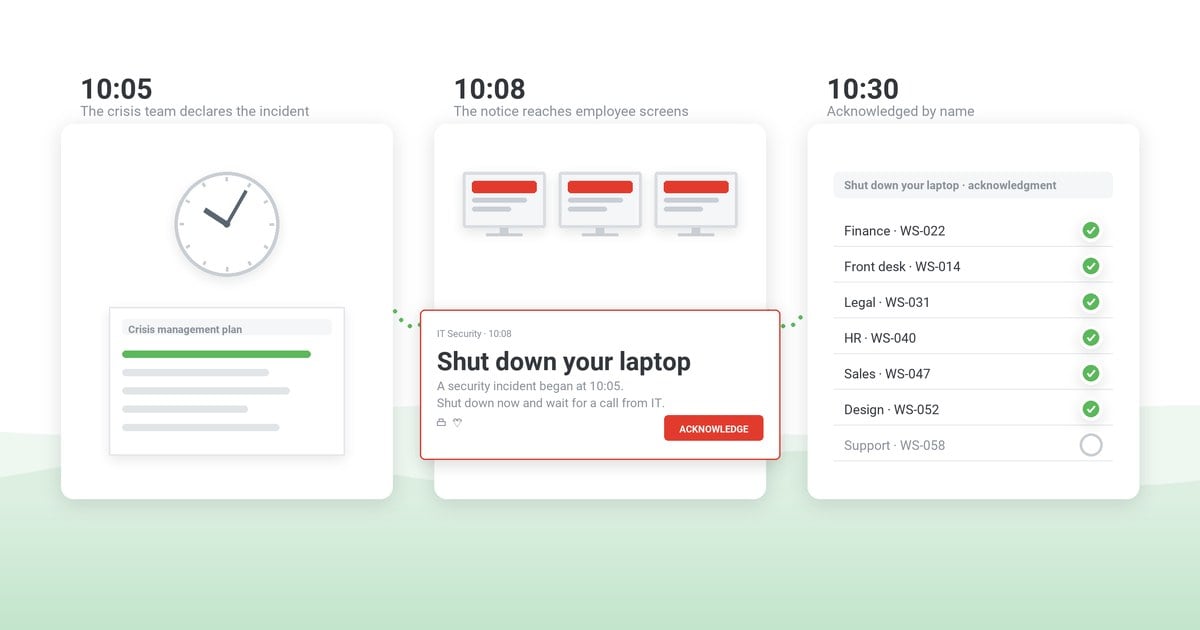
Confirming that employees have read a critical message comes down to a record you can defend: the exact text sent to named people, a deliberate confirmation from each of them, and what you did about those who did not confirm. Reading itself leaves no trace, so the record has to be built from what can be logged.
At a disciplinary hearing after a data leak, HR produces the all-staff email that announced the revised acceptable use policy. The employee's representative asks for a record that this employee confirmed it, and there is none. Regulators and certification auditors ask the same question across the organization: not whether the message went out, but who confirmed it, by name, and what happened to everyone else.
Each part of that record comes from a different place. Email logs show delivery; read receipts in Outlook and Teams show, at best, that a message was opened or seen. Alert software with acknowledgment tracking adds the named confirmation. The approved text, the escalation and the record of exceptions for those who still have not confirmed come from your own process. Five questions show whether the record holds up.
Table of Contents
1. The five questions the record has to answer
2. Outlook and Teams read receipts and SMS reports cannot name who confirmed
3. When a click is not enough evidence
4. Require a confirmation only where someone will chase the gaps
5. The record is built during the rollout, not on audit day
6. Alert software with acknowledgment tracking keeps the list of who has not confirmed
7. Frequently asked questions
The five questions the record has to answer
For information security policies, the expectation is written down. Control 5.1 of ISO/IEC 27002:2022, the guidance behind Annex A 5.1 of ISO/IEC 27001, says policies should be communicated to and acknowledged by relevant personnel and relevant interested parties (summary at ISMS.online) – wording that can reach contractors and suppliers, not only employees. Whether the request comes from a certification auditor, internal audit or a regulator reviewing your incident communication, the questions usually come down to five.
| The reviewer asks | A complete answer |
|---|
| Who was in scope? | The people the message applied to on the day it went out – contractors, people on leave and the night shift included – defined by directory group or organizational unit, not as "all staff." Also anyone who joins, transfers in or returns from leave later, and how each is asked to confirm the same version. |
|---|
| What were they sent? | The exact text, version and language, not the policy as it reads today. |
|---|
| Who confirmed it, by name? | A status per person. An open rate does not answer this. |
|---|
| What happened to the rest? | Reminders, escalation to line managers, a second channel, and the outcome. |
|---|
| Can the answer be reproduced? | The same figures months later, when the auditor arrives or the case goes to court. |
|---|
Expect exceptions to get as much scrutiny as compliance: they show whether the control operates or merely exists. A high confirmation rate with no record of chasing the gaps is a weaker answer than a lower one where every remaining gap has a recorded reason and follow-up.
Agree on the five questions with internal audit before the rollout, and give the file an owner – HR for policies, the security team for incident notices, facilities or EHS for evacuations. Decide at the same time, with legal counsel and HR, whether a signed policy attestation is required by regulation, contract or collective agreement and whether a click can meet it; until they have decided, treat the confirmation as supporting evidence, not a replacement.
Outlook and Teams read receipts and SMS reports cannot name who confirmed
Ask the channels already in place "Who read the announcement?" and they share one problem: silence. None of them can tell you reliably who has not taken the message in, which is exactly the list you have to chase. Their own documentation, checked on October 19, 2026, shows why.
Outlook. The recipient can decline to send a read receipt, some email programs do not send one at all, and a delivery receipt confirms only that the message reached the mailbox, "but not that the recipient has seen it or read it" (Microsoft Support). A missing receipt can mean an unread message, a refusal or a client setting, and you cannot tell which.
Microsoft Teams. A message counts as seen only while the recipient is active in that chat; reading it in a notification or the activity feed does not count. "Read by" works in group chats of 20 people or fewer, the administrator decides whether read receipts are available, and people who switched them off or sit outside your organization send none (Microsoft Support). In larger group chats, there is no "Read by" list to check.
SMS. Twilio reports SMS status up to delivery to the carrier or, where available, the handset; a "read" status exists for RCS and WhatsApp, not for SMS (Twilio Docs). For field and shift staff, a text message is often the only channel that reaches them – and the one that tells you least.
Using these channels for a confirmation you must defend later means rebuilding the evidence by hand from message traces, screenshots and lists collected from managers. The usual fallback, an all-staff email ending with "Please confirm receipt," produces replies from those who bother and silence from the rest; someone then matches the replies against the HR list.
When a click is not enough evidence
Even a deliberate confirmation – a reply, or a click on an acknowledgment button – records only that the recipient acted on a message addressed to them. It does not record comprehension, agreement or time spent on the text, and reviewers know it; where understanding matters, expect the question "How do you know they understood?"
Put the statement being confirmed into the message itself – "By acknowledging, I confirm that I have read version 3.2 of the acceptable use policy linked above" – so the click answers a sentence rather than closing a window. Even then, a certification auditor checking awareness under clause 7.3 of ISO/IEC 27001 can ask employees directly, and a complete record does not cover someone who cannot answer.
For instructions where a wrong move is costly – a new evacuation route, a changed lockout procedure, what to do with a suspicious payment request – follow the message with a short quiz that has a defined correct answer. The quiz shows who answered correctly, which is stronger evidence than a click.
For policies, the confirmation is one step in a process – often run in policy management software – that also sets the version, the effective date, an owner for questions and the handling of exceptions (see communicating company policies). Where a works council or union has a right to be consulted, plan that consultation before the rollout; a confirmation collected first can become a point of dispute rather than evidence. The tracking itself can need the same agreement: in Germany, introducing and using technical systems designed to monitor employees' behavior or performance is subject to works council co-determination (Works Constitution Act, section 87(1) no. 6). Expect the agreement to cover who sees the list of names, whether line managers receive it and how long it is kept.
Shared devices are the other blind spot. Any per-person record names the account that confirmed, not the person at the keyboard. On a workstation used by several people across shifts, the evidence for those people has to come from a shift sign-off or a supervisor's briefing record.
Require a confirmation only where someone will chase the gaps
Every mandatory confirmation costs attention, and the cost compounds. Habituation is measurable. In a 2015 fMRI study at Brigham Young University, the brain's visual response to a security warning dropped sharply from the second exposure onward (Anderson et al., CHI 2015). A record padded with automatic clicks says little; if every message demands one, nothing separates the click on the security policy from the click on the cafeteria menu.
Require a confirmation only where someone will act on the names of those who have not given it. In practice that means:
Skip it for news, event reminders, recognition and anything that is safe to ignore; for those, reach and open rates are the measures that matter (how to achieve better open rates).
Narrow the audience as well: a policy sent by Active Directory group to the people it applies to, rather than to all staff, leaves a list of gaps short enough to chase.
The record is built during the rollout, not on audit day
Statuses keep changing as late acknowledgments come in, so a single screenshot taken on audit day proves little. For a policy with a five-day deadline, the trail can be built like this.
Day 0. Send the policy notice to the groups it applies to, and file the exact text along with who sent it and when.
Day 2. Send a reminder to the people still unconfirmed, and to no one else.
Day 5, the deadline. Export the summary figures, separately record each person's status, and store both, dated, where they cannot be edited afterwards.
Day 6. Send line managers the names still outstanding and resend to those people one last time. Record each exception – leave, illness, a contractor whose access has ended – with the decision made. People on long leave are asked to confirm on their first day back, so their items stay open after the file closes.
Day 10. Export again after the last resend and close the file.
Alert software with acknowledgment tracking keeps the list of who has not confirmed
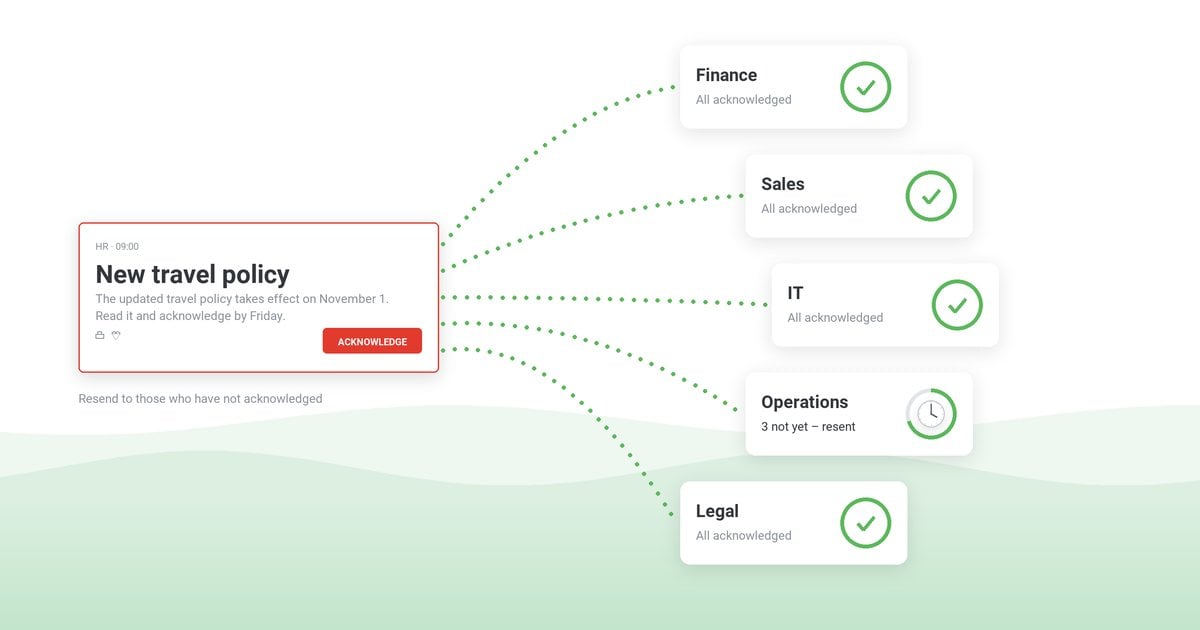
On days 2, 5, 6 and 10, Outlook, Teams and SMS leave you rebuilding the list of names by hand from receipts, replies and managers' lists. Those are the steps alert software with acknowledgment tracking is built for: a status per person, and a resend that reaches only those who have not confirmed.
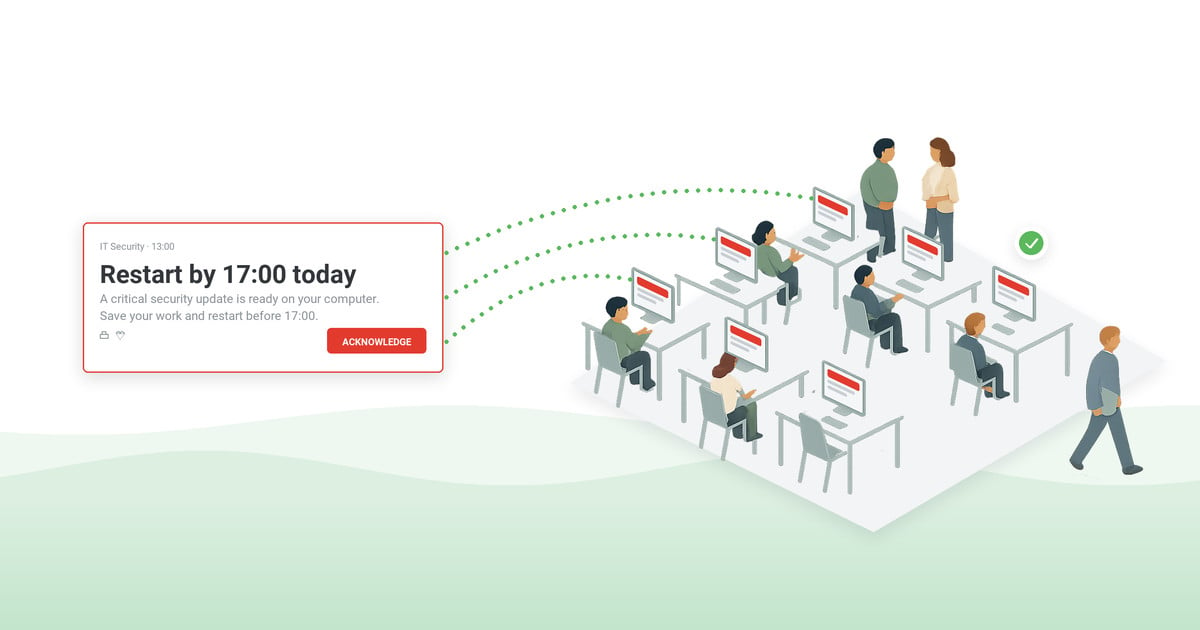
In DeskAlerts, our own alert software, acknowledgment is a setting on the alert. With it enabled, the alert has no working close button, so Acknowledge becomes the only way to dismiss it – in a pop-up, a full-screen alert or a scrolling ticker. Unlike a read receipt, which the recipient can decline to send, a missing acknowledgment is a definite "not yet" that you can follow up on. The publisher can add a Postpone button, which lets the employee delay the acknowledgment. That helps when the alert lands in the middle of a client call, but every postponement is a confirmation still open on your list.
Who confirmed, by name, is in the DeskAlerts Users Report, a person-by-person list of which staff have received and acknowledged each alert. Each alert's statistics show how many recipients received it, did not receive it and acknowledged it, and they export to CSV or XLSX for a compliance or labor audit file (acknowledgment statistics and exports). The Users Action Log records who sent the alert and when, and exports to CSV or Excel. Where the wording must be checked before it goes out, the optional approval workflow holds the alert as Pending Approval until a publisher with the approval role approves or declines it.
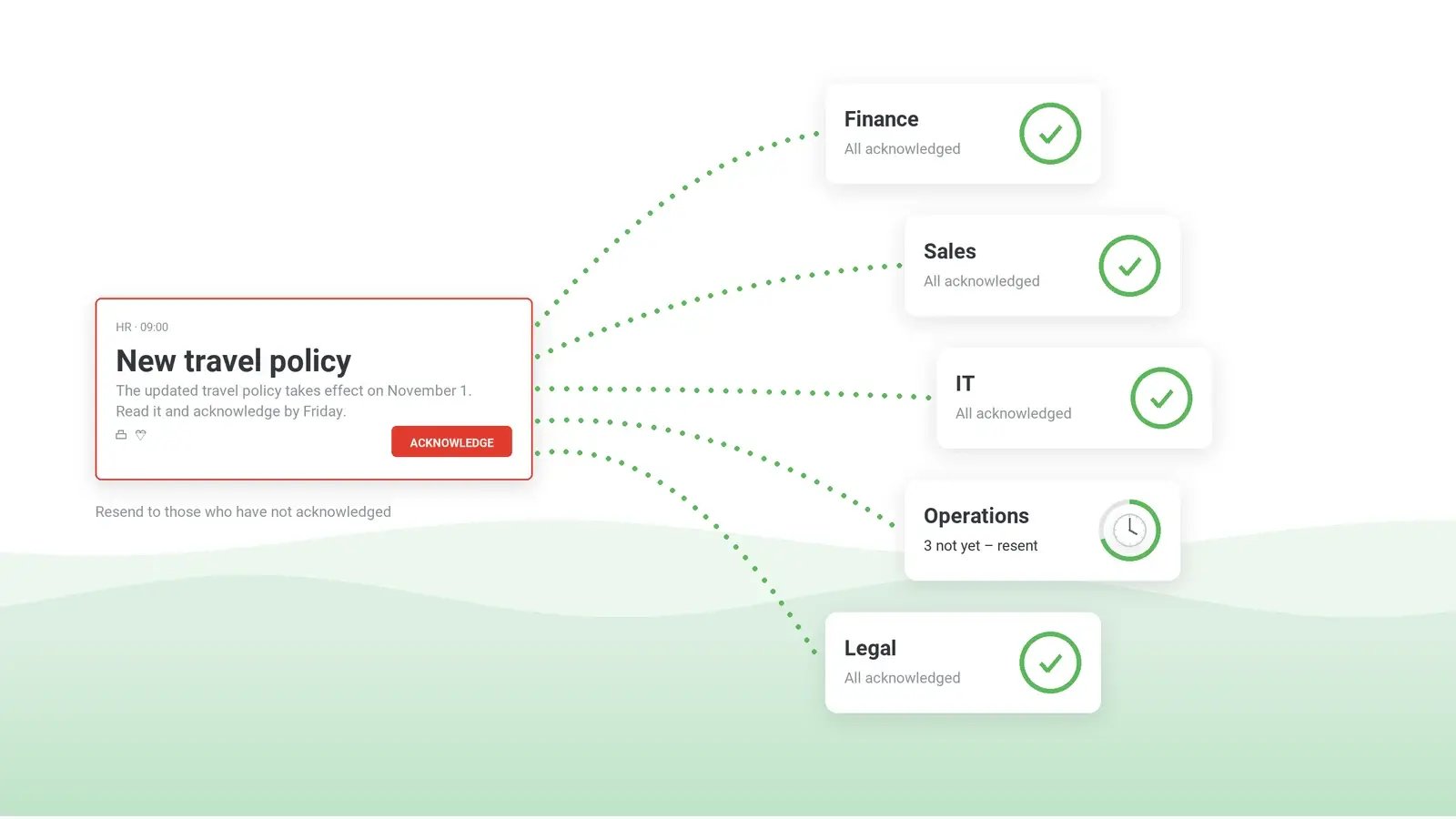
A resend can go to everyone, only to those who have not acknowledged, or only to those who have not received the alert. That way, the second wave does not interrupt the people who have already confirmed. The follow-up quiz described earlier is sent from the same console to the same groups; its results – received, not received, voted and not voted – export to CSV or Excel (employee surveys and quizzes).
Who was in scope follows from how the audience is chosen. Recipients can be selected by group, organizational unit or individual user, so the status can cover the whole group the policy applies to. The audience can also be synchronized from more than one Active Directory server or Entra ID tenant, which matters when the population spans several domains or a recent acquisition. Laptops that are offline when the alert goes out are reached later through Keep Active, which keeps attempting delivery for the period the publisher sets; anyone still not reached shows as not received.
Deskless workers need a separate plan. On phones, the alert arrives as a push notification in the DeskAlerts app, which reports receipt when the employee opens the alert. The alert on the phone does not pop up over the screen, and the acknowledgment described here is documented for desktop alerts. For staff on a production line or a hospital ward, who often get safety alerts only by SMS, decide in advance how employee acknowledgment of those alerts will be recorded, so the file does not show a gap that was in fact covered. The record can come from an RSVP alert answered in the DeskAlerts app, which reports voted and not voted, or, for those reached only by SMS, from a supervisor's sign-off at the shift briefing.
What each channel can put in an audit file
| Email read receipt (Outlook) | Microsoft Teams read receipt | SMS delivery report (Twilio) | Pop-up alert with acknowledgment (DeskAlerts) |
|---|
| Delivery record | A separate delivery receipt confirms the mailbox received it | A "sent" confirmation, not delivery | Delivered status from the carrier and, where available, the handset | Received and not received, per alert and per person |
|---|
| Evidence the message was seen | An open – only if the recipient agrees to send a receipt and the email program supports it | Seen – only while the recipient is active in that chat | None – a read status exists for RCS and WhatsApp, not SMS | Closes only through Acknowledge, unless Postpone is enabled; reading itself is not recorded |
|---|
| Deliberate confirmation | No | No | No | Yes – the Acknowledge click |
|---|
| Can the recipient withhold the record | Yes | Yes, where the administrator allows it | Not applicable | No – until they acknowledge, they count as unacknowledged; Postpone only delays it |
|---|
| Per-person list of who has not confirmed | Tracking on the sent message in classic Outlook shows the receipt responses; a missing one may be a decline | "Read by", in group chats of 20 or fewer | Delivery status per recipient, through Twilio's API | Users Report – received, not received and acknowledged, per person |
|---|
| Resend only to the rest | Manual – rebuild the list from the receipts returned | Manual – no list beyond a group chat of 20 | Not described* | Yes – to those who have not acknowledged or have not received it |
|---|
| Export for the audit file | Not described* | Not described* | Through Twilio's API or status callbacks | Alert statistics (figures per alert) to CSV or XLSX; Users Action Log to CSV or Excel |
|---|
*Not described on the Microsoft and Twilio pages linked earlier in this article (checked October 19, 2026).
What the alert software cannot supply, you add: the audience definition on the day, including who was excluded and why; the text as sent, its version and its owner; the escalation to line managers and the decision on each exception; and, after an incident, the timeline of decisions. The dated exports from the deadline and the last resend are what reproduce the figures months later. Where policy management software runs the policy process, it keeps the version and the effective date, and the alert is the step addressed to each person. The file is finished when it answers the reviewer's five questions without anyone having to reconstruct the answers from mailboxes.
See who has not acknowledged a critical message – and resend only to them
A 30-minute demo: send a policy alert, see who has not acknowledged it, resend only to them, and export the statistics for the audit file.
Frequently asked questions
What is acknowledgment tracking?
A per-person record of who received a message, who confirmed it with a deliberate action and who has not. HR teams often know it as policy acknowledgment or employee handbook acknowledgment, while incident and safety teams use the same list to decide whom to call next. Where a signed attestation is required, the attestation itself usually sits in policy attestation software or the HR file.
Can you require employees to acknowledge a message?
Technically, you can make the click the only way to close the alert: with acknowledgment enabled, the close button is disabled, and Postpone, if the publisher adds it, only delays the acknowledgment. No software makes anyone click, but everyone who has not stays on the list as unacknowledged, whereas email and chat read receipts depend on the recipient's choice or the administrator's settings. Whether staff can be obliged to confirm, and what follows if someone refuses, is a question for HR, legal counsel and, where one exists, the works council; settle it before the rollout, not after the first refusal.
How do I know who actually read a critical message, not just received it?
You cannot see reading, but you can see the difference between received and confirmed. In DeskAlerts, the Users Report separates employees who received a desktop alert from those who acknowledged it, and the gap between the two is exactly who to chase.
Which tools show who read and acknowledged an urgent message – email, Teams, SMS or alert software?
Outlook and Teams read receipts show, at best, who opened or saw a message, and both depend on settings the sender does not control; an SMS delivery report stops at the carrier or, where available, the handset. Alert software with acknowledgment tracking adds a deliberate confirmation per person and a resend aimed only at those who have not given it; DeskAlerts provides both for alerts on employees' computers. When you compare employee alert systems, use how to choose an employee notification system as the wider checklist, and ask any vendor to show both on a test send to one of your own groups rather than on a slide.

 Steve Wilson: Oct 22, 2026, 9:00:00 AM