When a cyberattack hits, the channels you’d normally use to warn employees – email, Teams, the intranet – are often the first casualties. They may be down, compromised, or unsafe to use because an attacker could be reading them. Reaching your people in that moment is not a prevention problem or an incident-response-process problem. It’s a reachability problem: how do you get an urgent instruction in front of every affected employee, on a channel that still works, and confirm they saw it?
This guide is about that narrow, practical question. Not how to prevent an attack, and not how to run your incident-response plan end to end – those are separate jobs with their own playbooks. This is about the communication slice: how you actually reach and confirm employees during an active cyber incident.
Table of Contents
1. Why your normal channels fail during a cyberattack
2. The answer: an out-of-band, push channel
3. What to tell employees during a cyberattack
4. Reach the right people, not everyone
5. Confirm who saw it – the part most tools skip
6. Where DeskAlerts fits
7. This is one piece of a bigger plan
8. The bottom line
9. Frequently asked questions
Why your normal channels fail during a cyberattack

Email, chat, and the intranet are pull channels. They assume a healthy network and an attentive user who happens to be looking at their inbox. During a ransomware attack or breach, both assumptions break at once:
- The channel itself may be down. Ransomware that encrypts servers or forces an isolation shutdown can take email, file shares, and internal apps offline exactly when you need them.
- The channel may be compromised. If an attacker has a foothold in your mail or collaboration environment, anything you write there can be read – including your response coordination. Warning staff through a monitored channel tips your hand.
- The message may simply be missed. Even when email is technically working, people don’t refresh their inbox during a crisis. A warning email that sits unread for ten minutes is, in practice, the same as no warning at all.
The scenario changes which channels survive. In a business email compromise or account takeover, email is not just slow – it is hostile territory where the attacker reads and sends. In an endpoint ransomware outbreak, email may be intact but the machines people read it on are not. The safe default in the first hour is the same either way: treat email, chat, and the intranet as suspect until the response team clears them.
That last point is the crux. During an incident, a message read too late does no good – you need something that lands in front of people the moment you send it. A Windows system administrator at a healthcare (oncology) organization described exactly this after a ransomware incident:
“We got hit by a massive ransomware attack. We sent out an emergency email but nobody reads an email until after the fact. We want something immediately in their face.”
One large healthcare provider adopted DeskAlerts to push instant IT and cybersecurity warnings to staff – including during the WannaCry ransomware outbreak – as described in its healthcare cybersecurity alerting case study.
The answer: an out-of-band, push channel
The whole procedure fits in five steps:
- Assess channel integrity – treat email, chat, and the intranet as suspect until the response team clears them
- Switch to the out-of-band channel your plan names, and say in the first message that it is now the official source
- Send a short behavioral message: what happened in plain terms, what to stop doing right now, where updates will come from
- Target the affected groups first, then widen as the impact picture firms up
- Track acknowledgments and escalate to everyone who has not confirmed – by mobile push, SMS, or a manager walking the floor
The rest of this article unpacks those steps. NIST SP 800-61 (Rev. 3, updated 2025), the standard incident response guide, places pre-planned communication in the preparation work done before an incident, and CISA’s incident response guidance makes the same point: decide the out-of-band channel before the incident, not during it. A cybersecurity tabletop exercise is where that decision gets tested before a real incident does it for you.
Incident responders have a term for the fix: out-of-band communication – reaching people through a channel that is separate from, and independent of, the systems that may be compromised. It’s the approach security guidance consistently foregrounds: switch to out-of-band channels and don’t rely on corporate email you can’t trust mid-incident.
An out-of-band employee alerting channel has three properties email and chat lack during an incident:
- It pushes. The alert appears in front of the employee – a desktop pop-up, a lock-screen message, a mobile push – instead of waiting in an inbox for someone to check it.
- It’s independent. It doesn’t ride on the email or cloud collaboration tools that may be down or watched. Delivery keeps working through an email, cloud, or Teams outage.
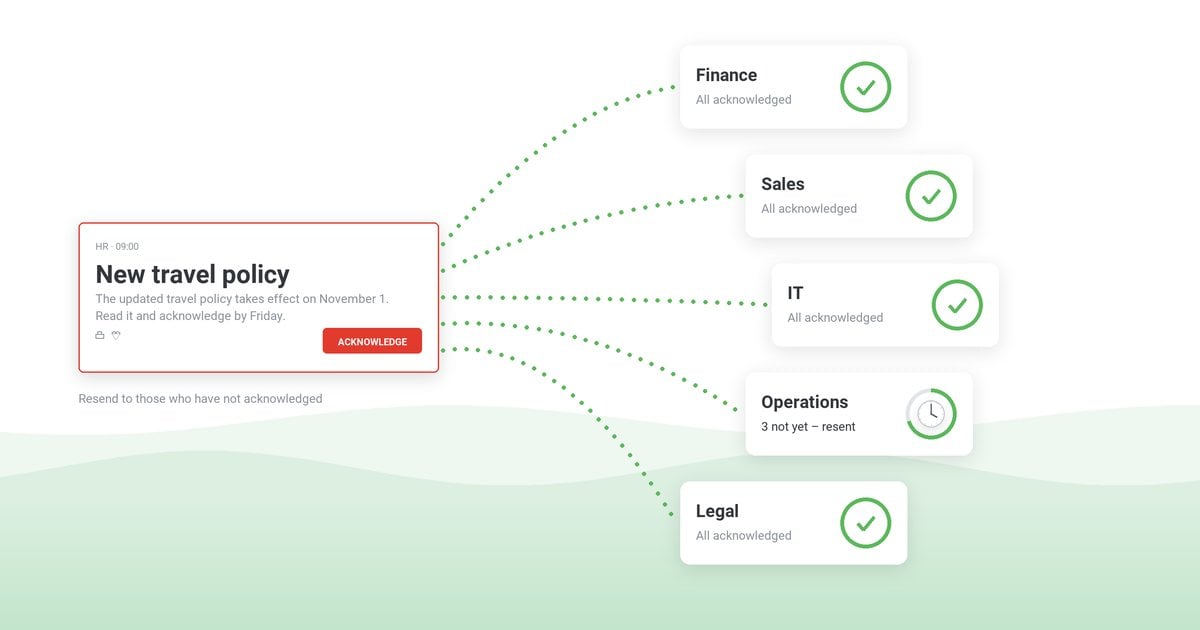
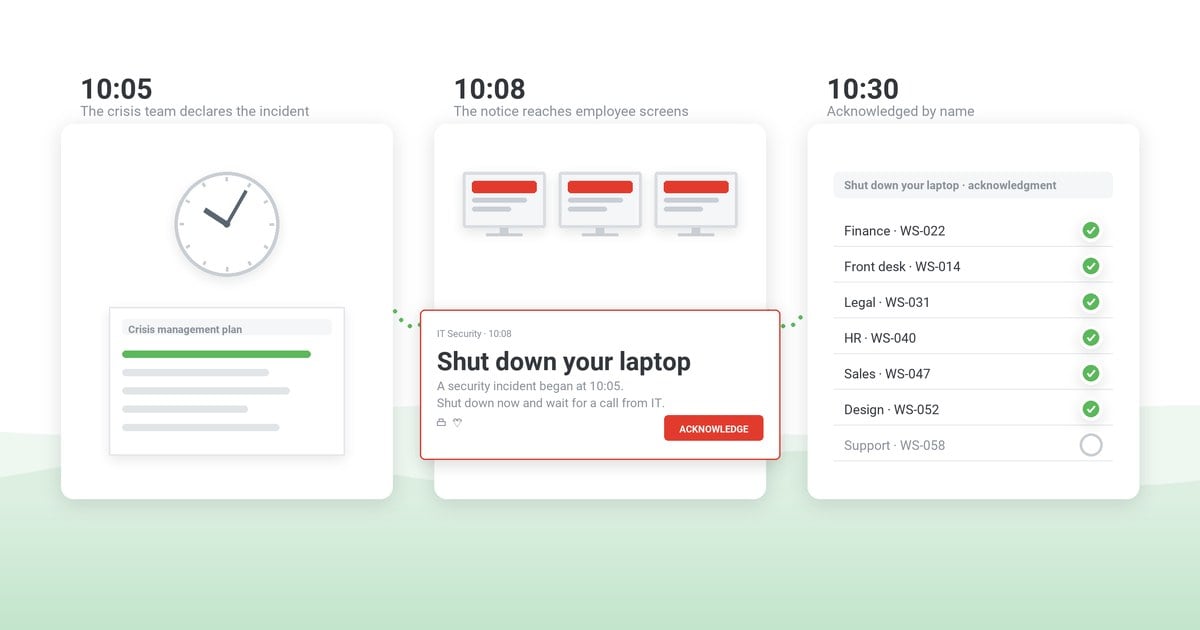
- It confirms receipt. You get acknowledgment tracking – a live view of who has actually seen the alert – so you know who’s covered and who you still have to reach another way.
This is the capability most tools in the critical-communication space tend to under-serve. A lot of the available advice is about committees, reputation, PR, and frameworks. Useful, but it skips the operational question a stressed IT lead is actually asking at 2 a.m.: how do I get a warning in front of everyone when email is down?
What to tell employees during a cyberattack
When you do reach people, the content should be short and behavioral. You’re trying to change what employees do in the next 60 seconds, not explain the incident. A workable structure:
- What’s happening, in one plain sentence. (“We are responding to a security incident affecting company systems.”)
- What to stop doing, right now. The single most valuable line. For example: unplug the network cable or disable Wi-Fi, but do not power the machine off – memory holds forensic evidence the response team needs. Do not log in, do not open email attachments, do not enter credentials. Follow the exact isolation instruction your IR team gives; once a computer is off the network, the mobile app or SMS becomes the surviving channel for updates.
- Where updates will come from – and crucially, which channel, since the usual ones may be down.
- Who to contact if they see something suspicious or need help.
Decide who owns the wording before you need it. In most incident response plans the communications lead drafts the employee message, and the incident commander and legal approve it – mid-incident wording can create legal exposure or tip off an attacker who is reading internal channels. Employees get facts and actions, not analysis.
Keep technical detail, attribution, and speculation out of it. For ready-to-adapt wording under pressure, pre-built templates matter – you don’t want to be drafting from a blank page mid-incident. A workable first alert, ready to adapt:
Employee security alert
SECURITY INCIDENT – ACTION REQUIRED. We are responding to a security incident affecting [systems/scope]. Right now: disconnect your computer from the network (unplug the cable or turn off Wi-Fi) but do NOT power it off. Do not log in to [affected system] and do not open unexpected attachments or links. Updates will arrive through this channel every [interval]. Questions: contact [name/number], not email. Acknowledge this message.
Our IT outage message templates cover the calmer variants – status updates and the all-clear.
Reach the right people, not everyone

A cyber incident rarely affects the entire organization equally. Blasting all 8,000 employees when only the finance department’s segment is impacted creates panic and noise. Targeting – by department, location, role, or individual – lets you warn the affected group precisely while keeping everyone else calm and working. Then, as the picture changes, you widen or narrow the audience accordingly.
“The capacity to publish rapidly to all users or specific ones important messages about use of critical product.”
– Bruno L., CIO, Hospital & Health Care, via Capterra
Confirm who saw it – the part most tools skip
Sending is only half the job. The question that actually matters during an incident is who hasn’t seen this yet. Acknowledgment tracking turns a hopeful broadcast into an accountable one: a live list of who has confirmed and who hasn’t, so you can escalate to the unreached instead of assuming an inbox was opened. A “90% delivered” number means nothing until you find the 10% still exposed.
In practice the loop has three moves: repeat the alert automatically to anyone unacknowledged after a set interval; switch channel for the remainder – mobile push or SMS to people away from their desks; and hand the last names to their managers to reach in person. The list of who has not confirmed is the working document of the first hour.
Where DeskAlerts fits

DeskAlerts is employee notification software built for exactly this reachability problem. During a cyber incident, it gives IT and security teams:
- Out-of-band push delivery – desktop pop-ups, lock-screen alerts, and mobile push that appear in front of employees rather than waiting in an inbox that no one is checking.
- Delivery that’s independent of email and cloud outages. With on-premise deployment, alerting keeps working through email, cloud, and Teams outages, so you can avoid channels you can’t trust mid-incident. (It won’t magically survive a full network compromise – but it removes your dependence on the email and collaboration tools most likely to be down or watched.)
- Acknowledgment and read-receipt tracking so you know who actually saw the alert.
- Targeting to reach only the affected users, departments, or locations.
- Pre-built templates ready to fire the moment an incident starts.
If you’re planning for this scenario, the relevant product pages go deeper: IT alerting, emergency notifications, and automated incident notifications.
“Easy to use to send alerts internally to users’ desktops.”
– Jason C., Deputy CIO, Hospital & Health Care, via Capterra
This is one piece of a bigger plan
Reaching employees is the communication slice of incident response – not the whole thing. Two adjacent pieces are worth reading alongside this:
- Prevention. The best incident is the one that doesn’t happen. Employee awareness and training reduce your exposure in the first place – see our cyber security awareness email to employees.
- The incident-response process. How you coordinate the overall response – roles, escalation, and decision-making – is its own discipline. Our incident response communication plan covers the process; this post covers the employee-notification step inside it.
- Regulatory notifications run on their own clocks – GDPR gives 72 hours to notify the supervisory authority, US public companies disclose material incidents on SEC Form 8-K within 4 business days. Those are legal workstreams owned by counsel; the employee notification described here is separate and usually much faster.
When the incident closes, the communication log becomes part of the record: when the first alert went out, who acknowledged it, and who was reached late. Capture that in an after action report while the details are fresh – it is the one part of the post-incident review you can build on delivery logs rather than memory, and its corrective actions feed straight back into the templates and audience groups above.
The bottom line
During a cyberattack, don’t assume your normal channels will carry the warning – assume they won’t. The organizations that reach their people fastest are the ones that set up an out-of-band, push-based alerting channel before the incident: one that fires independently of email and cloud outages, targets the right people, and confirms who actually saw the message. When email and Teams are down, a reliable out-of-band channel is what lets you say “everyone was warned in time” and mean it.
DeskAlerts delivers out-of-band desktop, lock-screen, and mobile alerts with acknowledgment tracking – independent of your email and cloud tools, SOC 2 Type II audit completed · GDPR compliant. Request a demo to see how it works during an incident.
See how fast you can reach everyone in an incident
DeskAlerts pushes out-of-band desktop, lock-screen, and mobile alerts with acknowledgment tracking – independent of the email and cloud tools an attack takes down.
Frequently asked questions
What is the first thing to do when communicating during a cyberattack?
Switch to an out-of-band communication channel – one that does not depend on the systems that may be compromised. Never use corporate email, Teams, or the intranet to coordinate an active incident until you know they are clean, because attackers may be reading them or they may be down. Use a separate, independent push channel to reach employees and confirm who received the message.
How do you reach employees when email and Teams are down?
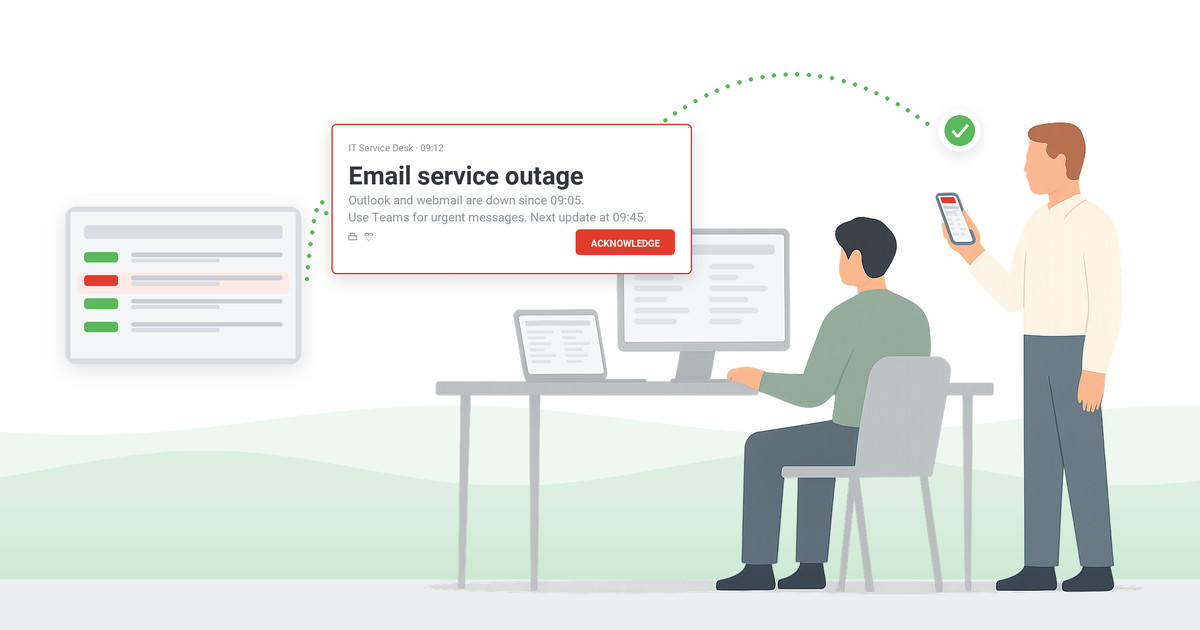
Use a push channel that does not rely on email or cloud collaboration tools – such as a desktop pop-up, lock-screen alert, or mobile push delivered from an independent alerting system. Push channels fire regardless of whether staff are checking their inbox, and acknowledgment tracking tells you who actually saw the alert versus who still needs to be reached another way.
What should you tell employees during a cyberattack?
Keep it short, specific, and action-oriented: what is happening in plain terms, what to stop doing right now (for example, disconnect from the network but do not power off, do not log in, do not open attachments), how to get further updates, and who to contact. Avoid technical detail and blame. The goal is to change behavior fast, not to explain the incident.
How do people in cybersecurity communicate during an incident?
Incident responders deliberately move to out-of-band channels separate from the compromised environment. That means alerting employees through an independent push tool rather than the corporate email or chat that may be monitored or offline, and using a pre-agreed method to coordinate the response team itself.
What are the 5 C’s of crisis communication?
A common framing is that crisis communication should be clear, concise, consistent, credible, and coordinated. During a cyber incident, “clear” and “concise” matter most in the message itself, while “coordinated” depends on having a reliable channel to reach everyone at once and confirm they received it.
How do you confirm employees actually saw a cyber incident alert?
Use a notification tool with acknowledgment or read-receipt tracking. Instead of assuming a message was seen, you get a live list of who has confirmed and who has not – so you can escalate to the people you still haven’t reached rather than hoping an email was opened.
Should you tell employees about a ransomware attack?
Yes, and quickly: employees are part of containment. They need to know what to stop doing before the attack spreads through their actions. Tell them what is affected in plain terms and what to do now; leave scope, attribution, and recovery estimates to later updates approved by the incident commander and legal. Silence produces rumor, and rumor produces the wrong behavior.
What should you not tell employees during a security incident?
Avoid technical detail, attribution guesses, blame, and recovery promises. Do not name the attacker, the suspected entry point, or systems not yet confirmed as affected, and assume an intruder may be reading internal channels. Employees need facts and actions: what happened in plain terms, what to stop doing, where updates will come from.


 Steve Wilson: Oct 23, 2026, 9:00:00 AM