Ticket floods during outages are a communication-timing problem. Reach affected employees before they report the same known incident – an incident communication runbook settles who says what, and by when, before the pager goes off.
Table of Contents
1. Why helpdesk overload happens during a shared outage
2. The outage-hour playbook: notify before the ticket is filed
3. Measure tickets per incident, not just ticket volume
4. Proactive IT outage communication examples
5. How to reduce duplicate outage tickets: summary
6. Frequently asked questions
An outage starts. The monitoring tool detects it, the IT team begins diagnosis, and employees discover the failure one by one. Before the first company-wide update appears, the helpdesk queue fills with tickets that all say some version of the same thing: “Is the system down?”
Employees file tickets because they do not know that IT already sees the incident, whether it affects them, or what they should do next.
Every helpdesk ticket filed during an outage is a message you didn’t send in time.
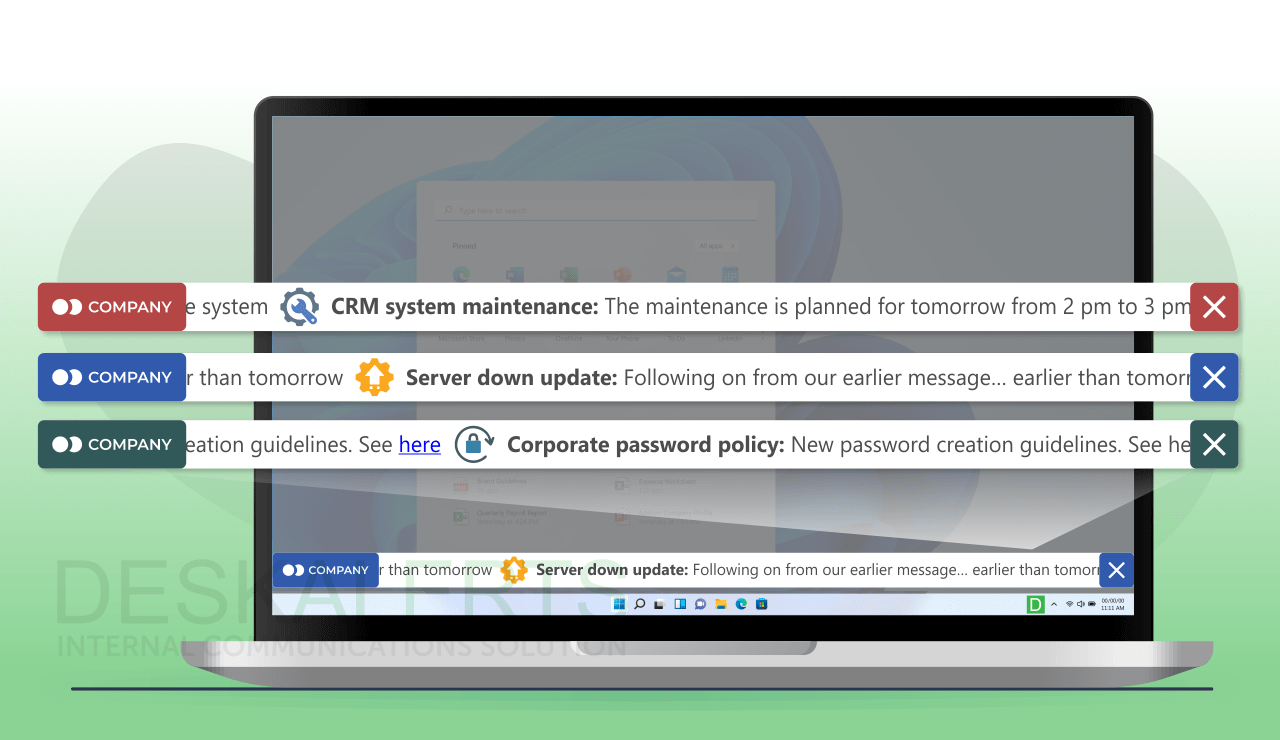
DeskAlerts is employee notification software that sends targeted alerts in a can't-miss format, including messages that appear on top of employee screens, while delivery and acknowledgment can be tracked.
The goal is to prevent hundreds of people from reporting the same known outage because the official update arrived after they hit the error – while genuine new problems still get reported.
Why helpdesk overload happens during a shared outage

Most helpdesks are built to accept individual reports. A shared service failure reverses that pattern: one technical incident creates many employee reports at once. Each ticket takes time to open, classify, merge, answer, or close. Calls are worse: an agent has to respond in real time.
The first minutes create the backlog. If employees encounter an error before they receive an official notice, opening a ticket feels reasonable. Once they know IT is working on the issue and when another update will arrive, many no longer need to ask for status.
Employees may not read email in time, and the mail system may itself be what failed – a notice about an email outage cannot depend on the inbox nobody can reach. Chat messages scroll away in busy channels and only reach people who have the app open. The channel you announce on has to stay available when the affected system is not, and it has to interrupt the normal “try again, then contact the helpdesk” reflex.
| Channel | Works when email or chat is down | Employee has to go looking | Reaches people away from a desk |
|---|
| Email | No, if mail is the failed service | Yes – it waits in the queue | Only if mobile mail is configured |
| Teams or Slack | No, if the platform or SSO is affected | Yes – it scrolls in a channel | Yes, if the mobile app is installed and notifications are on |
| Status page | Yes, if hosted externally | Yes – the employee must visit it | Yes, with the link |
| SMS or mobile push | Yes | No – it arrives on the phone | Yes |
| Desktop pop-up or ticker | Yes, independent of mail and chat | No – it appears on top of the work | No – pair it with mobile for field staff |
No single row wins. A status page is the persistent source of truth an employee can return to; a push channel is the interrupt that tells them the page exists. For a major incident the practical combination is an on-screen alert carrying the status-page link, plus mobile delivery for anyone who is not at a company desktop – which is the job IT outage notifications are built for.
Other guides to reducing support tickets discuss self-service articles, knowledge bases, routing, and agent training. Those methods can improve normal helpdesk work. This article focuses on the different problem created when many employees hit the same known failure at nearly the same time. For agent-side issues and troubleshooting topics, see the most common helpdesk problems and how to solve them.
The outage-hour playbook: notify before the ticket is filed

The best time to reduce duplicate outage tickets is before the queue starts growing. Use this playbook during the first hour of an unplanned system, network, or service outage – and, with the timings shifted, for planned maintenance windows too. Security incidents need different handling – see the cyberattack guide below.
1. Send the first employee notice in the first minutes
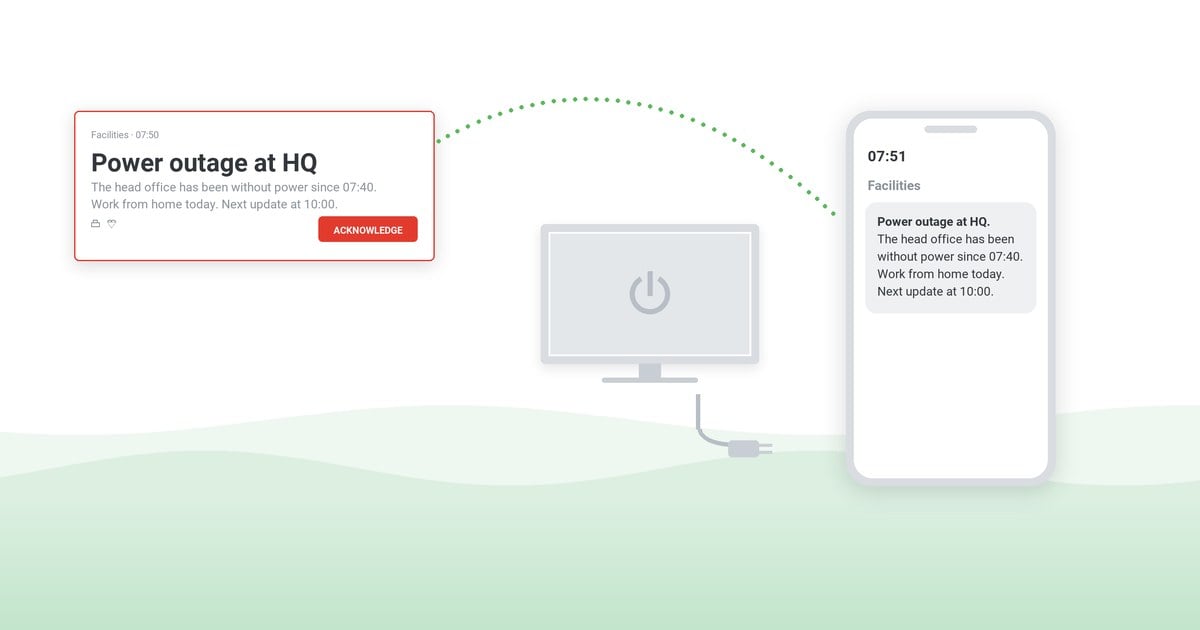
Send the first notice within 15 minutes of detection, before root cause is known. It only needs to confirm the known impact and show that IT is responding. Send it through a channel that does not depend on the failed service. For an email outage, that means not relying on email as the primary notice.
Name the affected service in employee language. “The finance reporting portal is currently unavailable” is more useful than an internal incident code. State the scope only as far as it is confirmed. If the affected population is still being checked, say so rather than guessing.
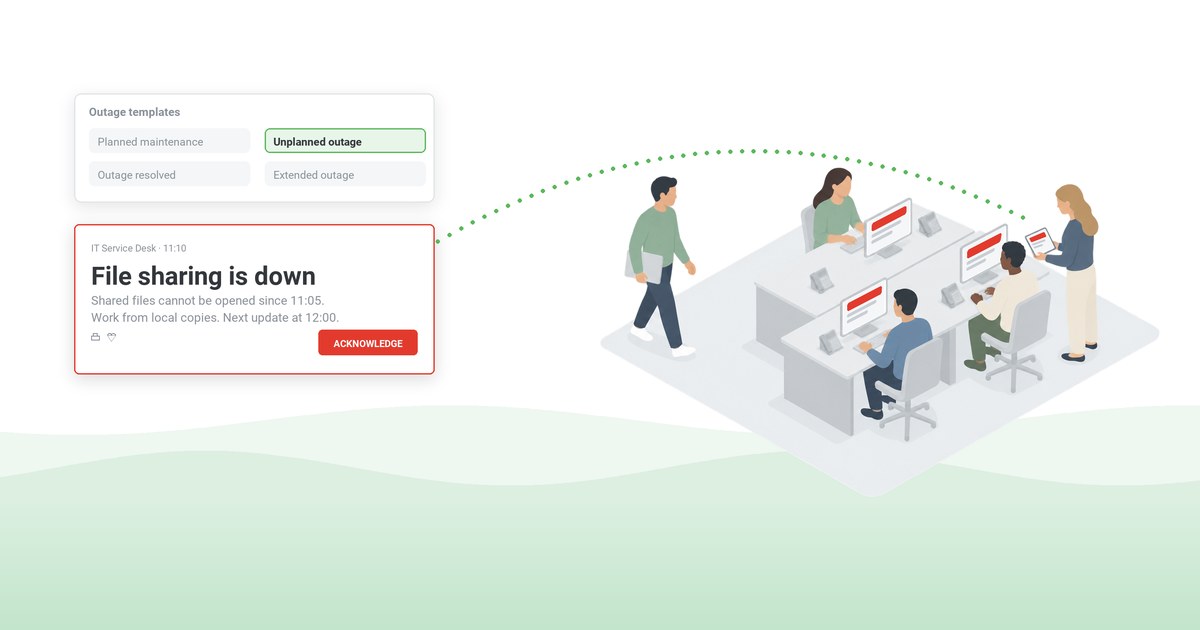
A pop-up or ticker that appears on top of the screen gives employees information before they leave their work and open a ticket. Lock-screen, wallpaper, and screensaver notifications can keep the current status visible for people returning to their devices.
“DeskAlerts provides us a means to communicate when we have various system outages or planned downtimes”
– Jason C., Deputy CIO, Hospital & Health Care, via Capterra
2. Tell employees what to do now
Give one practical instruction. It may be to pause a task, use an approved alternative, avoid repeated sign-in attempts, or continue working in unaffected systems. If there is no workaround, say that directly.
Keep technical investigation detail out of the first notice. Employees need to know whether the problem is already known and whether they need to take action. Keep the live alert short enough to scan while the employee is moving between tasks.
Three messages carry most of an outage. Approve the wording before the next incident, not during it:
First notice
[Service name] is currently unavailable for [affected group]. IT is working on it. For now, [one instruction: pause the task / use X instead / avoid repeated sign-in attempts]. Reference [incident ref]. Live status: [status page link]. Next update at [time, timezone].
No-change update
[Service name] is still unavailable. The team is working on it and there is no new estimate yet. Keep [workaround] in place. Reference [incident ref]. Live status: [status page link]. Next update at [time, timezone].
Resolution
[Service name] is back to normal as of [time, timezone]. You can resume [task]. If you still see [specific symptom], open a ticket and mention [incident reference] – that helps us separate new problems from this incident.
More wording, including planned-maintenance notices, is in our IT outage message templates.
What the service desk does in the same hour
Notification is one half of the response; the queue itself needs handling. Four actions belong to the service desk lead as soon as a major incident is declared:
- Open a parent incident record and link every duplicate to it, so resolving the parent can close the children in one action if your ITSM tool is configured for it
- Put a banner on the self-service portal naming the affected service and the next update time
- Set a temporary auto-acknowledgement on the ticket intake channels naming the incident
- Record a hold or IVR message on the support line – calls are the expensive channel, and the one an on-screen alert reduces but does not eliminate
3. Commit to the next update time
Tell employees when they will hear from IT again. A stated update time removes the need to ask, “Any news?” It also creates a clear publishing deadline for the incident communicator.
For a P1 or major incident affecting a widely used service, update every 30 minutes until resolution; for a lower-severity incident, hourly is usually enough. Publish at the promised time even if the technical status has not changed.
A no-change update confirms that the incident remains active and states when the next notice will arrive. Treat restoration estimates as estimates, not promises. If the estimate changes, correct it in the next notice.
4. Target only affected employees
A company-wide alert is not always the safest default. Sending irrelevant outage messages trains unaffected employees to ignore future IT notices and can create new questions from people who were not experiencing the problem.
Target by the best available signal: affected group, organizational unit, IP range, individual, or specific machine. Match the message to the employee’s context. A branch office with a local network failure may need different instructions from remote employees using the same business application.
5. Keep the update loop open until resolution
Continue publishing at the promised cadence. Each update should identify the incident, state the current user impact, and give the next update time. If a workaround changes, replace the earlier instruction clearly.
When service is restored, notify the same affected audience. Tell employees whether they can resume normal work and whether any action is required. If IT still needs reports of a residual problem, define what should be reported so the helpdesk can separate new exceptions from duplicate outage tickets.
Detailed incident roles and escalation paths belong in your incident response communication plan, and how IT teams keep everyone informed when systems fail covers the broader practice. Security events require different decisions and wording – use the dedicated guide to notifying employees during a cyberattack.
6. Close the loop at the post-incident review
Communication belongs in the post-incident review alongside the technical timeline. Bring the fields recorded below, and answer three questions: was the first notice fast enough, did it reach the right audience, and did the wording remove the reason to open a ticket. Improvements land in the templates, the audience groups, or the trigger – not in a resolution to “communicate better next time”.
Planned maintenance uses the same playbook
Scheduled downtime produces the same duplicate tickets when nobody announces it. Send an advance notice when the change is approved, a reminder on the day, a start message when the window opens, and a completion message when it closes. The wording differs mainly in certainty: the outcome and the window are known, so state both precisely along with the workaround. Scheduled sends in IT alerting software cover the whole sequence without manual reminders.
Measure tickets per incident, not just ticket volume

A general monthly ticket count will not show whether proactive outage alerting worked. Compare tickets generated by similar incidents before and after the new notification process.
Tickets per incident = all related tickets and calls divided by that one incident; when incident size varies, normalize as tickets per 100 affected employees. Use the fields listed at the end of this section to calculate both..
Compare like with like. A ten-minute outage affecting one department should not be treated as equivalent to a two-hour company-wide failure. Note material differences in duration, audience size, time of day, and whether a workaround existed.
The most useful leading measure is the detection-to-notification gap: the time between incident detection and the first employee alert. Target under 15 minutes for a major incident, and trigger the notice from your monitoring or ITSM tool through the API so the gap does not depend on someone being at a keyboard. If the first related ticket repeatedly arrives before the official notice, the communication process is still late. If the alert consistently arrives first and duplicate tickets fall across comparable incidents, the team has evidence that proactive communication is reducing helpdesk overload.
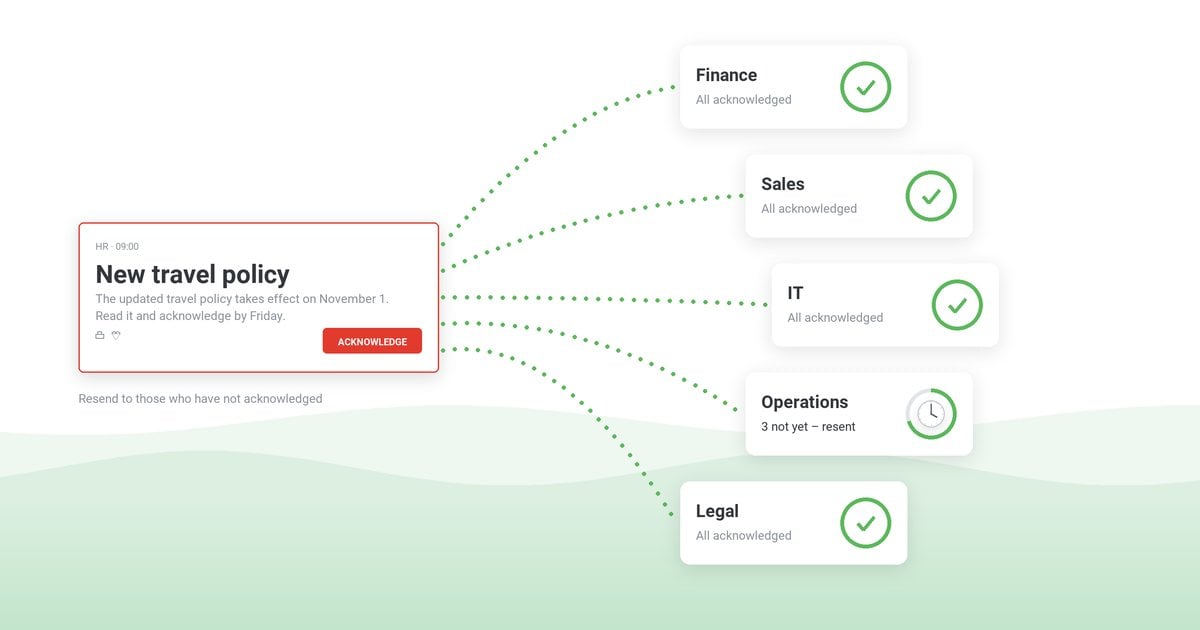
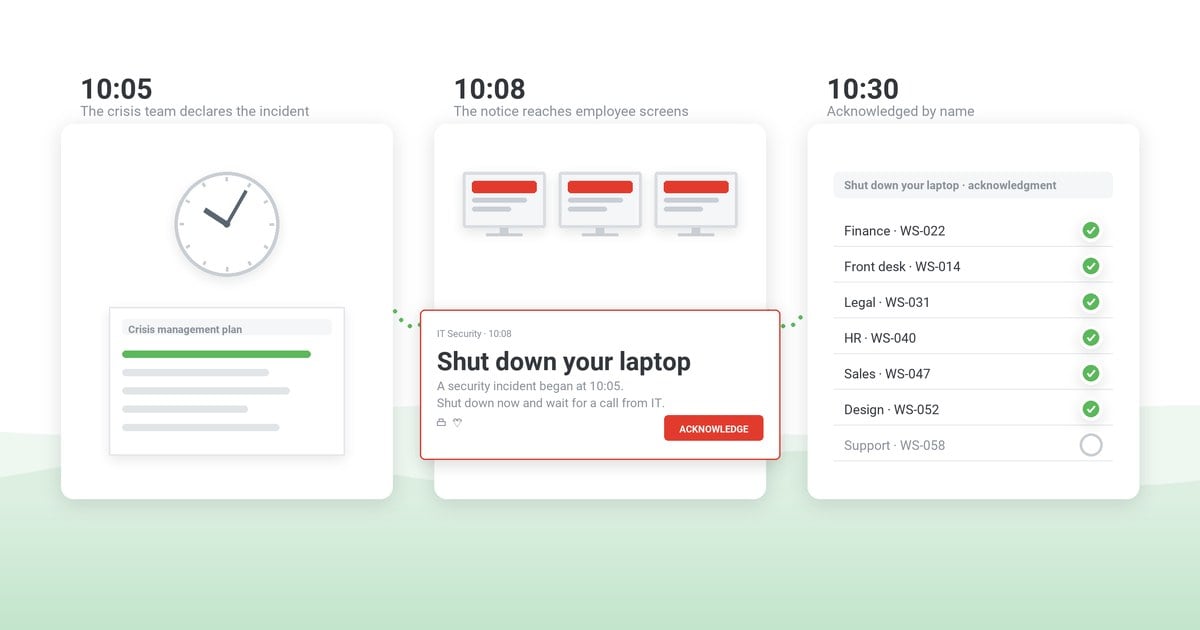
Delivery and acknowledgment tracked by employee notification software add another diagnostic layer. If tickets remain high even though the message reached the intended devices, review the wording, targeting, and update cadence. If delivery is incomplete, investigate the audience data or channel coverage. This creates a closed feedback loop without assuming that a sent message solved the problem.
Outage communication metrics checklist
- Incident start time
- Time of the first employee alert
- Time of the first related helpdesk ticket
- Estimated affected employee population
- Total related tickets and calls
- Duplicate tickets about the known issue
- Restoration time
Proactive IT outage communication examples
No two environments are identical, but DeskAlerts customer stories show a consistent pattern.
“Less calls to the help-desk - less stress for the users in case of some failure”
– Bruno L., CIO, Hospital & Health Care, via Capterra
Case study
St George’s University of London
St George’s University of London used a dedicated alert channel to update approximately 8,000 staff and students across its organization about IT services and outages. It reports fewer unnecessary helpdesk calls because users were kept informed before they needed to ask for status.
Read the education case study ›
Case study
Fujifilm Australia
Fujifilm used centrally managed notifications for retail sites across Australia and New Zealand. It reports improved communication and fewer incoming support calls after relevant technical information was pushed proactively.
Read the Fujifilm case study ›
Case study
Targeted pharmaceutical notifications
A pharmaceutical manufacturer used targeted notifications for outages and planned downtime so updates went to affected departments rather than the whole organization.
Read the targeted notification case study ›
These examples support a practical rule: the helpdesk should not be the first place employees learn that a shared service is unavailable. A visible, targeted update gives them an official source before they create another ticket. For the product workflow behind this approach, see IT outage notifications and IT alerting software.
How to reduce duplicate outage tickets: summary
The helpdesk cannot merge its way out of a communication delay. During a shared outage, the useful intervention happens before employees submit the first wave of duplicate tickets.
Prepare the notification channel, audience groups, and approved message texts before the next incident. When an outage begins, send an on-screen update employees cannot scroll past, through a channel that remains available, keep the affected audience informed at a dependable cadence, and measure tickets per incident afterward.
Have the outage message ready before the outage
DeskAlerts delivers the first notice to employee screens and devices through a channel that stays available when email and chat are down, and records who acknowledged it, so you can see whether the alert landed before the tickets did.
Frequently asked questions
How can IT reduce helpdesk tickets during an outage?
Send a visible notice before most affected employees file a ticket about it. Confirm that IT knows about the issue, state what employees should do, and give the time of the next update. Continue updates until resolution and target only the affected audience.
What should the first outage notification include?
Name the affected service in employee language, describe the confirmed impact, give one current instruction, and state when the next update will arrive. Do not wait for a full root-cause diagnosis before acknowledging a known outage.
How often should employees receive outage updates?
Update every 30 minutes during a major incident and hourly for lower-severity issues. During the first hour of a widely used service outage, updates every 15 or 30 minutes may be appropriate. Send a no-change update when necessary rather than going silent.
How should helpdesk ticket reduction be measured?
Track related tickets and duplicate contacts per incident, then compare similar outages before and after proactive alerting. Also record the time between incident detection and the first employee notice. Adjust the comparison for major differences in duration, affected population, and business impact.
How do you notify employees when email is down?
Use a channel that does not depend on the failed system: an on-screen desktop alert, mobile push, or SMS. A status page hosted outside your network gives employees somewhere to return to for updates, and the push alert is what tells them to look. Keep the audience targeted so unaffected teams are not trained to ignore IT notices.
How do you stop duplicate tickets during an outage?
Announce the incident before most employees hit the error, then handle the queue: open a parent incident record and link duplicates to it, put a banner on the self-service portal, set an auto-reply on the intake form, and record a hold message on the support line. Tell employees in the alert what still needs a ticket.
Is a status page enough during an outage?
A status page is the source of truth, not the alert. It only works for employees who think to check it, which is usually after they have already tried the failed service and often after they have opened a ticket. Pair it with a push channel that interrupts work and carries the link.
Should IT send a company-wide alert during an outage?
Only when the whole company is affected. Sending irrelevant outage messages trains unaffected employees to dismiss future IT alerts. Target by the best available signal – affected group, organizational unit, IP range, or specific machines – and widen the audience only as the confirmed impact widens.

 Steve Wilson: Oct 23, 2026, 9:00:00 AM