A business continuity communication plan is the part of a business continuity plan that most teams write last and need first. When a system, a site or a supplier fails, the recovery work starts with a message: what happened, what to do instead, and when the next update comes. This guide sets out the audiences, the roles, the channels that still work when email and chat are down, message templates for every phase, and a one-page template you can copy.
Table of Contents
1. What a business continuity communication plan is
2. Why the communication layer fails first
3. Audiences and roles: who says what to whom
4. Channels ranked by independence from the failed system
5. Message templates for every phase
6. The plan on one page (template)
7. Testing the plan: tabletop, drill, after-action review
8. How DeskAlerts carries the communication layer
What a business continuity communication plan is
A business continuity communication plan defines how an organization informs its people, customers and partners while operations are disrupted and until they are restored. It is the communication layer of the business continuity plan (BCP). The BCP says which processes must survive and how. The communication plan says who tells whom, through which channel, and how often.
The standards continuity teams work from all call for it. ISO 22301:2019 requires documented procedures for warning and communication (clause 8.4.3) and a response structure with defined roles, responsibilities and authority (clause 8.4.2). NIST SP 800-34 Rev. 1, the contingency planning guide for IT systems, makes activation and notification the first of the three phases of an information system contingency plan. NFPA 1600, the US standard on continuity, emergency and crisis management, carries its own requirements for warning, notifications and communications. None of them prescribes the channels or the wording – that is what this guide adds.
If you are still deciding between a continuity plan and a recovery plan, read disaster recovery vs business continuity first. The communication plan sits inside the continuity plan and is triggered by both.
Why the communication layer fails first
Communication plans are activated more often than most teams expect. In the BCI Emergency & Crisis Communications Report 2026, 72.4% of organizations had activated their emergency communications plan in the previous twelve months. The top three triggers were adverse weather, IT or telecoms outages and cyber security incidents – and two of the three can take email and chat down with them.
Most continuity plans assume that the channels used to announce the disruption are not part of it. In practice they often are:
- Email, chat and intranet run on the systems that just failed – a mail outage, a network fault or a ransomware containment step takes the announcement channel down together with the service.
- People are not at a desk. Shift workers, field staff and anyone in a meeting do not see an inbox for hours; a message that waits to be opened is not a notification.
- The first hour is spent composing. Without approved templates, the communications lead writes under pressure, the wording changes between updates, and the status page and the email disagree.
- Nobody knows who has read it. Email open tracking cannot tell the incident commander which teams have switched to the workaround.
A working plan removes each of these assumptions. It names channels that do not depend on the failed system, writes the messages in advance, and picks channels that record receipt and acknowledgment per person. The UK NCSC’s incident management guidance counts clear communication with stakeholders and customers throughout an incident among the marks of a well-managed response. That presumes a channel that still works. The plan therefore sets a time target for the first notice and names a channel that can meet it. Fifteen minutes from declaration is the default in the one-page template of this guide.
Audiences and roles: who says what to whom
Write the plan around audiences, not around systems. Each audience gets an owner, a channel and a first message.
Ready.gov, the US Department of Homeland Security’s preparedness site, names five audiences a crisis communications plan must reach: employees, customers, suppliers, management, and government officials and regulators. It asks for each audience’s contact information to be compiled in advance. A continuity plan adds two more: the affected teams, who need the workaround, and the IT responders, who need a different message altogether.
- All employees – what is down, what to do instead, when the next update comes. Owner: the communications lead.
- Affected teams – the workaround in detail: manual process, backup system, who to call. Owner: the process owner named in the BCP.
- Leadership – impact, estimated recovery time, decisions needed. Owner: the incident commander; cadence set by severity.
- IT responders – technical status, escalation, hand-offs; this is the incident communication runbook, not the employee message.
- Customers and partners – service status and expected restoration, from the customer-facing owner only.
- Regulators and insurers – where a notification duty applies (data breaches, safety incidents), with legal review; the plan names the owner and the deadline.
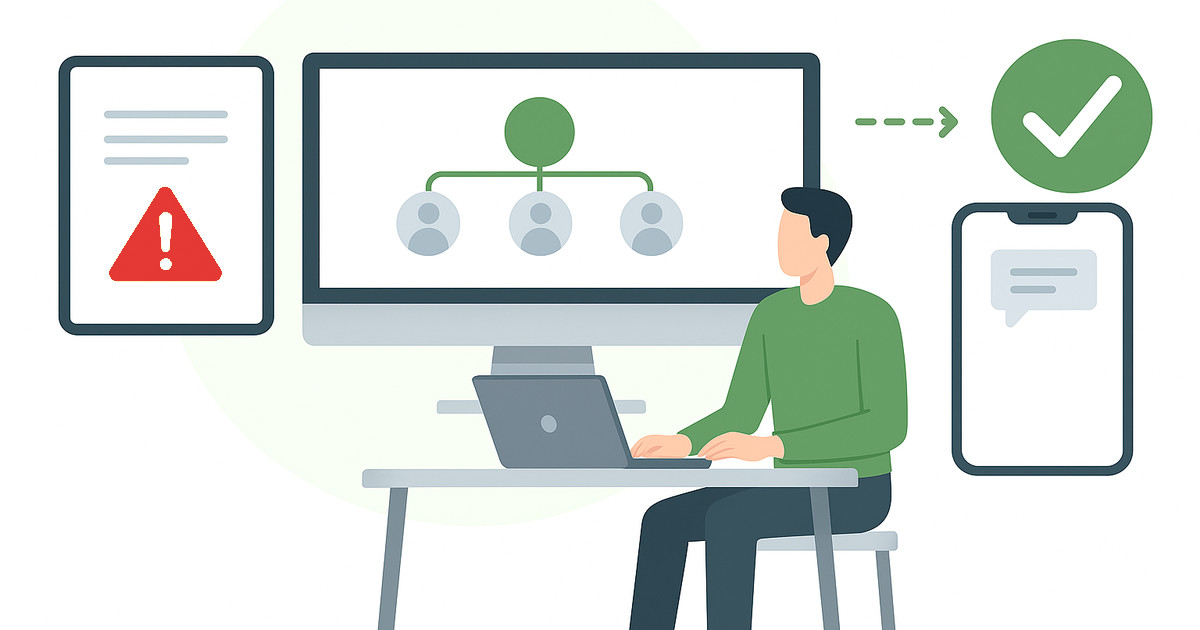
Three roles keep the plan running. A communications lead owns wording and cadence, a deputy covers the hours the lead is unavailable, and approvers sign off anything that goes to customers or regulators. Everyone else sends nothing on their own – one voice per audience is what stops the rumor channel from taking over.
Channels ranked by independence from the failed system
Rank your channels by one question: does this channel still work when the failed system is down? Then use the most independent channel first and the others as confirmation.
| Channel | Depends on | Use it for |
|---|
| Desktop alerts | the alerting agent on the computer and its own route to the alert server – not the mail system | the first notice and every message that needs acknowledgment |
| Mobile push | the alerting app and mobile data – not the office network | field, frontline and remote staff |
| SMS and Text-to-Call | the mobile network and a supported SMS gateway | people away from any screen, or when data is down |
| Digital signage | the display network | production floors, wards, warehouses and lobbies |
| Email and chat | the systems that most often fail first | detail and reference, once confirmed working |
| Phone tree and PA | named callers and the building itself | the last resort, written into the plan |
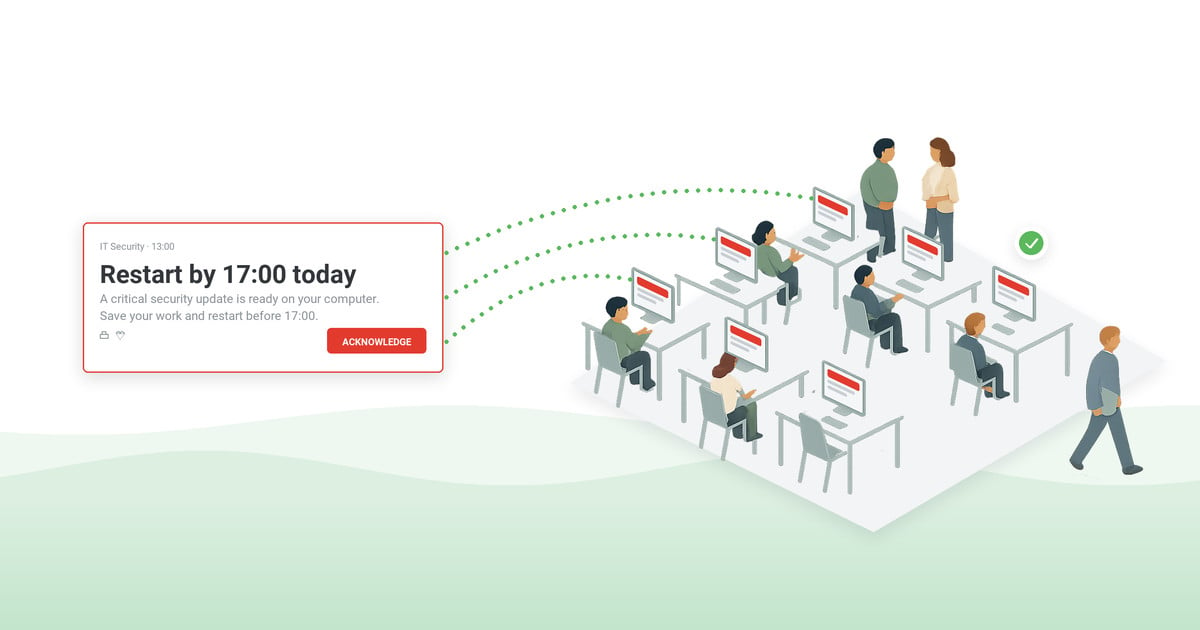
- Desktop alerts – a pop-up over other windows on employee computers, delivered over the alerting tool’s own agent-to-server channel, so it does not depend on the mail system. Urgent alerts can require acknowledgment before they close. Active recipients receive them within seconds.
- Mobile push – reaches field, frontline and remote staff through the alerting app when the office network is the problem.
- SMS and Text-to-Call – through a supported SMS gateway, as a text message or as a phone call that reads the alert text aloud. For people away from any screen or when data connectivity is affected.
- Digital signage and shared screens – for production floors, wards and warehouses where personal devices are not in hand.
- Email and chat – keep them for detail and reference once they are confirmed to be working; never as the only channel for the first notice.
- Phone tree and PA – the fallback of last resort; write it into the plan with named callers, not as an assumption.
Two product pages describe the first four channels in detail: company-wide notifications for routine sends, and emergency notification software for scenarios with pre-configured emergency buttons.
Message templates for every phase
Write every message before you need it. Each template follows the same shape – what happened, what it means for the reader, what to do, when the next update comes – and fits on one screen. Numbers you cannot know yet stay as placeholders.
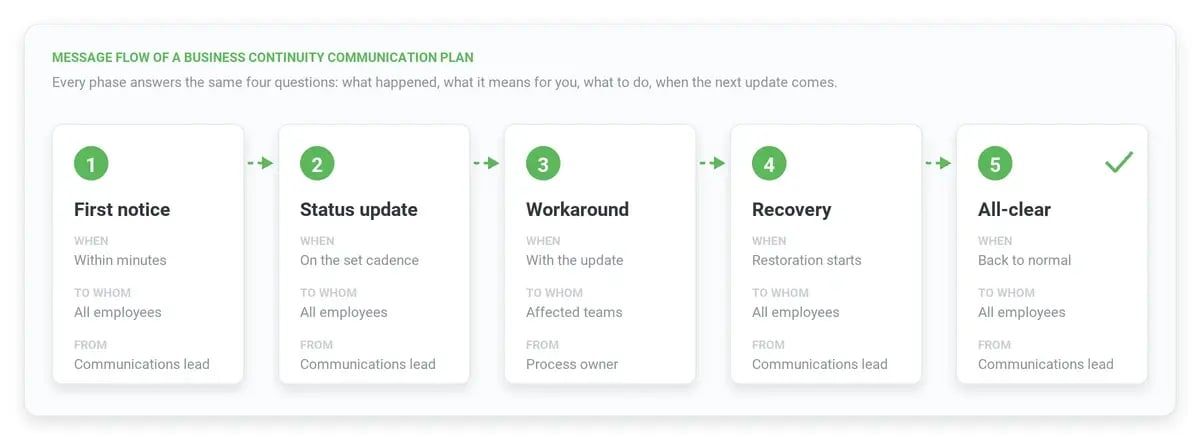
Message templates by phase
1. First notice (within minutes)
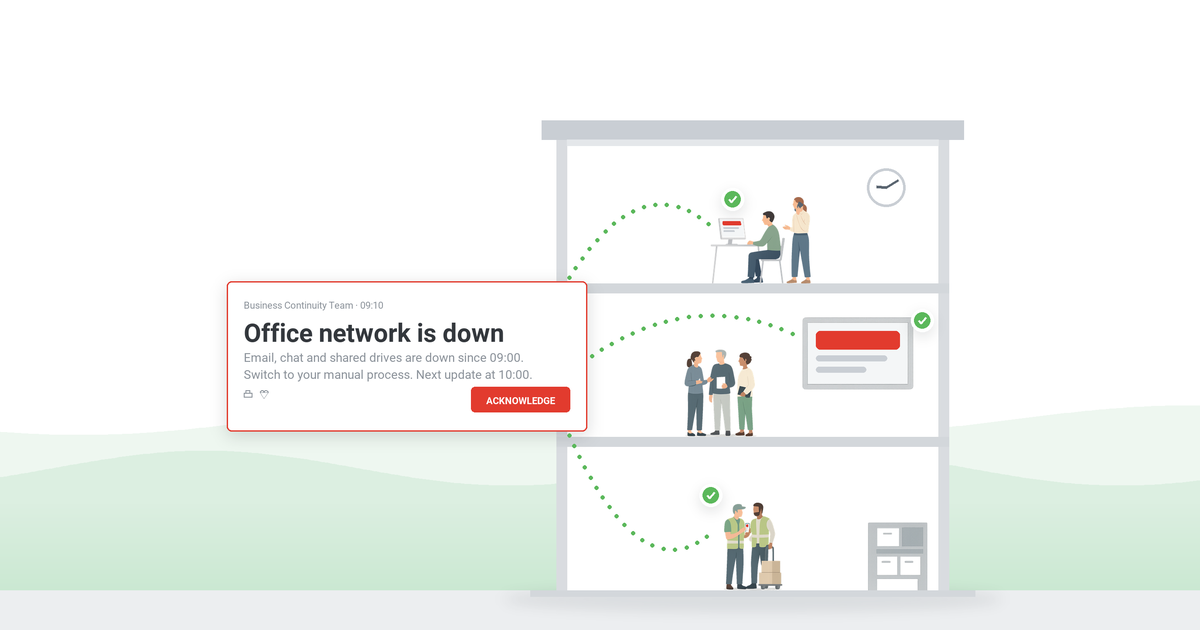
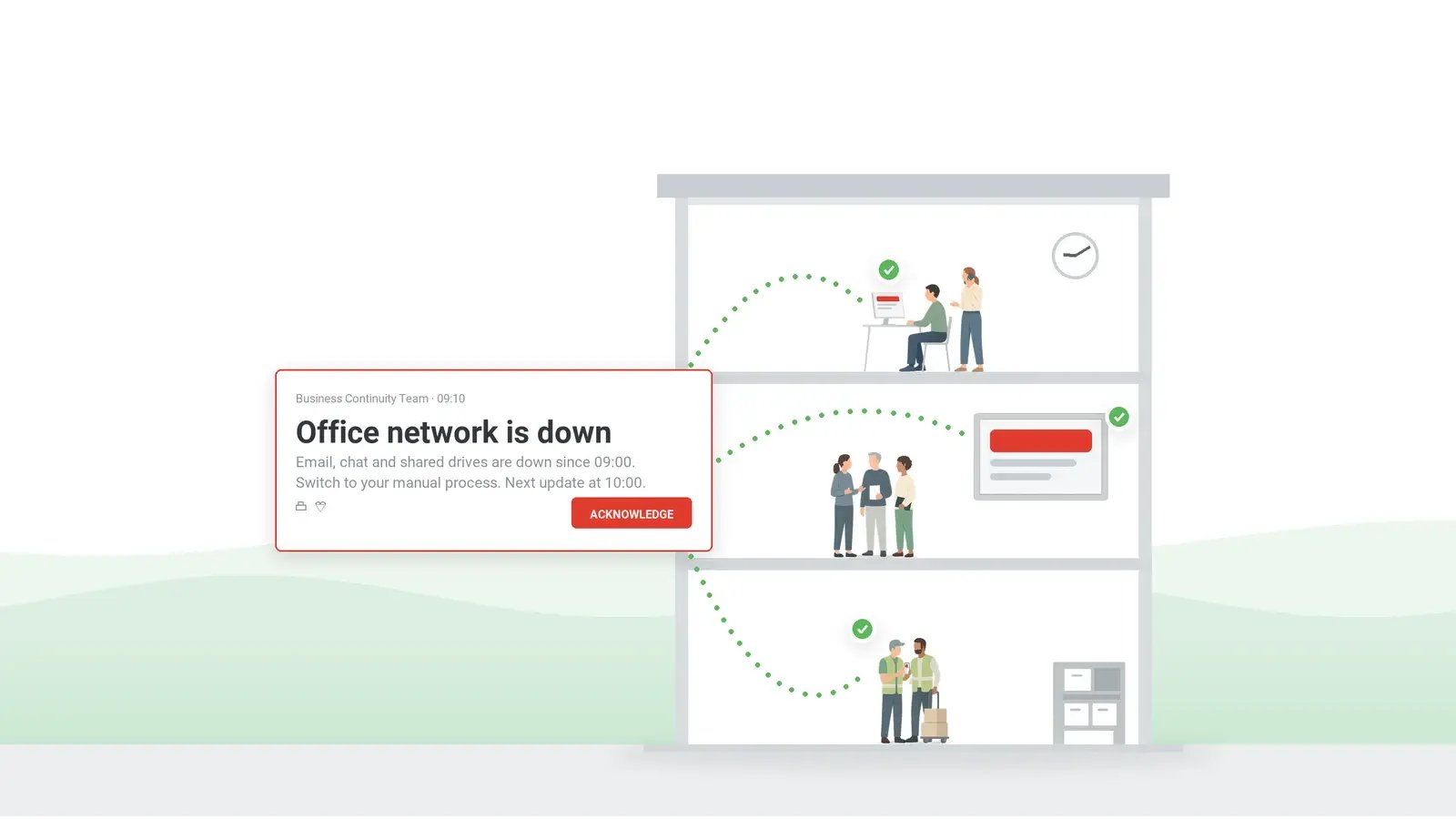
[System / site] is unavailable since [time]. Affected: [teams / locations]. Until further notice use [workaround]. Next update at [time]. – [Communications lead]
2. Status update (on the announced cadence)
Update on [system / site]: [current status in one sentence]. Workaround remains [in place / changed to …]. Estimated restoration: [time or “not yet known”]. Next update at [time].
3. Workaround instructions (affected teams only)
[Team]: switch to [manual process / backup system]. Steps: [1, 2, 3]. Contact [name, phone] for help. Acknowledge this message to confirm you have switched.
4. Recovery in progress
[System / site] is being restored. Do not [action to avoid, e.g. re-enter data] until the all-clear. Next update at [time].
5. All-clear
[System / site] is back in normal operation as of [time]. Return to [normal process]. If anything you entered during the outage is missing, contact [team]. A short review follows on [date].
For IT-specific wording – planned maintenance, unplanned outage, extended outage, resolved – take the IT outage message templates and keep them in the same folder as the plan.
The plan on one page (template)
The plan itself fits on one page. Copy the template, fill the names, and store it where it is readable when the network is down – printed in the continuity binder and on phones. Take the recovery time objective (RTO) of each process from the business impact analysis (BIA) in the BCP: it is the deadline your status updates are measured against.
Business continuity communication plan – one-page template
Activation
Who declares a disruption: [incident commander / deputy]. Trigger: [BCP severity level]. First notice due within: 15 minutes (default – adjust to your RTOs).
Audiences (owner · primary channel · backup channel · first message · update cadence)
All employees – communications lead · desktop alert + mobile push · SMS · template 1 · every 60 minutes
Affected teams – process owner · desktop alert with acknowledgment · phone · template 3 · on change
Leadership – incident commander · mobile push + call · SMS · impact summary · every 30 minutes for severity 1
Customers – customer-facing owner · status page + email · account managers · approved statement · every 2 hours
Regulators – legal owner · formal notice · no backup · statutory notification · per statutory deadline
Approvals
Employee messages: communications lead. Customer and regulator messages: [approver] within [minutes].
Records
Every send logged with time, audience, channel and acknowledgment count; export attached to the after-action review.
Testing the plan: tabletop, drill, after-action review
A plan that has never been run is a document, not a capability. Three exercises, in increasing cost:
- Tabletop exercise – walk the plan through a scenario in a meeting room: who declares, who writes, which channel, what the first message says. The cybersecurity tabletop exercise format works for any disruption.
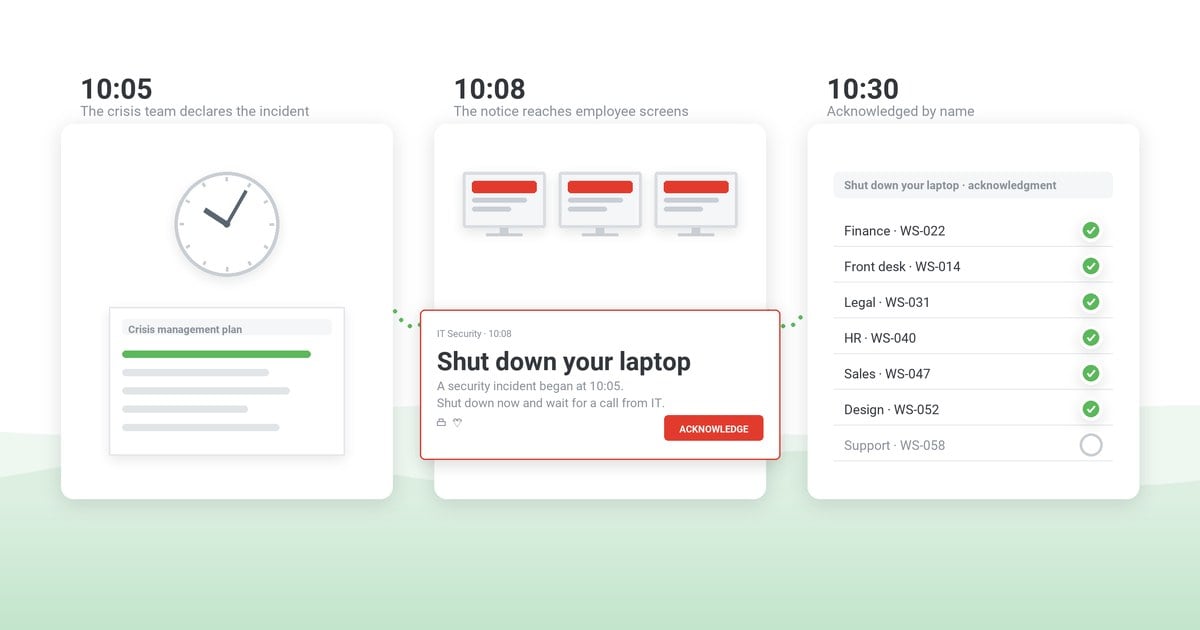
- Channel drill – send a test first notice through the primary channel to a pilot group. Measure two things: how long the send took to go out, and how many recipients acknowledged within the window you expect.
- After-action review – after every drill and every real disruption, compare what the plan said with what happened; the after action report template turns the findings into owners and due dates.
Review the plan when people, systems or suppliers change, and at least once a year alongside the BCP itself. ISO 22301 clause 8.5 requires an exercise programme run at planned intervals; the yearly review is the minimum, not the target.
How DeskAlerts carries the communication layer
DeskAlerts is not a continuity planning tool; it is the delivery layer the plan needs when the usual channels are unavailable:
- Desktop alerts over their own channel – pop-ups appear over other windows on Windows and macOS computers and do not depend on the mail system. Urgent alerts can require acknowledgment before they close.
- Mobile push, SMS and Text-to-Call – the same message reaches phones through the DeskAlerts app and a supported SMS gateway.
- Digital signage and shared screens – for locations where people work away from a personal device.
- Templates and targeting – the five phase templates (first notice, status update, workaround, recovery, all-clear) live in the console as pre-approved drafts. Recipients are picked per send from Active Directory groups, organizational units, IP ranges or individuals, so the workaround goes only to the teams it concerns.
- Records – received, not received and acknowledged per person, resend to those who have not confirmed, export to CSV or XLSX for the after-action review.
- Deployment – on-premises on your own servers or as a managed cloud instance, whichever your continuity requirements ask for.
Put the communication layer of your BCP on screens
See how a first notice reaches desktops, phones and shared screens from one console, with the acknowledgment record your after-action review needs.
Frequently asked questions
What is a business continuity communication plan?
A business continuity communication plan is the part of a business continuity plan that defines how an organization informs employees, leadership, customers, partners and regulators during a disruption. It names the audiences, the owner of each message, the channels ranked by independence from the failed system, the pre-written messages for each phase and the update cadence.
How is it different from a disaster recovery plan?
A disaster recovery plan restores systems and data. A business continuity plan keeps critical processes running while that happens. The business continuity communication plan tells people what to do in the meantime. It is triggered by both and belongs inside the business continuity plan, next to the recovery procedures it explains.
How is it different from a crisis communication plan?
A crisis communication plan covers public-facing and reputational events – media, social channels, official statements – and is usually owned by communications or PR (see our crisis communication plan template). A business continuity communication plan covers operational disruptions, is owned inside the continuity programme, and speaks first to the employees who need a workaround.
Who owns the business continuity communication plan?
A named communications lead owns wording and cadence, with a deputy for the hours the lead is unavailable. Process owners write the workaround messages for their teams, and customer or regulator messages go through an approver. One voice per audience is the rule that keeps the rumor channel quiet.
Which channels work when email is down?
Channels that do not depend on the failed system: desktop alerts delivered over the alerting tool’s own agent-to-server channel, mobile push, SMS and Text-to-Call through a supported gateway, and digital signage. Email and chat are kept for detail once they are confirmed to be working.
Does ISO 22301 require a business continuity communication plan?
Yes. ISO 22301:2019 clause 8.4.3 requires documented procedures for warning and communication, including alerting interested parties and keeping the means of communication available during a disruption. Clause 8.4.2 requires a response structure with defined roles, responsibilities and authority. The standard does not prescribe channels or wording; the plan in this guide supplies both.
How often should the plan be tested?
At least once a year with the business continuity plan, plus a tabletop exercise or a channel drill after any change of people, systems or suppliers. ISO 22301 clause 8.5 requires an exercise programme run at planned intervals. Every real disruption counts as a test and ends with an after-action review.
How often should status updates go out during a disruption?
Set the cadence in the first notice and keep it even when nothing has changed. Every 60 minutes for all employees is a workable default, every 30 minutes for leadership in a severity-1 incident, and immediately when the workaround or the estimated restoration changes. A missed update is read as a worsening situation.
What should the first notice say?
Four things, in one screen: what is unavailable and since when, who is affected, what to do instead, and when the next update comes – signed by the communications lead. Numbers you cannot know yet stay out of it; a wrong figure in the first notice costs more trust than a missing one.


 Steve Wilson: Oct 16, 2026, 9:00:00 AM