A crisis communication plan template is only useful if you can fill it in an afternoon and follow it at 2 a.m. This one is built for both: the roles, activation criteria, stakeholder map, and pre-written messages that make up a working plan — plus the piece that decides whether any of it lands: how the messages physically reach people while the crisis is competing for their attention.
Table of contents
1. What is a crisis communication plan?
2. What belongs in the plan
3. Crisis communication plan template
4. Message templates: holding statement, first notice, updates
5. The delivery layer: how messages actually reach employees
6. Testing the plan
7. A real-world stress test: Maersk and NotPetya
8. Mistakes that sink crisis communication
9. Frequently asked questions
What is a crisis communication plan?
A crisis communication plan is the pre-agreed playbook for how an organization communicates when something threatens its operations, people, or reputation: a data breach, a product failure, a facility incident, sudden leadership news, viral misinformation. It defines who speaks, who approves, which audiences hear what and in which order, and which channels carry the messages.
It is broader than an emergency communication plan: the emergency plan covers immediate life-safety events measured in minutes — evacuations, severe weather, violence threats. The crisis plan covers events measured in hours and days, where the audiences multiply (employees, leadership, customers, partners, media) and the wording carries legal and reputational weight. Mature organizations keep both, and the two share one delivery layer. For the day-to-day discipline beyond the plan document, our crisis communication best practices guide covers principles and tone.
In short: the emergency plan protects people in the first ten minutes; the crisis plan protects trust for the days after. Keep both, and let them share channels and templates.
What belongs in the plan
- Activation criteria. A short list of event types and thresholds that switch the plan on — and who has the authority to declare a crisis. Without this, every incident triggers a debate instead of a response.
- The crisis communication team. Named roles with named backups: a crisis lead who owns decisions, a spokesperson who owns external wording, an internal communications owner, and a legal reviewer with a response-time commitment.
- A stakeholder map. Employees, leadership, customers, partners, regulators, media — each with an owner, an order, and a channel. Employees hear it from you before they read it elsewhere; that single rule prevents most internal damage.
- Pre-approved message templates. A holding statement, an internal first notice, an update format, and a close-out — written and legal-cleared while nothing is burning (section 4).
- Channels, internal and external. Which channel carries the first internal notice, which carries updates, where external statements live — chosen for the scenario, not for habit.
- An approval path with deadlines. Who signs off on what, and how long they get. An approval loop without a clock is where crisis messages go to die.
- The log. What was sent, when, to whom, and who confirmed — the record the post-crisis review and any external scrutiny will ask for.
Crisis communication plan template
Copy the skeleton and fill the brackets. One page for the core plan, one page per major scenario.
Plan skeleton — core page
- Activation: [event types and thresholds] · declared by: [role] · backup: [role]
- Team: crisis lead [name] · spokesperson [name] · internal comms [name] · legal review [name, max turnaround]
- Stakeholders in order: [employees] → [leadership/board] → [customers/partners] → [public/media], each with owner and channel
- Channels: internal first notice [desktop pop-up + mobile push] · internal updates [ticker / intranet note] · external [statement page / press contact]
- Templates: holding statement [ID] · internal notice [ID] · update [ID] · close-out [ID]
- Approval path: [drafter] → [legal, X min] → [crisis lead sign-off] · log: [system, owner]
Message templates: holding statement, first notice, updates
- Holding statement — buys time honestly. “We are aware of [event]. We are investigating and will share verified information by [time].” Three sentences, no speculation, a concrete next-update time.
- Internal first notice — before the rumor. What happened in one plain sentence, what employees should and should not do (including whether to answer outside questions), where updates will appear.
- Update — same time, same place. What changed, what remains unknown, next update time. Send on schedule even when the honest content is “no change”.
- Close-out — own the ending. Resolution, what changes as a result, and thanks. The silence after a crisis is remembered as long as the crisis itself.
For scenario-specific wording — severe weather, outages, security events — start from our weather messages, IT outage templates, or the free pack of ten emergency messages, and adapt the tone to the plan.
The delivery layer: how messages actually reach employees
Most crisis communication plans are precise about wording and silent about delivery — as if a message approved is a message received. In a crisis, email competes with the crisis itself: inboxes flood, attention fragments, and the people most affected are the least likely to be reading mail. Four things decide whether the internal half works:
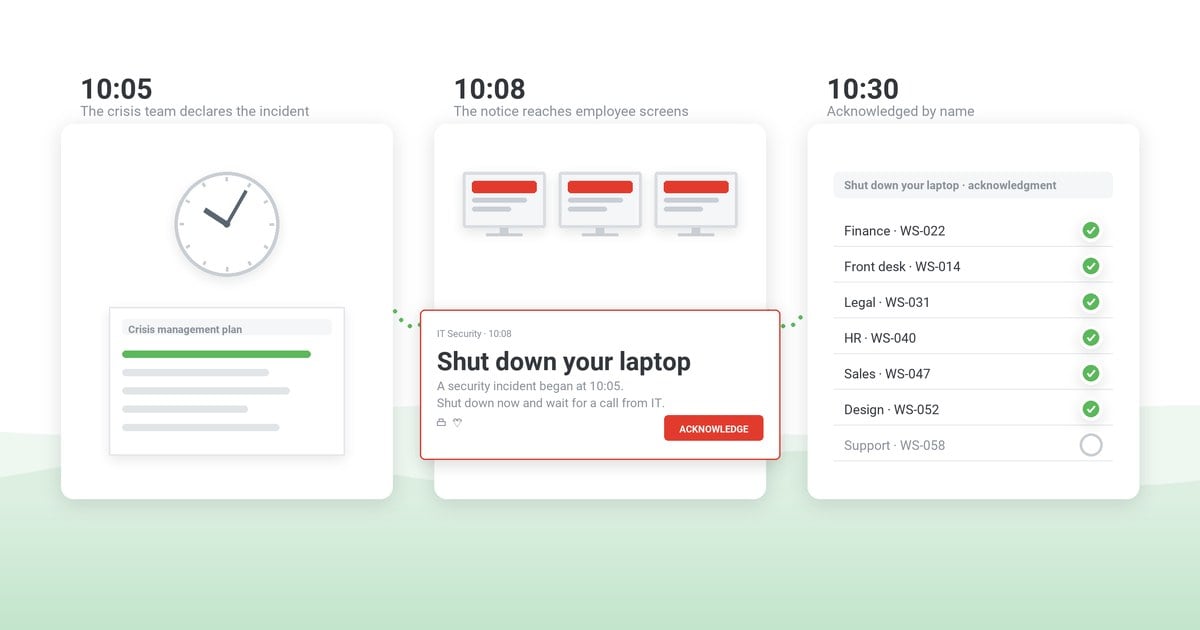
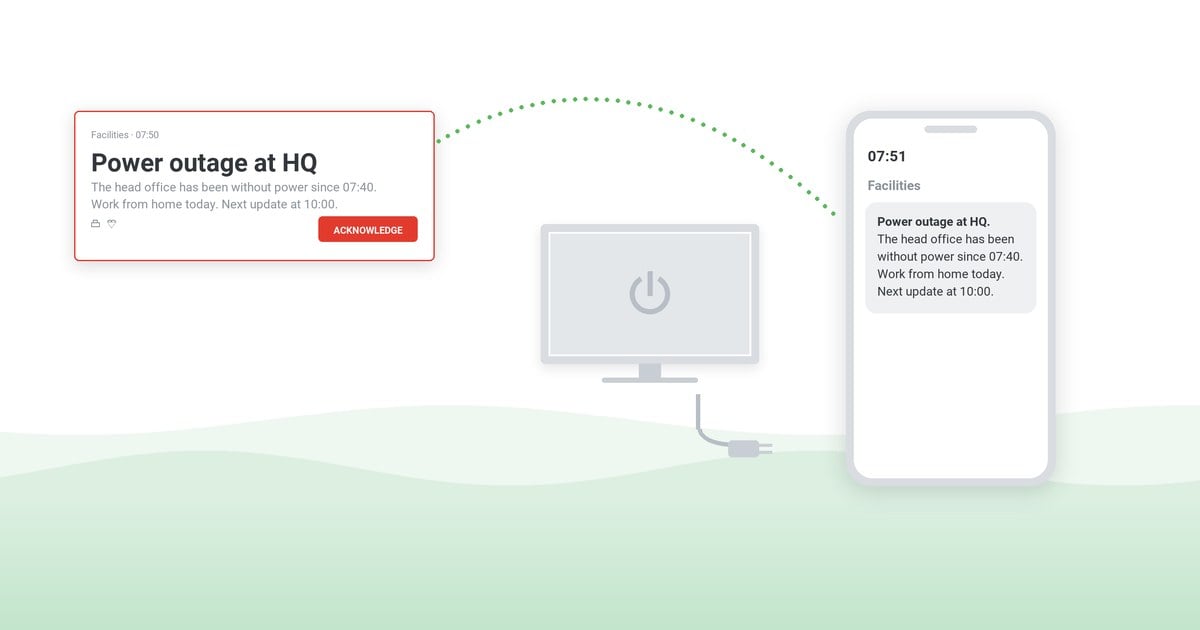
- Does the first notice interrupt? Desktop pop-ups over the active application and mobile push reach people inside their working moment — not whenever they next check an inbox.
- Can it target by ring? The stakeholder map only works if the tooling can address it: affected site first, then managers, then everyone — by department, location, and role.
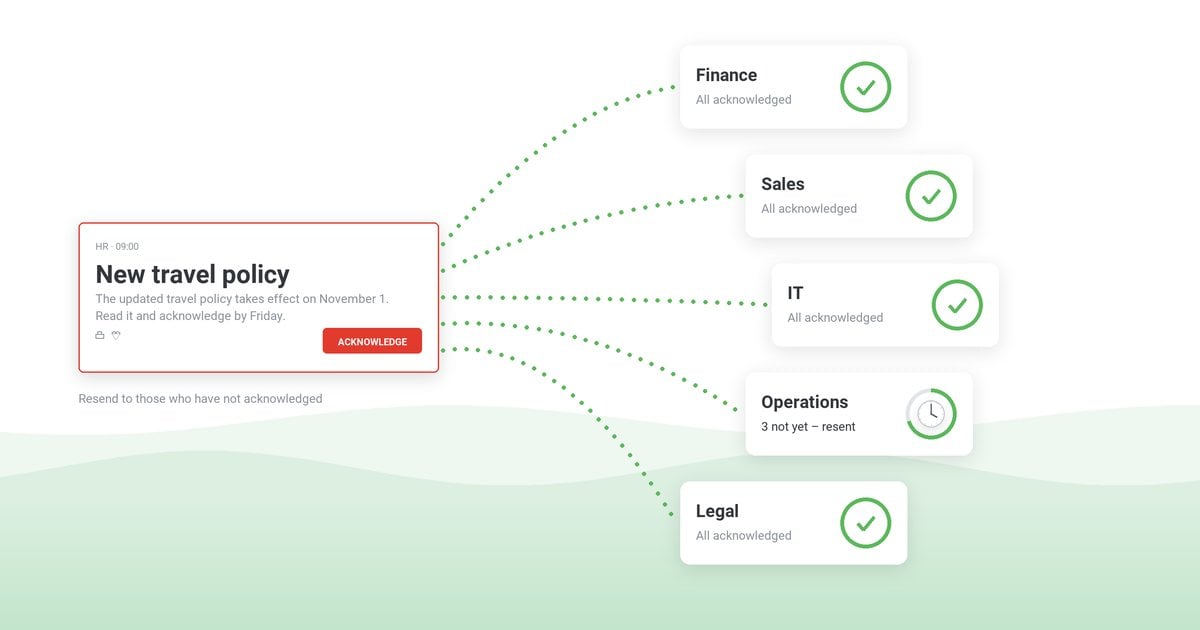
- Does it confirm? Acknowledgment per person turns “we sent it” into “they saw it” — the difference between a defensible log and a hopeful one.
- Does it hold templates? Pre-loaded, pre-approved messages make the send a choice from a list, not drafting under pressure.
Shortlisting tools? The comparison page scores the field on these exact criteria — sources and dates included — and the emergency notification software page covers the DeskAlerts side in depth.
The approved message, on every screen that matters
DeskAlerts carries the internal half of your crisis plan: pop-ups over any application, mobile push, tickers and more — with pre-loaded templates, ring-by-ring targeting, and a delivery record you can export.
Testing the plan
A crisis plan that has never run will be rewritten live, in the worst possible conditions. Rehearse it the same way you rehearse the emergency plan: a tabletop exercise for the decision chain and the approval clock, a drill for the notification path, and an after action report that turns findings into owners and deadlines. Time the approval path in the tabletop — it is almost always the slowest link.
A real-world stress test: Maersk and NotPetya
On June 27, 2017, screens across A.P. Moller-Maersk went dark: the NotPetya malware took down the shipping giant’s IT worldwide. At the World Economic Forum in Davos, chairman Jim Hagemann Snabe described the scale: roughly 4,000 servers, 45,000 PCs and 2,500 applications reinstalled in about ten days — while a ship with up to 20,000 containers docked somewhere in the world every 15 minutes. The company later put the cost at $200–300 million in its Q2 2017 results.
The communication lesson sits in one detail: the crisis destroyed the channels the crisis plan would normally use. Email was down, laptops were dead — Wired’s account of the recovery describes staff taking orders via personal Gmail accounts, WhatsApp, and spreadsheets while ports went manual. Maersk kept most cargo moving — a recovery Snabe credited to the people, not the plan.
- Channel independence is a plan requirement, not a nice-to-have. If every channel in your plan rides the same infrastructure, one incident deletes the plan — the reason section 5 asks what still delivers when the network doesn’t.
- The first hours run on holding statements. Nobody had full facts on day one; being visibly present beat being precise.
- Cadence carried trust through ten dark days. A recovery measured in weeks needs a rhythm of updates, internal first — exactly what the template’s cadence line commits you to.
Mistakes that sink crisis communication
- Employees learn from the news. If the outside world hears first, every later internal message reads as damage control.
- Waiting for complete information. The holding statement exists precisely so you can be present before you are certain.
- An approval path without a clock. Every reviewer added without a deadline moves the message further behind the rumor.
- One spokesperson, zero backups. Crises do not check the vacation calendar.
- No delivery evidence. When the review asks “did staff know?”, a send log without acknowledgments is an opinion.
Frequently asked questions
What is the difference between a crisis communication plan and an emergency communication plan?
The emergency plan moves people out of danger in minutes; the crisis plan protects the organization over hours and days, in front of customers, partners, and media, with wording that carries legal weight. They are companion plans: keep both, share the delivery layer and the discipline.
What are the key elements of a crisis communication plan?
Activation criteria with a named declarer, a crisis team with backups, a stakeholder map with owners and order, pre-approved message templates (holding statement, internal notice, updates, close-out), internal and external channels, an approval path with deadlines, and a delivery log with acknowledgments.
What is a holding statement?
A short pre-approved message issued before full facts are known: acknowledge the event, state that verified information is coming, name the time of the next update. It keeps the organization present in the first hour without speculating — and buys the team time to work.
Who should be on the crisis communication team?
A crisis lead with decision authority, a single spokesperson for external wording, an internal communications owner, and a legal reviewer with a committed turnaround time — each with a named backup. Small companies combine roles; the roles still need names.
Should employees hear about a crisis before the public?
Whenever legally possible, yes — even if the internal message is only the holding statement. Employees who learn about their own company from the news become an uncontrolled channel; employees informed first become a stabilizing one.


 Steve Wilson: Oct 23, 2026, 9:00:00 AM