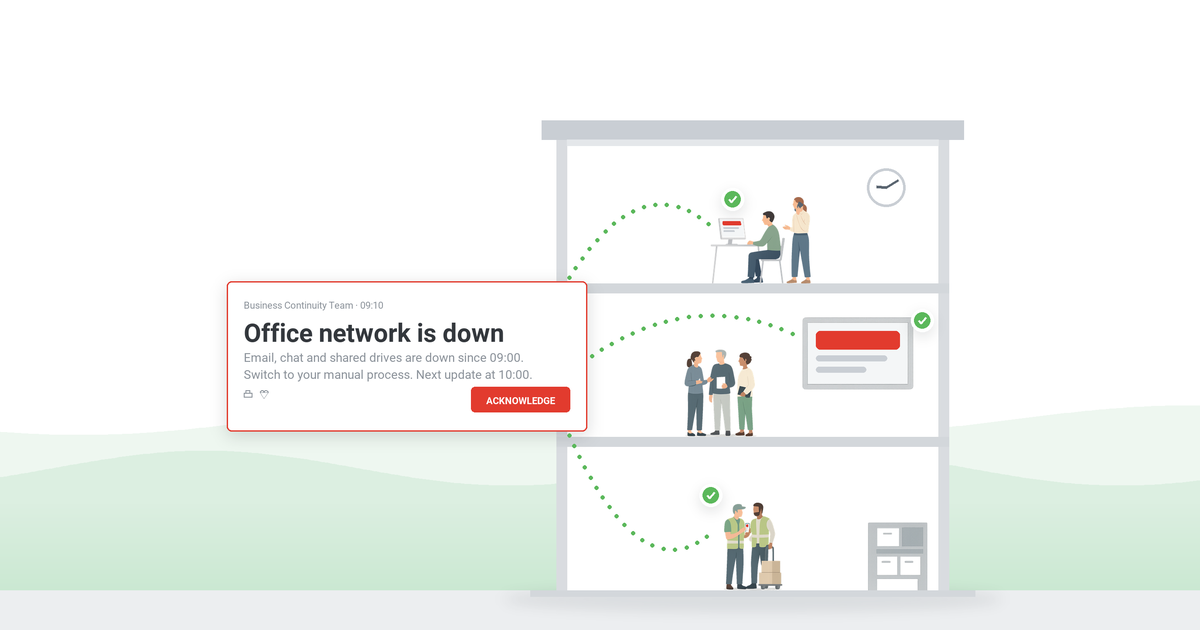
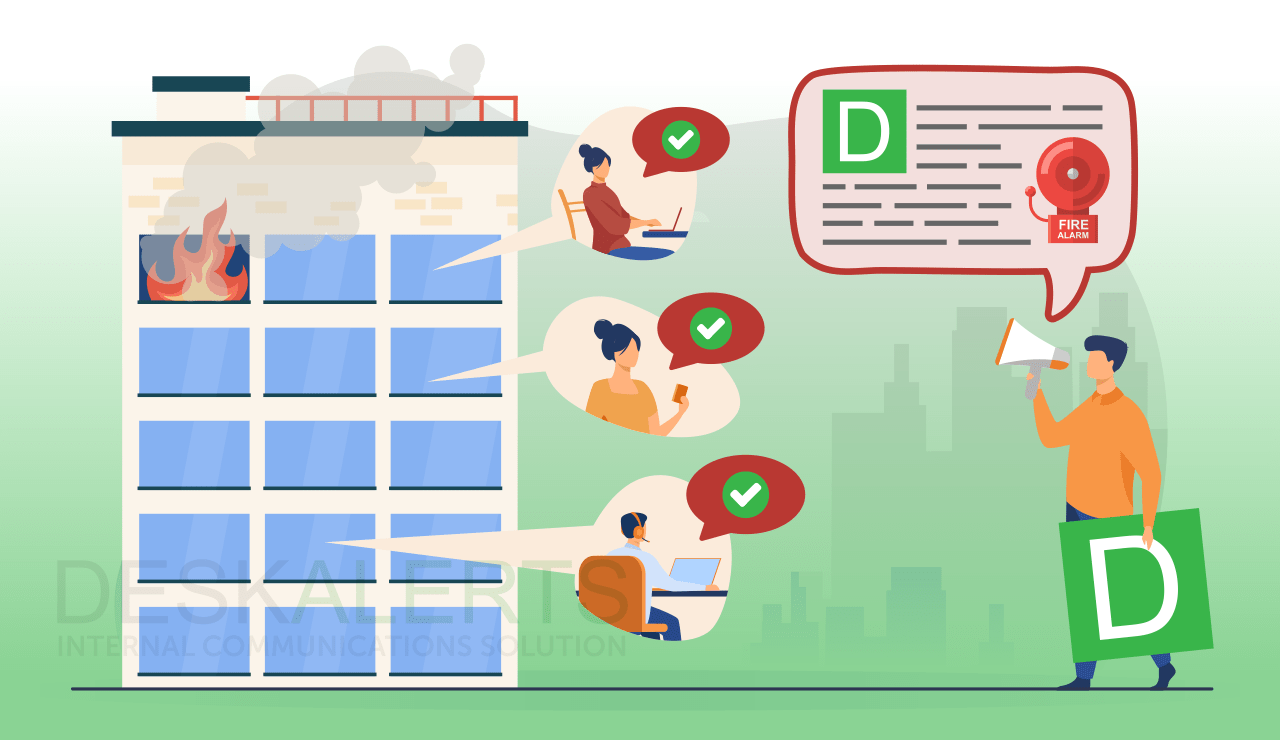
Emergency drills at work let employees practice a defined response and show safety teams whether instructions reached the right people.
Safety drills are planned workplace exercises that let employees practice a defined response to a realistic hazard without exposing them to the hazard itself.
A good scenario still produces weak results when employees do not recognize the drill, understand their role, or receive the start signal. Effective programs treat communication as a lifecycle from planning through feedback.
| Exercise |
What it tests |
Who takes part |
| Evacuation drill | Leaving an affected area safely: routes, wardens, assembly points, headcount | Everyone in the participating building or floor |
| Earthquake drill | Drop, Cover, and Hold On, then the post-shaking instruction | Everyone at the participating site |
| Lockdown / shelter-in-place drill | Securing an area or moving to interior space, and the all-clear | Participating office or group, plus reception and security |
| Medical emergency drill | Summoning help, AED retrieval, guiding responders | Floor teams, first aiders, reception |
| Tabletop exercise | Decisions, roles, escalation, and message approval | Managers, drill owners, communicators |
Table of Contents
1. Why communication determines whether a drill works
2. Evacuation drills
3. Earthquake drills
4. Lockdown and shelter-in-place drills
5. Medical emergency drills
6. Tabletop exercises
7. Drilling remote, hybrid, and lone workers
8. How often should workplace emergency drills be run?
9. How to plan, announce, run, and debrief a drill
10. Should emergency drills be announced or unannounced?
11. Sources and preparedness references
12. Frequently asked questions
Why communication determines whether a drill works
A drill should test the emergency plan, not whether employees checked their inbox. If the start message is missed, you cannot tell whether a slow response means a slow procedure or a slow notification.
Clear communication removes that ambiguity. Employees need context before the exercise, an unmistakable drill notice at the start, and a way to provide feedback afterward. Acknowledgment records help separate notification gaps from process gaps.
Different floors, sites, shifts, and work patterns create uneven access to information. The drill plan should define both the operational response and the notification path supporting it. One university keeps that path credible by reserving alerts for emergency-only messages targeted to specific groups and rooms, so staff learn that an alert always warrants reading.
Ready.gov treats training, testing, and exercises as essential parts of business preparedness. The five exercise types in the table above give most organizations a practical starting point.
DeskAlerts is multi-channel employee notification software: it delivers the drill message to employee screens and devices and records who acknowledged it, which is what turns an exercise into evidence.
"Shortly after the explosion, the hospital was in an alert state, and the internal phone network became overloaded. We used DeskAlerts to lower the number of internal calls. When the external phone network went down, we used DeskAlerts to tell employees to switch to SMS messaging. … Without DeskAlerts, this day would have been much harder to manage."
– Geoffrey Collet, Application Development Manager, CHU Saint-Pierre, from our hospital emergency communication case study
Evacuation drills

An evacuation drill tests whether employees can leave an affected area when remaining inside would create more risk. It may apply to smoke, a hazardous-material release, a gas leak, structural damage, or another condition covered by the organization’s emergency action plan. Safety leaders can use the exercise to confirm that employees recognize the instruction to evacuate, know who has authority to issue it, and understand who is responsible for observing the response. Targeted drill alerts can separate participating floors or sites, while acknowledgment records show who did not confirm the start signal.
Site-specific routes and hazards come from the emergency action plan, but the components of a complete evacuation drill are standard:
- Assembly points, and a named person responsible for each one
- Roll call or headcount, including visitors, contractors, and employees who were away from their desks
- Evacuation wardens or floor marshals who sweep their area and report it clear
- Stairwell discipline and the rule that elevators are not used
- Areas of refuge and evacuation chairs where they exist, with the people trained to use them
- A formal all-clear, and who has the authority to give it
Route and hazard detail belongs in the site plan; OSHA’s evacuation and emergency action plan guidance is the reference for building it. Where the drill schedule itself comes from is covered under how often drills should be run.
Drilling with employees who need assistance
An evacuation plan that works only for people who can use stairs unaided is incomplete. A personal emergency evacuation plan – often called a PEEP – records how a specific employee will leave the building, who assists them, and where they wait if assistance is delayed. Buddy systems, areas of refuge, and evacuation chairs are the usual mechanisms, and each needs to be walked through in the exercise, not assumed.
Notification is part of the same requirement. Employees who are deaf or hard of hearing need a visual or tactile signal, not an audible one, so the drill notice should reach them on screen and on their device as well as through the building alarm.
Fire drills are covered step by step in our guide to conducting fire drills at work.
Earthquake drills
An earthquake drill rehearses the protective action taught for the building and region, then the organization’s post-event instructions. In most of the United States that action is Drop, Cover, and Hold On: drop to your hands and knees, take cover under a sturdy desk or table, and hold on to it until the shaking stops. The Great ShakeOut is the annual exercise many organizations use as their scheduled earthquake drill.
Two habits are worth correcting during the briefing, because both are common and both leave people unprotected: standing in a doorway is not safer than taking cover under furniture in a modern building, and running outside during shaking exposes people to falling glass and façade material. Evacuation happens after the shaking stops, and only if the building requires it.
Base the exercise on the site’s actual risks. Facilities, safety, and continuity planners should agree on what is being tested: the immediate protective response, the transition to evacuation if conditions require it, or communication after the simulated shaking stops.
Employees may need different instructions depending on their location. A headquarters office, warehouse, and remote branch should not automatically receive identical directions. The announcement should identify the participating site, explain whether normal work pauses, and state how employees will know when the exercise has ended. Observers can then compare site-level delivery and acknowledgment records with what happened on the floor, showing whether a slow response came from the notification path or the procedure itself.
Lockdown and shelter-in-place drills

A corporate lockdown or shelter-in-place drill tests the decision to keep employees inside a protected area rather than move them through a potentially unsafe environment.
The two terms describe different actions and should be defined in the plan before they are drilled. Lockdown is a security response to a human threat: secure the area, lock or barricade doors, move away from windows and doors, stay quiet, and wait for instructions from authorities. Shelter in place is a protective response to an environmental hazard such as severe weather or an outdoor chemical release: move to a designated interior space, close doors and windows, and remain there until an all-clear is issued.
Where an armed-intruder scenario is in scope, most workplace programs teach a named framework such as Run-Hide-Fight or Avoid-Deny-Defend. The drill should rehearse the decision-making the framework describes, not simulate the event itself.
The notice should identify the exercise, participating location, required action, and source of follow-up instructions. The drill owner also needs a method for notifying visitors, contractors, reception staff, and employees working away from their usual desks. Target messages only to the participating office or group so unaffected employees do not receive a realistic lockdown notice without context.
Before you run a lockdown drill
- Notify local law enforcement, building security, and neighboring tenants in advance so the exercise is not reported as a live incident
- Do not use simulated weapons, actors playing an intruder, or sensory simulation. High-intensity simulation carries a real risk of psychological harm and is not needed to test the procedure
- Offer an opt-out and brief employees beforehand, particularly anyone with prior trauma exposure
- Define who can pause or stop the exercise, and how a genuine emergency overrides it
- Agree in advance who issues the all-clear and how employees will recognize it
Workplace lockdown plans are not school lockdown plans: build yours around the employer’s risk assessment, facilities, workforce, and local authority guidance.
Medical emergency drills
A medical emergency drill tests how employees report an incident, how trained responders are notified, and how the organization manages communication around the affected area. The objective is narrower than clinical training: confirm that employees know how to summon appropriate help, protect the person’s privacy, and follow instructions from designated responders.
Choose a narrow objective with an observable result. Useful ones are the time it takes to retrieve the nearest AED and return with it, whether trained first aiders are reached on the first attempt, whether someone is assigned to call emergency services so the call is not left to chance, and whether a colleague is sent to meet responders at the entrance and guide them to the patient. Most of those steps map onto the earliest links of the chain of survival – recognizing the emergency, calling for help, and getting a defibrillator to the patient – and each of them is measurable.
The drill may also test whether reception can direct responders to the correct entrance or whether a floor team can notify designated contacts without broadcasting sensitive details. Mark every employee message as a drill, target only the participating employees and responders, and avoid realistic personal information that could be mistaken for a genuine medical event. Delivery and acknowledgment records can then confirm whether the intended participants received the exercise notice.
During the debrief, review whether the notice reached only the intended audience and whether it created confusion elsewhere. Have a qualified first-aid provider sign off on the clinical steps.
Tabletop exercises
Exercises fall into two families. Discussion-based exercises (seminars, workshops, tabletops) examine plans and decisions around a table. Operations-based exercises (drills, functional exercises, full-scale exercises) put people and systems into motion. A drill exercises one function; a functional exercise coordinates several without moving the whole workforce; a full-scale exercise involves real deployment, often with external responders. Most programs work up that ladder rather than starting at the top. Colloquially all of these get called drills; the distinction matters when you write the exercise plan.
A tabletop exercise is a discussion-based session in which selected participants walk through how they would respond to a hypothetical event. It can test decision rights, escalation paths, contact lists, and communication responsibilities before a live exercise. Because there is no workforce-wide movement, a tabletop can reveal plan gaps with less disruption than a functional drill.
Tie the session to a decision or process the organization needs to examine. Participants should know who is facilitating, what part of the plan is in scope, and how issues will be recorded. The group can also test draft employee messages and approval paths without sending them to the wider workforce. Scheduled notifications can introduce exercise updates, while a post-session survey records whether participants understood each instruction.
For scenario design and facilitation detail, use our guide to tabletop exercise examples for emergency preparedness.
Other exercises worth scheduling
These five types cover most workplace programs, but the annual calendar usually has room for more: severe weather or tornado sheltering where the region requires it, hazardous-material or chemical-spill response on industrial sites, bomb threat and suspicious-package procedures, utility and power-failure exercises, and cyber-incident tabletops run with IT. Each needs its own audience list and its own start-signal wording, which is usually where the work actually is.
Drilling remote, hybrid, and lone workers
A drill that exists only inside one building leaves out the people who are hardest to reach in a real event. For remote and hybrid employees the exercise tests three things: whether the notification reaches a personal device, whether the employee knows how to confirm they are safe, and whether the organization can see who has not responded. For lone workers and night shifts, run the exercise on their shift because the day-shift result does not transfer.
How often should workplace emergency drills be run?
Most general office workplaces should run at least one full evacuation drill a year, and repeat it whenever the layout, headcount, or risk profile changes materially. Regulated environments – healthcare, education, high-rise buildings, and industrial sites – are usually required to drill more often, and multi-shift operations run one drill per shift so that every shift practices.
In the United States that cadence does not come from a single federal drill schedule. OSHA’s emergency action plan standard (29 CFR 1910.38) requires an emergency action plan – written, for most employers – wherever an OSHA standard calls for one, together with employee training, but it does not set a drill frequency. That comes from fire and life-safety codes, state and local rules, your occupancy classification, and insurer requirements. Confirm your own schedule against those sources rather than a generic figure.
Whatever cadence you set, write it into the schedule explicitly. Defaulting to one exercise a year for every site and every shift is how gaps appear.
Use triggers as well as dates. Review the schedule after a relocation, major renovation, merger, shift-pattern change, new hazard, failed exercise, or material update to the emergency plan. New employees and contractors should receive appropriate orientation even when the next full drill is months away.
Rotate the objective instead of repeating the same exercise. A workable annual pattern is one evacuation drill with full headcount reporting, one scenario drill for the site’s most likely hazard, one tabletop with managers on decisions and messaging, and one short unannounced test of the notification path only – each with a defined purpose, disruption window, and improvement target agreed with management.
How to plan, announce, run, and debrief a drill

This communication lifecycle turns a calendar entry into a measurable exercise. It applies across drill types while leaving scenario-specific procedures in the relevant plan.
1. Plan the calendar and communication objective
Start with the workplace risk assessment and emergency action plan. The response sequence itself – assess, alert, act, account, all-clear – is covered in our guide to handling emergency situations at work. Give each exercise one primary communication objective, such as confirming that a specific floor receives the instruction or testing whether shift supervisors acknowledge the start message.
Set the audience, date window, drill owner, message approver, observers, and stop conditions. Decide whether the exercise will be announced, announced within a time window, or unannounced to most participants. Do not use an unannounced drill merely to create surprise. Consider accessibility, employee wellbeing, visitors, ongoing operations, and the chance that someone could mistake the exercise for a real event.
With emergency notification software, organizers can schedule alerts and target individuals, groups, organizational units, IP ranges, or specific machines. One floor or site can participate without disturbing the rest of the workforce.
2. Announce the drill with enough context
An advance announcement should state the purpose, participating locations, expected time window, employee responsibilities, and where official instructions will appear. An RSVP can confirm who expects to participate. Managers and designated role holders may need a separate briefing because their responsibilities differ from those of general participants.
Put “DRILL” at the beginning of the subject or alert title and repeat it in the body. Explain how a real emergency would be distinguished if one occurred during the exercise. Identify who has authority to pause or end the drill.
Three messages carry most of the exercise. Adapt the wording to your plan:
Advance announcement
Scheduled drill: evacuation exercise, [building/floor], [date] between [time] and [time]. When the drill alert appears, follow your normal evacuation route to [assembly point] and wait for the all-clear. Your floor warden is [name]. This is a planned exercise – in a real emergency the alert will not contain the word DRILL. Questions: [contact].
Start signal
DRILL – EVACUATION. This is an exercise. Leave the building now using the nearest marked exit. Do not use elevators. Assemble at [assembly point] and report to your warden. Next update in [n] minutes.
All-clear
DRILL COMPLETE. The exercise has ended and you may return to your work area. Thank you for taking part. A short feedback survey follows – your answers shape the next drill.
3. Deliver the start signal and instructions
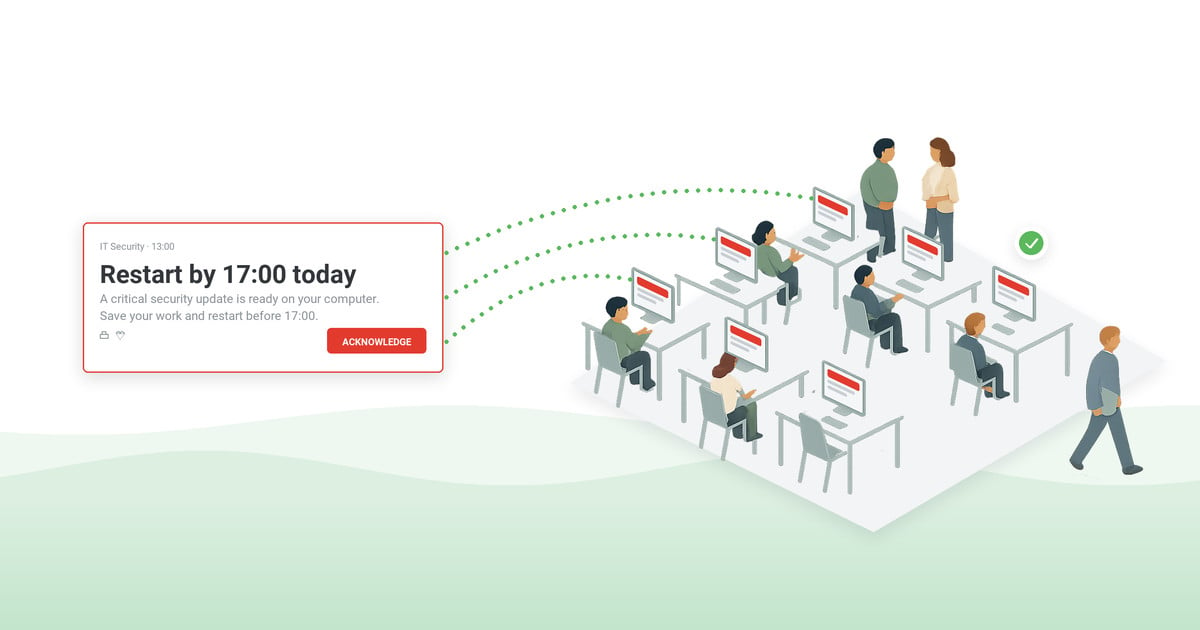
At the scheduled time, send a clear on-screen or mobile notification that appears on top of the employee’s current work. The first line should identify the exercise as a drill. The next should state the required action in plain language. Keep supporting detail short enough to read while the employee is moving or changing tasks.
Target instructions by role and location. Observers may need one message and participating employees another. If the scenario changes, send an update that repeats the drill label. End with a formal all-clear so nobody returns on word of mouth.
Why email and chat fall short as a start signal
Most organizations already have email and a chat tool, so the reasonable question is why a drill needs anything else. A start signal has to be seen within seconds by people who are not looking for it. Email arrives in a queue and competes with everything else in the inbox; chat messages scroll away in busy channels and only reach people with the application open; neither gives the drill owner a reliable record of who actually saw the instruction. Shift workers, field staff, and shop-floor employees may not have routine inbox access at all. An on-screen notification with acknowledgment fills that gap: email and chat keep their everyday role, while the exercise gets one channel it can be measured on.
4. Collect delivery and acknowledgment evidence
Delivery and acknowledgment are different measures. Delivery tracking shows whether the notification reached a device or recipient; acknowledgment shows who actively confirmed it. Requiring acknowledgment gives the drill owner audit-ready proof of receipt and a list of people who may need another communication path.
Acknowledgment does not prove that every procedure was completed correctly. Combine it with observer notes and operational results. A participant may confirm the message but misunderstand the instruction. That difference shows whether the next improvement belongs in delivery, message wording, training, or the response plan.
5. Debrief with evidence and a survey
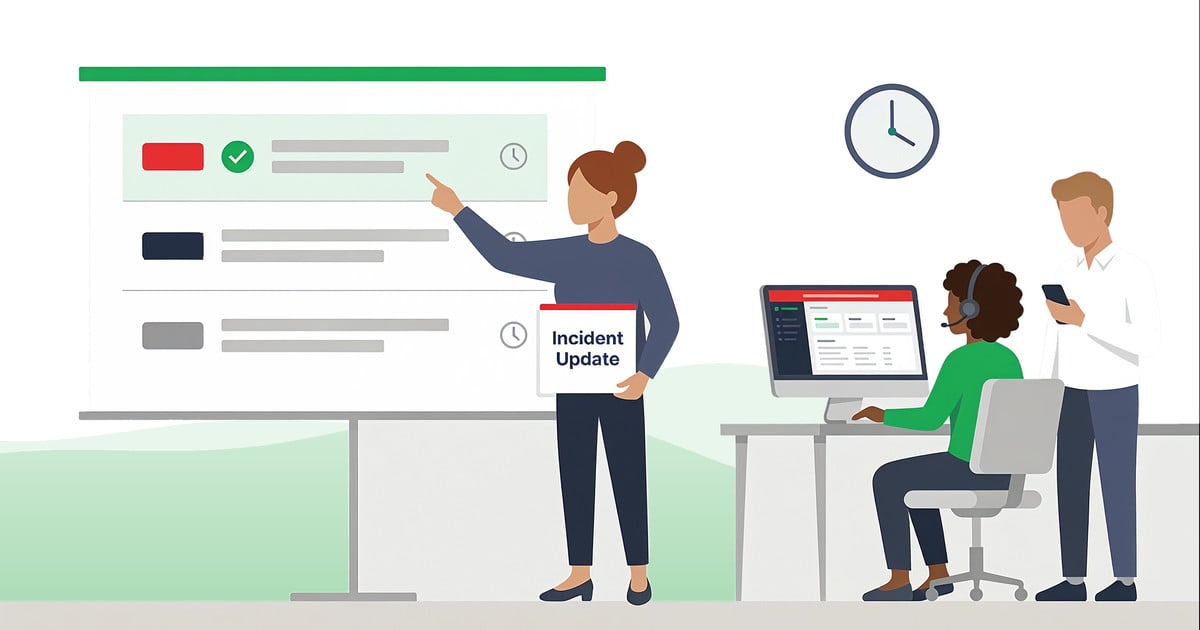
Hold the debrief while participants and observers remember what happened. Review the communication timeline, delivery and acknowledgment records, observer notes, and operational measures defined before the exercise. Separate facts from impressions.
Send a short survey or poll. Ask whether participants recognized the message as a drill, understood the action, received conflicting instructions, or experienced an accessibility issue. A quiz can help when the objective includes policy knowledge.
Close the feedback loop by assigning each improvement an owner and due date. Update templates, audience groups, contact data, role briefings, or the plan as needed. Record what will be retested. The final record – the after action report – should show the objective, participants, communication evidence, findings, and corrective actions – not just that the event occurred.
Keep those records. Drill logs are routinely requested by fire and safety inspectors, insurers, and auditors, and the retention period is set by your regulator, insurer, or internal policy rather than by the exercise itself.
Scope note: the employee notification is the digital start signal in this workflow. DeskAlerts does not trigger or control physical sirens, PA systems, fire alarms, or alarm hardware – those stay a separate part of the site’s safety procedures, with their own owner.
For a multi-site example, see how manufacturers use scheduled drill notifications and site-level targeting.
Case study
Energy sector
A dispersed energy-sector workforce receives safety alerts on shift, with delivery and acknowledgment tracked centrally.
Read the energy-sector case study ›
Case study
Manufacturing
Safety messages for hazardous conditions are sent automatically to the affected production areas rather than the whole site.
Read the manufacturing case study ›
"DeskAlerts allows us to quickly and easily communicate with our users and, critically, allows us to report on who has (and hasn't) received the alerts."
– Nick W., Senior Software and Desktop Systems Engineer, Higher Education, via Capterra
Should emergency drills be announced or unannounced?
Announced drills are better for teaching a new procedure, accommodating employees, and checking that people can follow instructions under controlled conditions. A time-window announcement can preserve some uncertainty without leaving employees unprepared.
An unannounced drill may offer a more realistic view of routine readiness, but it also creates more risk of distress, operational disruption, or confusion with a genuine event. Use it only after the process has been taught and reviewed. Define who knows in advance, how the drill will be identified, what stops it, and how a real incident will override the exercise.
If employees are learning, announce it. If the organization is testing a mature process, a carefully controlled unannounced exercise may be appropriate, subject to local requirements and internal approval.
Sources and preparedness references
- OSHA evacuation plans and procedures eTool – emergency action plan elements and evacuation planning guidance.
- Ready Business – business hazard planning, communications planning, training, testing, and exercises.
- Also worth consulting for your own program, through your safety adviser or authority having jurisdiction: NFPA 101 Life Safety Code for occupancy-specific egress and drill requirements, the Great ShakeOut for scheduled earthquake exercises, CISA guidance on active-shooter preparedness, and your insurer’s loss-prevention requirements.
Turn every drill into a measurable communication exercise
A workplace emergency drill should show whether the right employees received the instruction, understood their role, and could provide feedback. Connecting notification, acknowledgment, and debriefing gives safety teams evidence for the next exercise and for management.
DeskAlerts can schedule and target drill messages, place instructions on top of employee screens, track delivery and acknowledgment, and collect post-drill feedback through surveys, quizzes, and polls. See how to prove who received and acknowledged a drill alert.
Frequently asked questions
How often should workplace emergency drills be run?
Run relevant drills at least annually, and again whenever the layout, headcount, or risk profile changes materially – always per your local regulations and insurer requirements. Adjust the schedule for site risk, workforce turnover, multiple shifts, previous findings, and changes to the emergency plan.
Are unannounced emergency drills a good idea?
They can help test a mature process, but they should not be used just to surprise employees. Consider accessibility, employee wellbeing, visitors, operational risk, local requirements, and how a real incident would override the drill. Announced exercises are usually better when employees are learning a procedure.
How do you announce an emergency drill at work?
Put “DRILL” at the beginning of the message, name the participating location or group, state the required action, and tell employees where updates and the all-clear will appear. An advance notice should also include the purpose, time window, responsibilities, and a contact for questions.
What should be included in a post-drill report?
Include the objective, participating audience, communication timeline, delivery and acknowledgment records, observer notes, participant feedback, identified gaps, corrective actions, owners, due dates, and what will be retested. Distinguish notification problems from training or process problems.
Are workplace emergency drills required by law?
In the United States, OSHA’s emergency action plan standard requires an emergency action plan and employee training wherever an OSHA standard calls for one, but it does not set a drill schedule. Required frequency comes from fire and life-safety codes, state and local rules, your occupancy classification, and insurer requirements, so confirm the cadence that applies to your site.
What is the difference between a lockdown and shelter in place?
Lockdown is a security response to a human threat: secure the area, lock or barricade doors, move away from windows, stay quiet, and wait for instructions. Shelter in place is a protective response to an environmental hazard such as severe weather or a chemical release: move to a designated interior space and remain there until the all-clear.
What is the difference between a drill and a tabletop exercise?
A tabletop exercise is discussion-based: participants talk through decisions around a table. A drill is operations-based: people carry out one function for real, such as evacuating a floor. Functional and full-scale exercises sit above both, coordinating several functions or involving external responders.
How do you run an emergency drill for remote employees?
Treat it as a communication test. Send the drill notice to the employee’s device, ask for an explicit confirmation that they are safe and available, and record who did not respond. Run it during their working hours, and treat a reply as valid only if it names the person and their status – an unopened notification is not a safety confirmation.
How do you drill with employees who need assistance evacuating?
Use a personal emergency evacuation plan (PEEP) that names the assisting colleague, the route, and the area of refuge if assistance is delayed, then exercise it rather than assuming it works. For employees who are deaf or hard of hearing, confirm during the drill that the visual or tactile alert arrived and was understood – a building alarm alone does not prove it.


 Steve Wilson: Oct 12, 2026, 9:07:00 AM