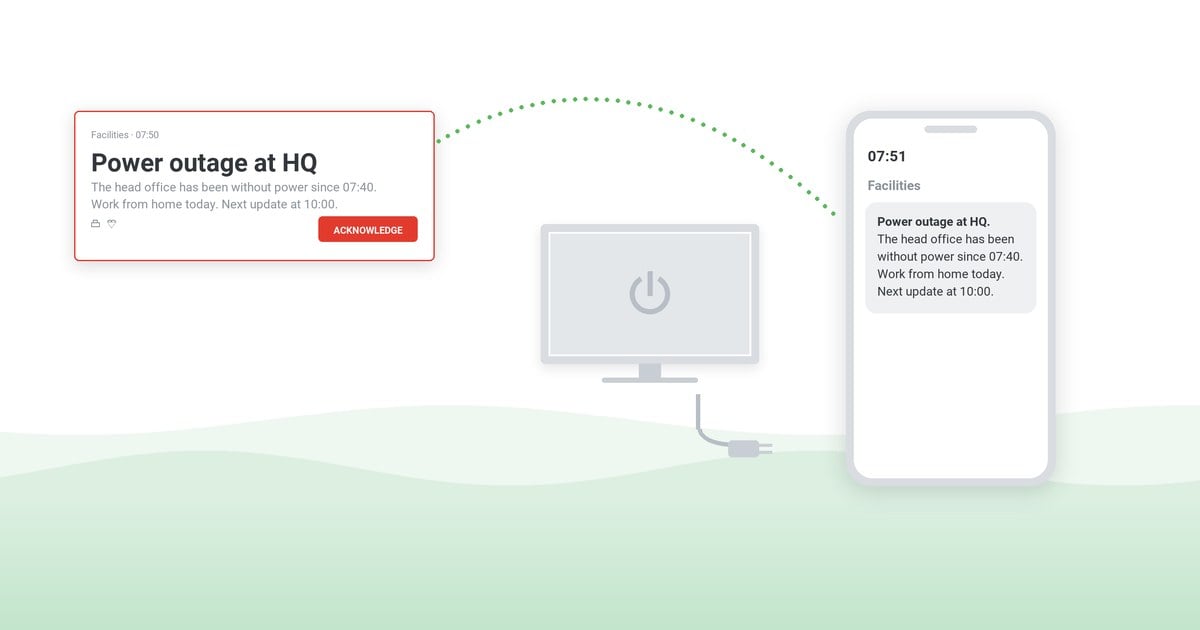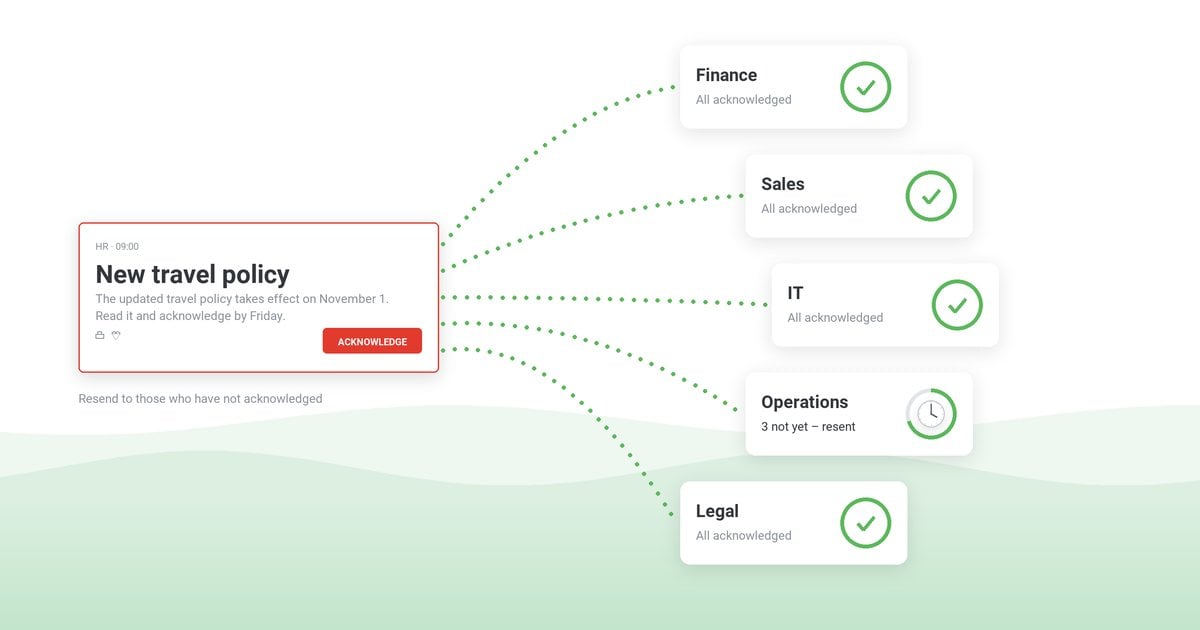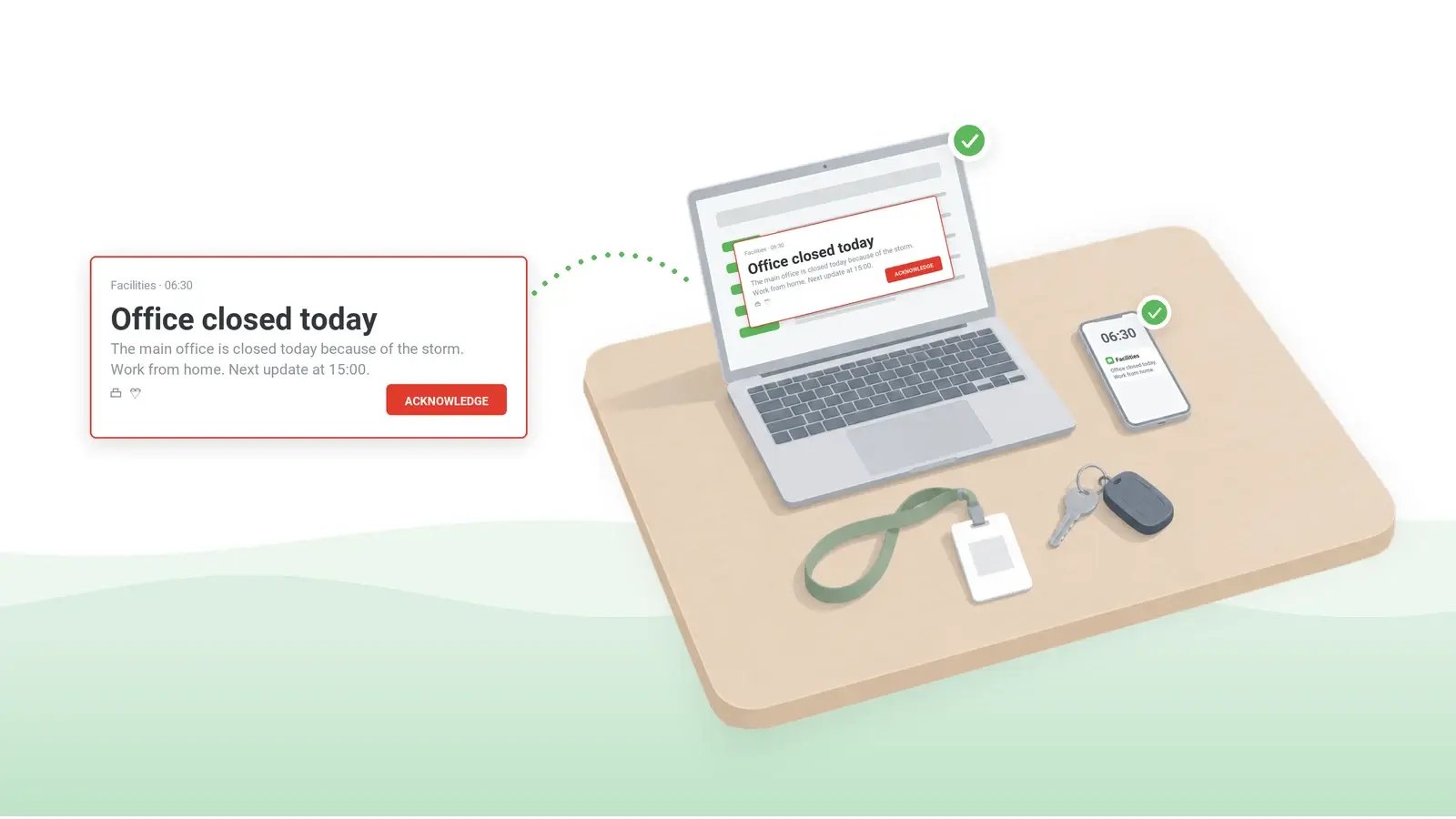
The alternatives to email for urgent employee notifications are desktop alerts, SMS, mobile push, Microsoft Teams, digital signage and voice calls – used together, because no single channel reaches everyone. Email's failures usually come to light only in the incident review. The workaround sat unread in inboxes while the outage ran; the early shift found out about the site closure at the gate; and when an auditor asked who was told, the only answer was a mail log.
For email as a work tool in general, see the advantages and disadvantages of email; for routine company news, see alternatives to newsletters.
Table of Contents
1. Email falls short for urgent notices on four counts
2. Judge any alternative to email on reach, interruption and the record it leaves
3. How to communicate with employees without email: six channels
4. Desktop alerts vs email, SMS, Teams and other channels: no single channel covers reach, interruption and the record
5. Which channel goes first, by situation
6. One alert, several channels: the employee alert system behind the mix
7. Frequently asked questions
Email falls short for urgent notices on four counts
Employees not reading emails is the complaint IT hears, but it is a symptom. Four weaknesses sit underneath it, none of which the sender can fix on the day:
Company-wide mail is filtered as bulk. Outlook's Focused Inbox moves automated and bulk mail out of the main view (Microsoft Support), and a notice sent to a company-wide distribution list or from a mass-mail platform can be classified exactly that way. Exchange Online administrators can send such messages to the Focused view with a mail flow rule (Microsoft Learn, May 2026), but the rule has to exist before the incident. Even in the main view, a high-importance flag is only a small red mark among the day's routine mail.
The reader, not the sender, sets the urgency. New-mail banners are brief, and each person decides whether to show them at all, so the time from send to read depends on how each person is managing email overload that day.
Email cannot show who read the notice. Read receipts are the recipient's choice – Microsoft notes there is "no way to force" one (Microsoft Support) – so for a policy change, the most email can prove is delivery. Proving who read it needs a different method, set out in the guide to confirming that employees have read a critical message.
Email shares a failure domain with the incident. If the mail service or the sign-in service behind it is down, email cannot announce its own outage. In a cyber incident, email may be up but untrusted – it may be the channel the attacker is reading. In September 2026, CISA, the FBI and four partner agencies published joint guidance on IT and operational technology outages. Written for service providers, it advises setting up and testing backup channels – SMS, phone trees, out-of-band communications – for "moments where primary systems are degraded or compromised" (CISA). Cite it by its title, Communicating Under Pressure: Best Practices for Service Providers, when you justify a second channel to management: it is a government source, not a vendor's.
Judge any alternative to email on reach, interruption and the record it leaves
Five criteria decide whether a channel can carry a notice that cannot wait, whether it orders an evacuation or warns of a phishing campaign in progress. The first three govern the opening minutes; the last two decide what you can prove once it is over. Email's fourth weakness, the shared failure domain, is not on the list. Whether a channel survives the outage it has to announce depends on where its servers run, not only on the channel itself, so the comparison table gives that test a column of its own.
Reach in minutes, including devices that are offline when the notice goes out. Laptops closed overnight and remote machines off the VPN count too, so judge a channel by the share of the audience reached 15 minutes after sending, not by the time the message left the console.
Interruption in proportion to the message. A channel with only one level of urgency forces the wrong trade-off every time: either routine notices interrupt work, or critical ones do not.
Reach beyond the managed computer. Deskless and frontline staff on shifts or in the field, contractors without a corporate account, people on shared devices, staff at home before work. A site closure or a weather warning often concerns these people most.
Received, kept separate from confirmed. The two lists lead to different actions: the not-received list is a technical problem for IT; the not-confirmed list is a follow-up for managers. Without the second list, the only safe follow-up is another send to everyone.
A record that stands up afterward. What was sent, when, to whom and who confirmed it – that record goes to an incident review, to an auditor checking a policy attestation or to a regulator asking how staff were informed.
How to communicate with employees without email: six channels
Of the six channels that reach employees who don't check email, desktop alerts come in three forms from one agent on the computer – pop-up or full-screen, a scrolling ticker, and the lock screen or screensaver – so the first three entries below are one channel. At 5,000 or 50,000 recipients, what separates them is each channel's coverage gap, its cost per message and the evidence it leaves.
Desktop pop-up alerts and full-screen alerts
Pop-up notifications, including full-screen ones, travel straight from the alerting server to an agent on each computer; mail and chat play no part, so an Exchange or Teams outage does not stop them. The dependency moves to the alerting server and the network path to it; hosted beside the mail system, the server can fail with it. The agent also sets a limit. Coverage equals the computers that have it installed, so contractors' laptops and unmanaged devices are not covered unless they are enrolled.
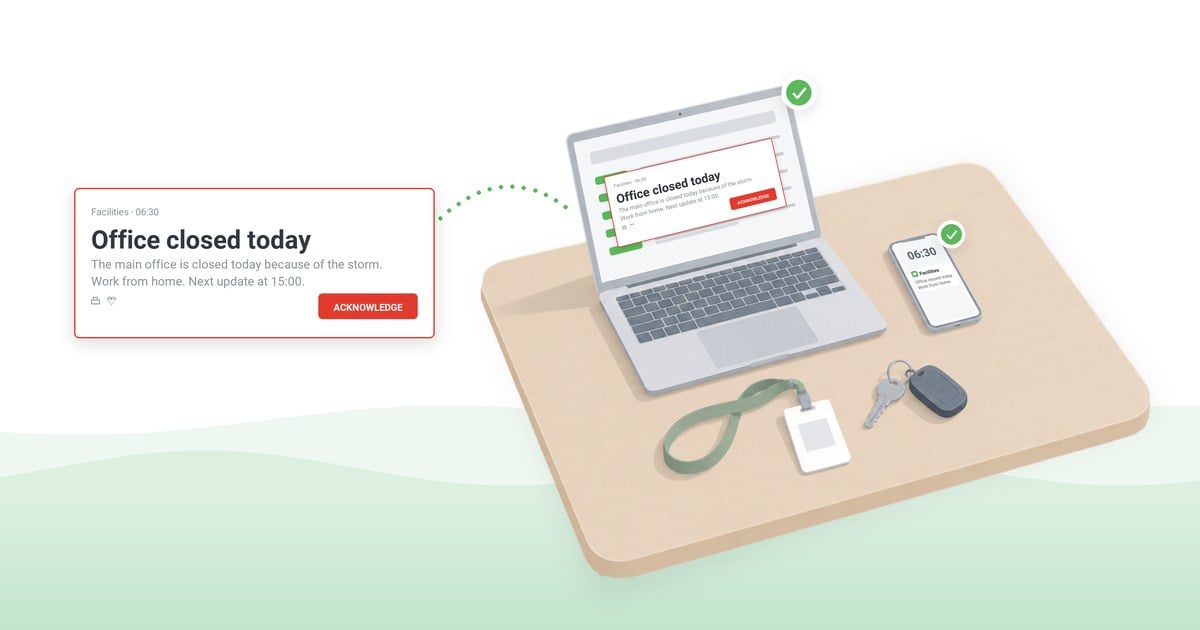
At high priority, an alert opens over whatever the person is working in; a full-screen alert – a screen takeover – covers the screen and can be set to close only when the person clicks Acknowledge. Used for anything less than critical, it trains people to click through, and the acknowledgment record loses its value. See desktop alerts.
Scrolling ticker
A desktop ticker scrolls a line of text across the top or bottom of the screen – right for a running outage status or a change freeze that lasts all afternoon. It is easy to read past, so it is the wrong channel for an instruction that needs action now.
Lock screen and screensaver
Lock screen messages and corporate screensavers reach people when they sign in to a Windows computer or step away from it. That suits a reminder ahead of an attestation deadline but is too slow for anything urgent.
SMS
SMS is the usual channel for staff with no corporate computer or mailbox, and the core of any employee text alert system. Before anything else, it needs a current mobile number for each person, often a personal one held by HR, with the consent and data-protection questions that brings. One segment holds 160 standard characters, or 70 with an emoji or another character outside the standard set, and messages are billed per segment (Twilio), so a single emoji can turn a full 160-character message into three billed segments for every recipient. In the United States, business texts from ordinary ten-digit numbers must be registered with the carriers (Twilio Docs). A delivery report confirms delivery, not reading: plain SMS has no read status (Twilio Docs). See SMS notifications for employees and the pros and cons of a text message alert system.
Mobile push through an app
A push notification from a company app costs nothing per message, whatever its length, but coverage depends on the employee installing the app, often on a personal phone, and then allowing notifications. On iPhone, and on Android 13 and later, the app must ask for that permission, and people can withdraw it at any time (Apple Developer; Android Developers). See mobile apps.
Microsoft Teams messages
Teams reaches knowledge workers where they already spend the day, which is also its weakness, because an urgent message competes with chat traffic. If the administrator allows priority notifications, an urgent message notifies the recipient every 2 minutes for up to 20 minutes, or until it is read. Microsoft documents both urgent repeats and read receipts for chats (Microsoft Learn); a notice to the whole company usually goes out as a channel post, where Microsoft documents neither. Read receipts work only in chats of up to 20 people, and employees can switch them off unless the administrator locks the setting. They are not captured in eDiscovery reporting (Microsoft Learn). Where email also runs on Microsoft 365, one outage can take both away. See Microsoft Teams integration.
Digital signage
Screens in lobbies, warehouses and on shop floors are the one channel here that also reaches visitors and contractors with no account at all. They reinforce an instruction but cannot tell who has seen it. See digital signage.
Voice calls
A text-to-speech call reaches people who are not looking at any screen – a driver, a technician on a site visit. It is the most intrusive channel and is billed by the minute, so keep it for life-safety notices and for the few people still unconfirmed after the first round.
Desktop alerts vs email, SMS, Teams and other channels: no single channel covers reach, interruption and the record
Against email, desktop notifications win on interruption and on evidence and lose on reach. Lock screens are left out of the table as too slow; the last two columns are the ones procurement and your continuity plan will ask about.
| Channel | At a desk | Away from a desk | Interrupts work | Can require a confirmation click | Per-person record | What it needs | Cost driver | Works in a Microsoft 365 outage |
|---|
| Desktop pop-up alert | Yes | No | Yes; on top at high priority | Yes | Yes | Desktop agent | Software license | Yes, if the alerting server and its sign-in are outside it |
|---|
| Full-screen alert | Yes | No | Strongly; covers the screen | Yes | Yes | Desktop agent | Software license | Yes, if the alerting server and its sign-in are outside it |
|---|
| Ticker | Yes | No | No; scrolls at the screen edge | Yes, as an option | Yes | Desktop agent | Software license | Yes, if the alerting server and its sign-in are outside it |
|---|
| SMS | If the phone is at hand | Yes | Phone alert | No; a reply can be requested where two-way SMS is set up | Gateway delivery log, per number | Mobile number | Per segment, plus carrier fees | Yes, via the SMS provider |
|---|
| Mobile push | If the phone is at hand | Yes | Phone alert | Depends on the app | Per recipient, if the app reports it | App, with alerts allowed | Software license | Yes, if the alerting server and its sign-in are outside it |
|---|
| Microsoft Teams message | Yes | With Teams on the phone | Chat alert; urgent ones repeat, if enabled | No | Read receipts in small chats | Microsoft 365 | Microsoft 365 license | No |
|---|
| Digital signage | Near a screen | Near a screen | No | No | No | Screens in shared areas | Screens and players | Yes, if the alerting server and its sign-in are outside it |
|---|
| Voice call | If the phone is at hand | Yes | The phone rings | No; a keypad response can be requested where the provider supports it | Call status from the provider | Phone number | Per minute | Yes, via the call provider |
|---|
| Email | Yes | With mail on the phone | Barely; a brief notice | No; read receipts can be declined | Delivery per recipient; reading only if the recipient allows it | Mailbox | Already in place | No, on Exchange Online |
|---|
What is left to decide is the combination and the order.
Which channel goes first, by situation
In each situation below, how to reach employees comes down to three decisions made before the notice goes out: the first channel, chosen for where the affected people are at that hour; the backup, sent at the same time – not after it – to the people the first channel cannot reach; and the record the confirmation will be read from.
A Microsoft 365 outage with a workaround. First: the outage notification as a desktop alert, with the workaround, to the whole organization. Backup: SMS for people away from their computers. Confirmation: each person's received and acknowledged status, which also tells the service desk who is still likely to call. Ready wording for each stage of a system outage notification is in our IT outage message templates.
A fire or an evacuation. The building's fire alarm leads; alerts add what the alarm cannot say – which exit, where to assemble, when to return. First: a full-screen emergency alert to the computers in the building, addressed by IP range. Backup: SMS or a voice call, and the notice on digital signage. Confirmation: once people are outside, a two-option reply in the mobile app – "I am safe" or "I need help" – shows who has answered and, more usefully, who has not.
Severe weather closing a site. First: SMS and mobile push before the workday starts, to that site's staff only. Backup: a desktop alert for those already at work. Confirmation: the app's per-person receipt list and the SMS gateway's delivery status per number.
A policy change that needs attestation. First: a pop-up alert that closes only on Acknowledge, with the attestation statement in the alert text, the policy version in the title and a link to the policy, so each acknowledgment is tied to that version and to what the person confirmed. In the weeks before the deadline, a lock screen message with the date reminds people as they sign in to Windows. Backup: the one situation where it comes later – after the deadline, a resend only to those who have not acknowledged. Confirmation: the exported acknowledgment statistics and each person's status, kept with the policy version and the record of who sent the alert and when. On shared computers the click is recorded against the account the agent on that computer is registered to, so attestation needs each person's own sign-in, not a shift account or a registration by computer name.
Shift workers without a corporate mailbox. First: the mobile app or SMS before the shift starts, not during it, when phones may be in lockers. Backup: digital signage in break rooms and at entrances. Confirmation: as for a site closure.
Offices in several time zones. First: a desktop alert and a mobile app notification to the people affected, sent at once rather than held for each region's office hours. Backup: SMS for those off shift, if the notice justifies reaching them outside working hours. Set the delivery window – how long the system keeps trying to reach devices that are offline – to run past the last region's next morning. Confirmation: the acknowledgments and the app receipts arrive region by region as each one starts its day, so judge the gaps per region, not against one global deadline.
One alert, several channels: the employee alert system behind the mix
Across the six situations, the first channel and the backup change every time, but every confirmation line asks for the same thing: a name-by-name list of everyone the notice has missed and everyone who has yet to confirm it. When each channel runs on its own tool, a multi-channel send means several consoles, audience lists that drift apart and partial records to reconcile afterward – just when the review needs a single list. One employee alert system, also sold as an emergency notification system, removes that work: one console, one audience source and one record.
DeskAlerts, our own alert software, is built this way: one alert goes from the same console to desktops, the mobile app, email, SMS, Microsoft Teams and Text-to-Call – a phone call that reads the alert text aloud. An emergency alert can also take over the digital signage screens included in its audience.
Desktop alerts reach an agent on each Windows or macOS computer, including Microsoft RDS and Azure Virtual Desktop sessions. With Keep Active – the delivery window the time-zone situation called for – a laptop that was shut down at the time of sending still receives the alert, provided it reconnects within the period the sender sets. Recipients are chosen from one or more Active Directory servers or from Microsoft Entra ID; for one building or site, the sender uses its IP range. People without a computer can be reached through SMS, Text-to-Call or the mobile app, which receives push notifications even when it is inactive, once the person has allowed them. Contractors outside the directory can be added as recipients by hand or register in the app with their own sign-in.
The same console also sets how hard an alert interrupts: a scrolling ticker, a pop-up alert, a high-priority alert that appears on top of other windows, or a full-screen alert. Lock screens and screensavers are available on Windows only.
Alert statistics show Received, Not Received and Acknowledged, and the Users Report lists every recipient's status. A second send can be limited to people who have not received or have not acknowledged the alert, and the statistics export to CSV or XLSX for the post-incident report. The Users Action Log records console sign-ins and sends with timestamps – who sent each alert, and when – so the record covers the sender's side too.
Acknowledgment is recorded for desktop alerts only. The mobile app records receipt when the person opens the alert, and a two-option RSVP answer is a reply, not an acknowledgment. The email, SMS, Teams and voice copies add reach, not confirmation; for SMS and Text-to-Call the delivery status is the gateway's, not the alerting system's.
Alerts reach each computer's agent and the mobile app only over a working connection to the DeskAlerts server, cloud-based or installed on your premises; SMS and Text-to-Call are sent through a gateway your organization contracts, and Twilio is the documented provider. The table's survival test also covers sign-in. If publishers sign in to the console through Microsoft Entra ID or Active Directory single sign-on, keep at least one console account that signs in with its own password, so the outage you are announcing does not also lock out the people sending the notice. Check, too, which desktop agents register through Entra ID, because their registration depends on it.
Against the channels above, the difference is not reach – Teams, an SMS service and a signage player each cover their own ground. If the plan only ever needs one channel, that channel's own tool is the simpler choice.
Whatever runs the mix, five preparations cannot be made on the day: the mail flow rule that keeps notices in Focused, US carrier registration for SMS, current mobile numbers collected with consent, app enrollment with notifications allowed, and the works council or data-protection approval that a tool recording individual responses may need. A test send through every channel, with its record kept, is what shows management and auditors that the plan works.
Watch one alert go to desktops, phones and Teams from one console
In 30 minutes: an urgent notice sent to desktops, the mobile app, SMS and Teams, recipients picked from Active Directory, and the Users Report filling in as people confirm.
Frequently asked questions
Email isn't working for urgent updates – what should we use instead?
Move the urgent notice itself off email and keep email for the details. When you compare tools, ask four questions of each: does it run outside the system most likely to fail, does it reach computers and phones from one console, can it require a confirmation click, and can it resend only to those who have not confirmed? Our own alert software, DeskAlerts, is built that way and reports each recipient's status for desktop and app alerts.
How do I make sure every employee sees an urgent message, whether they're at a desk or not?
No channel can promise that on its own, so plan for coverage: a desktop alert for people at computers and SMS or the mobile app for those away from a desk, sent together. Then close the gap from the record: resend only to those who have not received or confirmed, and have managers call anyone still missing after the second round.
How do you get employees to read emails?
For routine mail, the usual ways to get announcements read are fewer company-wide sends and subject lines that state the action needed. Urgent notices are the exception: no subject line gets an email read by a shift that does not open work mail before clocking in.

 Steve Wilson: Oct 29, 2026, 9:00:00 AM