The issue of employee passwords is often a challenging one for businesses around the world but can’t be ignored.
According to Verizon's 2025 Data Breach Investigations Report, stolen credentials were the most common initial access vector in breaches, and 88% of attacks against basic web applications involved the use of compromised passwords. Credential-based attacks remain the #1 threat vector year after year.
Maintaining password policy best practices in your company is essential to help mitigate the risks.
Table of contents
The importance of password security in the workplace
What is a corporate password policy?
10 password policy best practices to implement in your organization
How to communicate your corporate password policy
Password Security Standards and Guidelines
The importance of password security in the workplace
Employee failure to comply with its best-practice corporate password policy can lead to many major issues for companies, including:
- Expensive data breaches
- Loss of sensitive information
- Loss of money
- Account takeovers
- Exposure to destructive malware
- Insider threats
- Reputational damage
- Legal problems
- Failure to comply with regulatory requirements
According to Keeper Security's 2024 global cybersecurity report, surveying more than 6,000 respondents worldwide, 85% of employees believe their passwords are secure. Yet over half admit to sharing them. Two in five admit to password reuse, and 24% still write passwords down.
Separately, Keeper's earlier workplace-specific research found employees commonly use personal information such as a child's name, spouse's birthday, or their employer's name in work passwords, making them trivially guessable.
The shift to hybrid and remote work has expanded the attack surface for credential-based attacks, with employees accessing corporate systems from personal devices and home networks that employers do not control. This makes a strong corporate password policy more important than ever.
The costs are enormous. According to IBM's 2025 Cost of a Data Breach Report, the global average cost of a data breach reached $4.44 million — and for US organizations specifically, the average was $10.22 million.
What is a corporate password policy?
A corporate password policy is a set of rules that an organization has about passwords that are used to access systems and data, which generally incorporates best practice industry standards to ensure employee credentials cannot be easily compromised.
10 password policy best practices to implement in your organization
Having a strong company password policy in place is one of the first lines of defense your organization has in its fight against cybercrime. Protecting passwords is a fast and easy way to enhance cybersecurity in the workplace.
If your company currently doesn’t have a corporate password policy, it’s time you developed one. And if you do have one already, you should review it to make sure it is up to the task of helping to protect employees against modern cyber threats and update it accordingly.
Some of the best organization password policy recommendations include:
1. Encourage employees to use unique passwords
It’s strongly encouraged that people use unique passwords for every account that they create. Unfortunately, this isn’t always the case when it comes to managing passwords.
According to Bitwarden's 2025 World Password Day Survey, 85% of users worldwide reuse passwords across multiple sites. Additionally, a 2025 Cybernews analysis of nearly 19 billion breached passwords found that 94% were reused or duplicated across multiple accounts.
If a password is breached on one platform, that puts the user at risk of being breached everywhere.
Verizon's 2025 DBIR found that 2.8 billion passwords were posted for sale or free on criminal forums and darknet markets in 2024 alone, demonstrating the extraordinary scale of credential exposure in the modern threat landscape.
2. Insist on complex or long passwords (or both!)
With computers becoming more powerful with higher processing speeds, brute-force attacks where hackers test endless combinations of characters until they find the correct password, have been more and more effective. Your company password policy should require that long and complex passwords are used to access your systems - this is one of the most secure practices when creating passwords
According to Scientific American, a 12 character password is 62 trillion times more difficult for cybercriminals to crack than a 6 character one. And the strongest password is a 16 character one derived from a set of 200 characters.
3. Don’t allow employees to reuse passwords
To ensure security, passwords should be used only once. Reusing passwords is problematic if a password has ever been compromised in the past.
4. Passwords should be changed – but not too often
Some experts believe that if you have difficult, unique passwords, then you don’t need to change them unless compromised. Others believe you should change the password several times a year.
Traditional requirements to change passwords every 30, 60, 90 days have the effect of creating weaknesses in the system, not strengths.
People are less likely to use long and complex passwords if they have to remember a new one every few months. They’re also more likely to write them down or store them somewhere where third parties can access them.
5. Have continuous education and awareness
As cybercrime is constantly evolving and becoming more and more sophisticated, it’s important that your education and awareness campaigns also evolve. Password hygiene education shouldn’t just be a one-time thing: you need to continually remind employees about secure password management and let them know when new threats emerge.
6 Cybersecurity Email Templates [+ Tips]
Increase Message Visibility and Prevent Cybersecurity Breaches. Download for free

6. Encourage the use of password managers
Because password combinations of complex lower and uppercase characters, special symbols and numbers can be difficult to remember, you don’t want people writing them down or storing them somewhere insecure. A password management system can help. Password manager best practice is implementing software systems that work by storing all the passwords you use and rely on one strong master password to keep them all secure.
7. Re-evaluate the threshold for failed login attempts
Many systems lock accounts when a sufficient number of failed login attempts have been reached. Often, the threshold is quite low and will only seek to frustrate users, particularly if they have legitimately forgotten their long and complex password.
This type of negative experience for the user can lead them to use more easily compromised passwords in the future. So while you shouldn’t get rid of the threshold altogether, you should make it a more reasonable number of attempts, such as ten, before people are locked out of their accounts.
8. Forbid password sharing
Passwords need to be confidential in order to be effective in guarding sensitive information. Therefore, employees should be prohibited from sharing their passwords with anyone – even colleagues. This is one of the most important best practices for password management. It’s important that the reasons for this are clearly outlined in your corporate password policy.
9. Enable two-factor authentication
It’s a lot harder to compromise a password if there is a two-factor authentication requirement attached to it. By adding the second factor – such as an SMS being sent to a device with a one-time code that needs to be included in order to proceed – it is much more difficult for hackers to gain access to systems unless they have also managed to steal the device where the authentication is sent.
According to Microsoft, users who have multiple-factor authentication on their accounts are able to block 99.9% of automated attacks.
10. Consider getting rid of passwords altogether
The case for ditching passwords entirely has never been stronger. Major technology platforms including Apple, Google, and Microsoft have accelerated the shift to passkeys and FIDO2 authentication, with the FIDO Alliance reporting rapid adoption across consumer and enterprise environments.
New technologies such as biometrics, device attributes and behavioral analytics can help to validate someone’s identity without the need to type in a password. The WEF says that going “passwordless” will greatly boost security in companies and eliminate the risk of compromised credentials.
How to communicate your corporate password policy
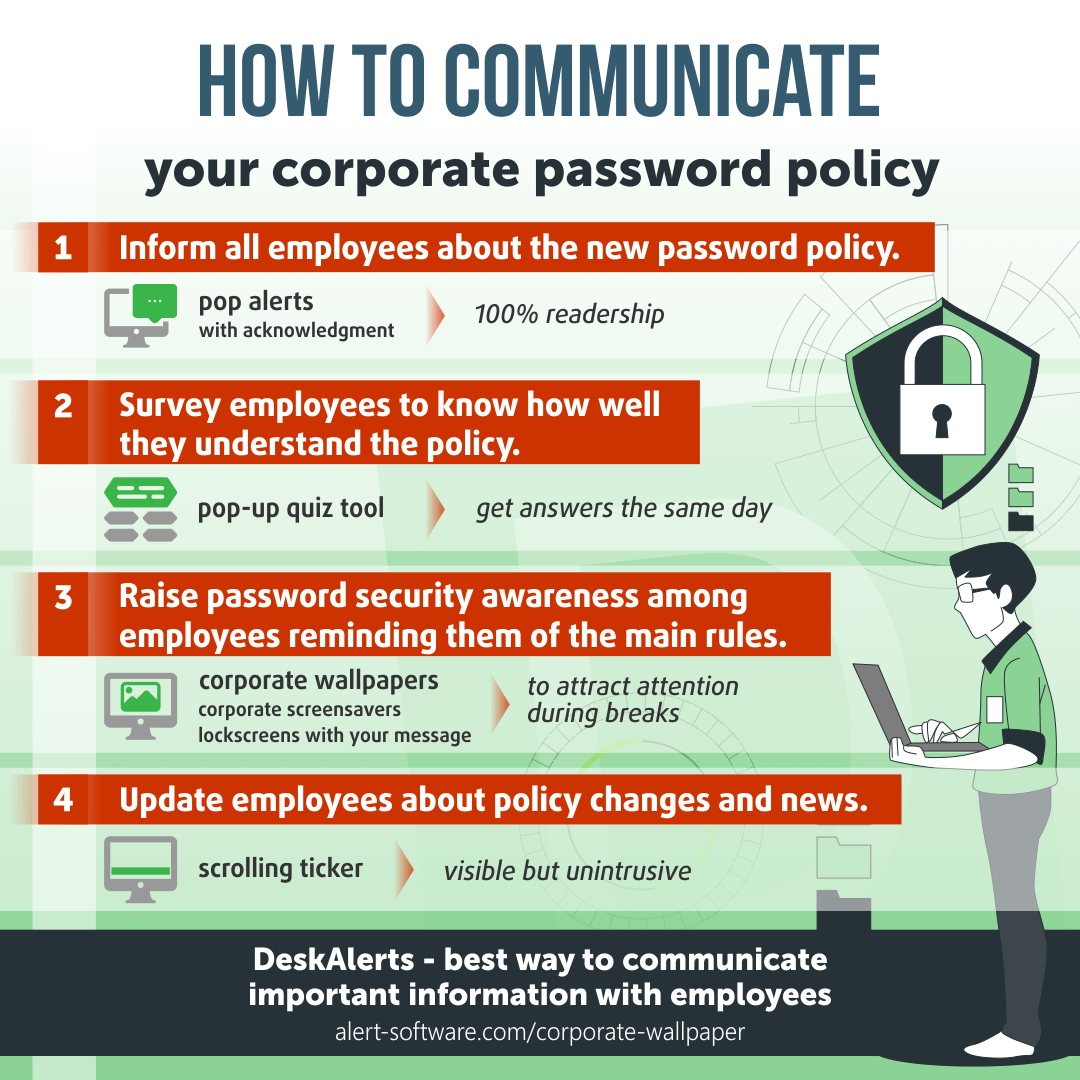
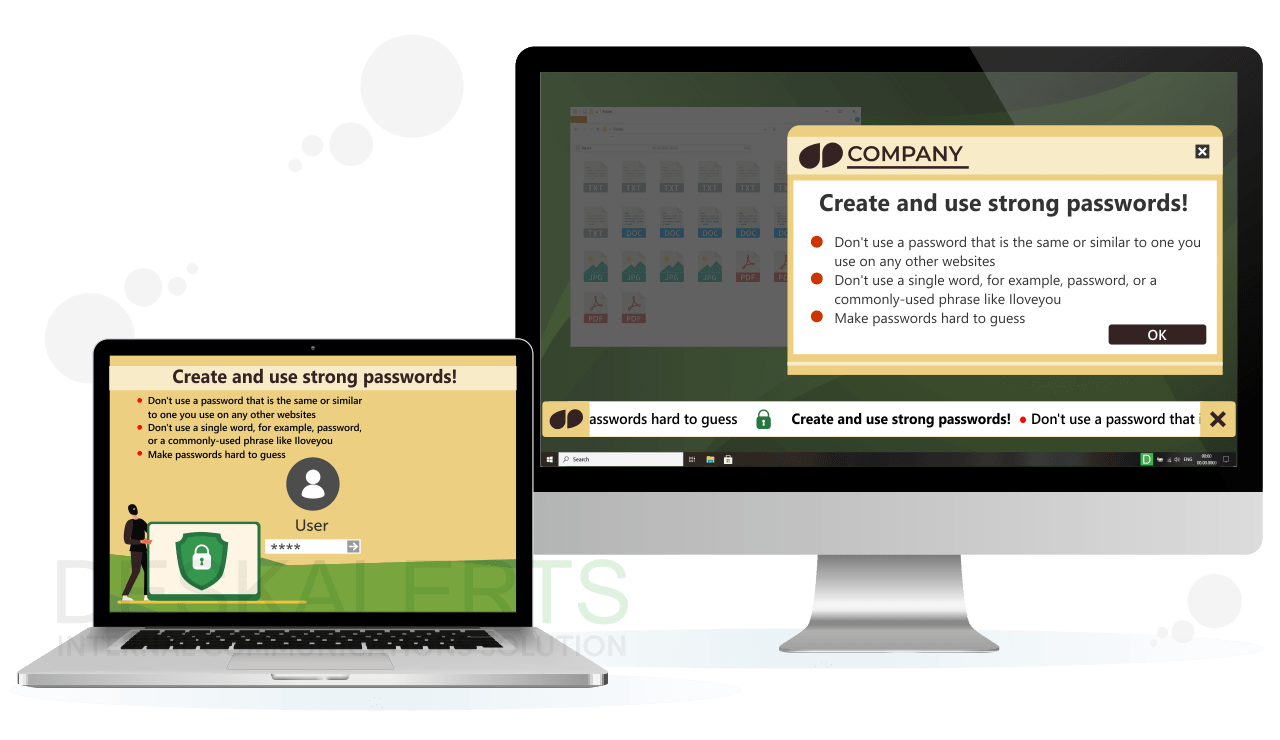 It’s important to communicate your company password policy in a variety of ways to ensure that the information reaches your employees. Messages sent multiple times in different formats are more easily retained.
Consider the following methods when communicating about password security in the workplace:
- Send pop-up alerts to desktops with hints and tips about password security
- Create screensavers and corporate desktop wallpapers with best practice requirements
- Use digital screens in your organization to create engaging and visually appealing campaigns about password hygiene
- Use the corporate login screen, where employees enter their credentials, to deliver information about password security
- Include password hints and tips in your internal newsletter
- Make sure your organization password policy is in a prominent place on your intranet.
- A scrolling ticker can help you to send updates about password requirements, organization password policy examples, or ongoing issues
- Quiz your employees’ password knowledge by running surveys and quizzes to see how much they know.
6 Cybersecurity Email Templates [+ Tips]
Increase Message Visibility and Prevent Cybersecurity Breaches with DeskAlerts. Download for free
Password Security Standards and Guidelines
In the realm of cybersecurity, having a robust corporate password policy is crucial for protecting sensitive information and ensuring compliance with various standards and guidelines. Below are some key frameworks and regulations that organizations should consider when developing their password policy.
1. NIST SP800-63B
The National Institute of Standards and Technology (NIST) Special Publication 800-63B provides guidelines for digital authentication. This document emphasizes the importance of a strong password policy by recommending the use of longer passphrases, multi-factor authentication (MFA), and periodic updates to passwords. The NIST guidelines are designed to enhance security while also improving user experience by recommending less restrictive password rules.
2. PCI DSS
The Payment Card Industry Data Security Standard (PCI DSS) mandates that organizations handling payment card information enforce a comprehensive corporate password policy. This standard requires passwords to be complex and regularly updated, and it also outlines the necessity of secure password storage practices. By adhering to PCI DSS, companies can ensure that their corporate password policy meets stringent security requirements.
3. ISO/IEC 27002
ISO/IEC 27002 provides best practices for information security management, including guidelines for a robust corporate password policy. This standard advises organizations to implement policies that cover password length, complexity, and change frequency. It also suggests mechanisms for monitoring and enforcing these policies to safeguard sensitive data against unauthorized access.
4. CIS Password Policy Guide
The Center for Internet Security (CIS) offers a detailed corporate password policy guide that outlines a range of security controls for managing passwords. This guide recommends measures such as password length, complexity requirements, and the use of password managers. The CIS Password Policy Guide helps organizations create a comprehensive password policy that aligns with best practices for password security.
5. NERC CIP
The North American Electric Reliability Corporation (NERC) Critical Infrastructure Protection (CIP) standards include specific requirements for a password policy in the context of energy sector organizations. NERC CIP guidelines focus on safeguarding critical infrastructure by enforcing strong password practices and regular reviews of password policies to mitigate risks.
6. HIPAA Security Rule
The Health Insurance Portability and Accountability Act (HIPAA) Security Rule requires healthcare organizations to implement a corporate password policy that ensures the confidentiality, integrity, and availability of electronic protected health information (ePHI). HIPAA emphasizes the need for secure password practices, including password complexity, expiration, and the use of multi-factor authentication.
Incorporating these standards into your corporate password policy will help ensure that your organization meets security requirements and effectively protects sensitive information from unauthorized access. Regular reviews and updates to the policy will also keep it aligned with evolving security threats and compliance obligations.
***
Passwords for many organizations are the only thing standing between their precious data and criminals having access to it. Keeping abreast of best practices to ensure cybersecurity, the recommendations for creating and maintaining passwords and having a strong company password policy can help to minimize the risk of harm.
Frequently asked questions
What are examples of company password policy?
Some of the password storage best practice policies that companies use include:
- Requiring that passwords contain a mixture of lowercase and uppercase characters
- Passwords need to be a certain length
- Passwords need to contain a mixture of lowercase, uppercase, numbers and special characters
- Passwords need to be changed on a regular basis
- Passwords cannot be the same as a previous password.
What is the recommended corporate password policy?
The recommended best practices for corporate password policy include:
- Requiring a minimum password length
- Establishing a password history policy where at least the ten most recent passwords are remembered and cannot be reused
- Passwords must meet complexity requirements
What is the purpose of a company password policy?
A password security policy is a set of rules that dictate the ways passwords must be created in your organization in order to prevent your systems from being compromised and your data stolen. It prevents your users from choosing weak passwords that can be cracked easily.
What is the importance of having a strong password policy?
Having a strong password policy in place in your organization will help to protect your systems and data from a range of different outsider threats and attacks. It will keep you ahead of hackers and bots that have been designed to guess passwords.

 Caroline Duncan


 Steve Wilson: Sep 7, 2026, 9:00:00 AM