A change management communication plan is the dated schedule of messages a change needs – one row per audience, each with a sender, a channel and a deadline. In large organizational change programs, the decisions that shape the outcome (who hears first, who sends, how often the program interrupts people and what counts as proof of understanding) are made before anyone drafts a message.
This guide turns those decisions into a nine-step change communication strategy, using one running case throughout (a records-system replacement with a staged migration). Where employment or market-disclosure law, or a restructuring, needs a different sequence, step 3 sets it out.
Table of contents
1. Five ways a change communication plan derails
2. How to create a change communication strategy in nine steps
3. Change management communication plan template
4. Which rows of the plan need a change management communication tool
5. Change management communication examples
6. Change management communication plan checklist
7. Frequently asked questions
Five ways a change communication plan derails
Only 45% of employees say they achieved the change goals their organization set, according to a Gartner press release dated October 9, 2025.
Communication in change management is one factor among several in that gap; our article on change management failure covers the others. Where it is part of the cause, the symptoms are visible well before any 30-day review.
| What goes wrong | How it shows up | Addressed in |
|---|
| The executive sponsor speaks at the launch, then goes quiet | Teams read the silence as a sign that the program has slipped, and the change lead ends up making the case only the sponsor can make | Step 6 |
|---|
| Line managers hear the news at the same time as their teams | The first conversation in each team is speculation, and managers voice their own doubts about headcount or targets | Steps 3 and 6 |
|---|
| Several programs land on the same people in one quarter | Change fatigue sets in: launch emails, reminders and surveys blur together, and the one notice that needs action is skipped with the rest | Step 7 |
|---|
| The go-live notice reaches inboxes, not people | Branch and warehouse staff, hospital shift workers and contractors hear about the change from the help desk | Steps 2 and 5 |
|---|
| Progress is measured by reach alone | Open rates look healthy while help-desk tickets show that people cannot work in the new system | Steps 1 and 9 |
|---|
How to create a change communication strategy in nine steps
The nine steps follow the order in which the decisions behind a change management communication strategy are usually made. For the technical side of a system change, see our guide to planning a software rollout.
1. Set objectives you can check by a date
“A smooth transition to the new system” cannot be checked until it has failed. Write each objective as what a group must know or do by a date, and how you will verify it. For the records-system change, that might be:
- by go-live, the employees who create records have completed the 30-minute training module and know the paper fallback for the migration window;
- before migration night, each team manager has confirmed that the team knows the cutoff time;
- by day five after go-live, “I cannot work” tickets are below [n] a day.
Agree in advance with the steering committee on what a missed objective triggers – a team moved to a later wave, extra floor support on go-live day – so that the readiness update arrives with a decision attached. The change lead owns the plan, and IT usually owns the cutover messages. If there is already an IT communication plan, send those messages through its channels and cadence rather than building a parallel set.
2. Map stakeholders by what changes for them
Start with the people whose role, location or terms change. First establish whether collective consultation applies (the table in step 3 sets out the main rules); if it does not, each of them hears in a one-to-one conversation before any group message.
Employee representatives, where they exist, can move the timeline more than any other group. Across the EU, national laws implementing Directive 2002/14/EC require employers above a size threshold to inform and consult employee representatives on decisions likely to lead to substantial changes in work organization. The threshold is 50 employees per undertaking or 20 per establishment, depending on the country.
In Germany, where a works council exists, it has co-determination rights over the introduction and use of technical devices designed to monitor employees’ behavior or performance (Works Constitution Act, section 87(1) no. 6). German labor courts, including the Federal Labor Court (decision 1 ABR 7/15 of December 13, 2016, in German), apply the rule to systems that are objectively capable of monitoring, whatever the employer’s intent. A records system that logs user activity is therefore likely to fall under it, and so is a per-person report of who received and acknowledged a message, whichever tool produces it. A group with a European Works Council also consults it on transnational changes, linked to national consultation as the EWC agreement or, where it is silent, national law provides (Directive 2009/38/EC, Article 12). Ask HR or employment counsel what applies before a date goes into the plan.
Two groups are easy to miss: contractors and agency staff who have no account in your directory, and branch or shift staff on shared workstations who rarely read email at work. A tool that sends to an audience list synchronized from Active Directory or Entra ID reaches only the people on that list, so a contractor who is not on it needs another route, such as their own manager or the agency contact. If internal communications already keeps segments by role, site and shift, reuse them; our guide to improving internal communications covers how they are built.
3. Decide who hears first, and plan for a leak
Sequence is the one decision you cannot undo. A common order is the sponsor and leadership team, employee representatives where consultation applies, line managers (those whose own roles change are told individually first), the people directly affected, then everyone else. Staff should not first hear about a change from customers, the press or a regulator, so external announcements go out with the internal one or after it – unless market-disclosure rules put the public announcement first, as the table below sets out.
Sometimes the timing is not yours to set. A bank or insurer may have to talk to its supervisor first. In the UK, the FCA expects to hear early, before any internal or external commitment, about a restructuring or material outsourcing arrangement that could significantly affect the firm’s risk profile or resources (FCA Handbook, SUP 15.3.8 G and 15.3.9 G). If the new records system is hosted by a third party, the move itself may count as material outsourcing. Compliance or regulatory affairs owns the conversation with the supervisor and sets its date; the corporate secretary and legal set the date of any market announcement.
If the change touches jobs, or is inside information for a listed company, these rules can decide who must hear first, and what getting the order wrong costs:
| Rule | Applies when | Who hears first | Effect if missed | Source |
|---|
| EU: collective redundancies | Redundancies above national thresholds | Employee representatives, on the proposal and the selection criteria; staff hear a proposal | Under Junk, dismissal notices may not be given until consultation ends; national law sets the sanctions | Directive 98/59/EC, Articles 2 and 6; CJEU, Junk, C-188/03 |
|---|
| UK: collective redundancies | 20 or more redundancies proposed at one establishment within 90 days | A recognized union or elected employee representatives, at least 30 days before the first dismissal takes effect (45 days for 100 or more), and the Secretary of State on form HR1 in the same period | A protective award of up to 180 days’ pay per affected employee (doubled from 90 days on April 6, 2026); failing to file HR1 is an offense | Trade Union and Labour Relations (Consolidation) Act 1992, sections 188–194 |
|---|
| Germany: operational changes | Cutbacks or closures of the establishment or major departments, transfers, mergers or splits of establishments, or major changes to organization or work methods; more than 20 voting employees and a works council | The works council, in good time, with an attempt at a reconciliation of interests | Employees dismissed without that attempt can claim indemnities; other financial losses are made good for up to 12 months | Works Constitution Act, sections 111–113 |
|---|
| US: plant closing or mass layoff | Private employers with 100 or more employees, not counting part-time staff; some states add their own laws | Affected employees or their union, the state dislocated-worker unit and the local chief elected official, in writing at least 60 days ahead | Back pay and benefits per affected employee for each day of violation, up to 60 days, plus up to $500 a day for not notifying local government | 29 U.S.C. 2102; 2104; DOL overview |
|---|
| US: unionized staff | Staff represented by a union | The union, in time to bargain over the effects; the collective bargaining agreement may add notice terms | Refusing to bargain is an unfair labor practice | 29 U.S.C. 158(a)(5); First National Maintenance Corp. v. NLRB, 1981 |
|---|
| Listed companies: inside information | An EU-listed issuer and a change that could significantly move the share price | The market, by public announcement; anyone briefed early goes on the insider list | Administrative fines under national law; the regulation sets a floor for the maximum fines, linked to annual turnover for disclosure breaches | Market Abuse Regulation, Articles 17, 18 and 30 |
|---|
Several US states publish the WARN notices they receive – California’s Employment Development Department posts a running WARN report – so the filing itself can be how the press hears. Brief staff before the filing or with it.
How far ahead to brief managers depends on the kind of change. For a system change, the four weeks in the template below give them time to prepare answers, and little is lost if word spreads. For a restructuring or a site closure, a long gap invites a leak, so keep it to days or hours and give managers a script instead of a workshop.
Before the first briefing on a restructuring, or on a system change that touches jobs or monitoring, draft a holding statement of two or three sentences confirming what is being considered, when staff will hear more and from whom. If the news leaks, the statement can go out within the hour. In a listed company, legal clears the statement in advance, and staff see it only after the market announcement. A leak can force that announcement forward (Market Abuse Regulation, Article 17(7)). Until the change is announced to staff, treat a specific rumor as a leak; after that, rumors about details get an answer within one business day, on the change page and through managers, in the plain terms of the announcement.
4. Write key messages that survive being forwarded
A key message will be forwarded, screenshotted and summarized by people who were not in the briefing, so it has to make sense on its own. For each audience it states what changes, for whom, from when, what the reader must do and by when, what stays the same, and what has not been decided yet. The last item is often left out, and naming it makes everything else in the message easier to believe.
A review by HR and legal of anything touching roles, terms, pay or monitoring takes time – in the records-system case, the policy acknowledgment and any message that mentions activity logging. Translation into every language your employees work in takes time too. Both belong in the schedule, and the messages that need the review should go through a channel that can hold them until the reviewer has approved them, so a late review delays the message rather than letting an unreviewed version go out. Our guide to communicating change to employees goes further into the wording of individual messages.
5. Choose channels by what each message must do
Each message has one job, and the job decides the channel – and whether that channel can give you a record. The third column is the test for any change management communication tool you consider.
| Job of the message | Channels that suit it | What the channel must be able to do |
|---|
| Explain and persuade | The sponsor at a town hall or in a short video; team meetings led by managers | Carry the sponsor’s own words to the teams the sponsor cannot meet in person. |
|---|
| Serve as the reference | An intranet change page with the FAQ, dates and training links; a forum, if someone is assigned to answer posts | Hold one current version of the dates and links that every other message points to. |
|---|
| Require action by a date | A message that interrupts work | Interrupt only the people who must act, on a set date, and reach computers that were off when it was sent. |
|---|
| Create a record | A message each person must confirm; plain email records no confirmation | Take a confirmation each person gives deliberately, carry a deadline in the text, list by name who has not confirmed, and follow up with them only. |
|---|
| Keep the change visible | Digital signage in shared spaces; corporate screensavers on idle screens | Show the date on idle screens for a set period without another message to the inbox. |
|---|
| Reach deskless and frontline staff | The shift briefing, the shift lead, a phone call, a screen in the break room | Reach people with no desk or corporate mailbox and report who confirmed. |
|---|
Put the deadline in the text of the policy acknowledgment message, whichever channel carries it: people on leave, computers that stay off and anyone allowed to defer the confirmation still leave gaps, and the deadline turns them into a named list for managers.
Shift staff confirm either at the shift briefing – the shift lead records who was present and sends one confirmation for the shift, and that record is the evidence for the 30-day review – or through a two-option reply sent to their phone. Texting personal phone numbers should rest on a legal basis agreed on with HR or the data protection officer.
6. Make the sponsor and line managers the senders
A sponsor will usually agree to a calendar at kickoff; holding them to it is harder. Put four dates on the steering committee’s first agenda: the launch, a message a week before go-live, an appearance on go-live day and a 30-day check-in on what employees raised and what changed. A missed appearance then shows up in the status report like any other slipped milestone. Leave the reason for the change in the sponsor’s own words, even when the program team drafts the rest, and name a stand-in from the leadership team for the dates the sponsor cannot make.
Prosci’s summary of its Best Practices in Change Management research, updated August 7, 2026, reports that projects with extremely effective sponsors had a 79% chance of meeting their objectives, compared with 27% for those with extremely ineffective ones. In an April 2025 Gartner survey of nearly 1,000 mid- to senior-level business leaders, 36% said their teams tend to hold back and wait to see whether a change sticks before acting on it (Gartner, October 2025). The sponsor’s later appearances are meant to shorten that wait.
Line managers are the communication cascade, and the cascade is where a program most easily loses control of its message. Prosci’s research also found that 43% of participants named mid-level managers as the group showing the most resistance to change. Managers often face losses of their own, such as headcount, targets or reporting lines. For a system change, letting managers use the new system before their teams do is worth more than any script. For a restructuring, add a short session on difficult conversations to the briefing where they receive the script.
Track cascade completion as closely as training completion. Each manager confirms the team conversation by a date, and you follow up on the gaps. Managers often pass a message on without checking what their teams took from it, as Prosci points out, so a week after the announcement ask a sample of managers which questions their teams raised and add those questions to the FAQ. A network of change champions helps with this, but personal-impact messages still belong to the line manager.
7. Set a cadence employees can absorb
Start with the organization’s change calendar, or build one if none exists, listing every program that will reach the same teams this quarter with its launch, go-live and survey dates. If the annual performance review cycle, a security policy refresh and your go-live fall within two weeks of each other, negotiate the dates or combine the messages. Mark the periods when no go-live is allowed, such as an IT change freeze, and those when announcements land badly, such as year-end close or peak season.
Change fatigue also comes from how often a program interrupts people. Decide at the start which messages may interrupt work. For the records-system change, three qualify: the migration-window notice to the people who create records, the go-live alert to the same group, and the policy acknowledgment alert, if the change brings a new policy. Reminders go only to people who still have to act, such as those who have not acknowledged the policy or finished the training. Progress updates, good news and training tips run on the change page, on a ticker or screensaver slide showing the go-live date, and in managers’ regular team meetings. A pop-up from the program then reliably means there is something to do.
8. Collect feedback, and decide in advance what it can change
Organizations that regularly adjusted their change plans in response to what employees said were four times as likely to succeed with the change, according to a July 2025 Gartner survey of 313 senior-level respondents (Gartner press release, March 16, 2026).
The same release warns that “frequent pivots increase employee frustration and disengagement” and advises using direct employee involvement sparingly. The two findings fit together if feedback has a defined scope: it can change timing, training, the FAQ and go-live support, but not the decision itself. Say which is which when you ask for input. The scope is wider with employee representatives. Consultation exists to influence the proposal, so treat every part of it as open until the consultation ends.
Most of the feedback already exists in help-desk ticket categories, the questions managers bring back and comments on the change page. Add a short pulse survey a week after go-live and, if needed, a month later; keep it anonymous and, where a works council exists, agree on its design with the council.
9. Measure understanding, not just reach
At the 30-day review, the sponsor will want to know whether the people affected understood what they had to do, whether they did it and, for a policy change, whether you can show who confirmed it. Three kinds of change management metrics answer that.
- Understanding – a three-question quiz at the end of training or with the last reminder before go-live, the questions managers report back, and the share of tickets that say “I cannot work.”
- Behavior – training completion by team, use of the new system compared with the old one, and the workarounds that appear in the first weeks.
- Evidence – for the records-handling policy, the acknowledgment rate by team on the effective date and the names managers are still chasing. An acknowledgment shows who clicked for that version; the quiz and the managers’ questions show whether people can apply it.
Put the policy name, version and effective date in the alert title, so that confirmations of a reissue after go-live do not mix with those of the original version. A quiz with a defined correct answer shows, question by question, which topic needs another round of briefing – the paper-fallback question is the one to watch. Keep the acknowledgment and quiz figures as an export for the 30-day review packet, and agree with compliance on where that file is kept and for how long, because the request for it often comes after the program team has disbanded.
Expect two questions before the acknowledgment row is approved. The data protection officer will ask what the per-person report is for (evidence that the policy was received, not a measure of performance), who can open it, how long it is kept and whether it is entered in the record of processing. HR will ask that the list of names that managers follow up is used for that follow-up only and never in a performance or disciplinary file. Write both answers into the works agreement where there is one, and into the policy owner’s procedure where there is not.
Change management communication plan template
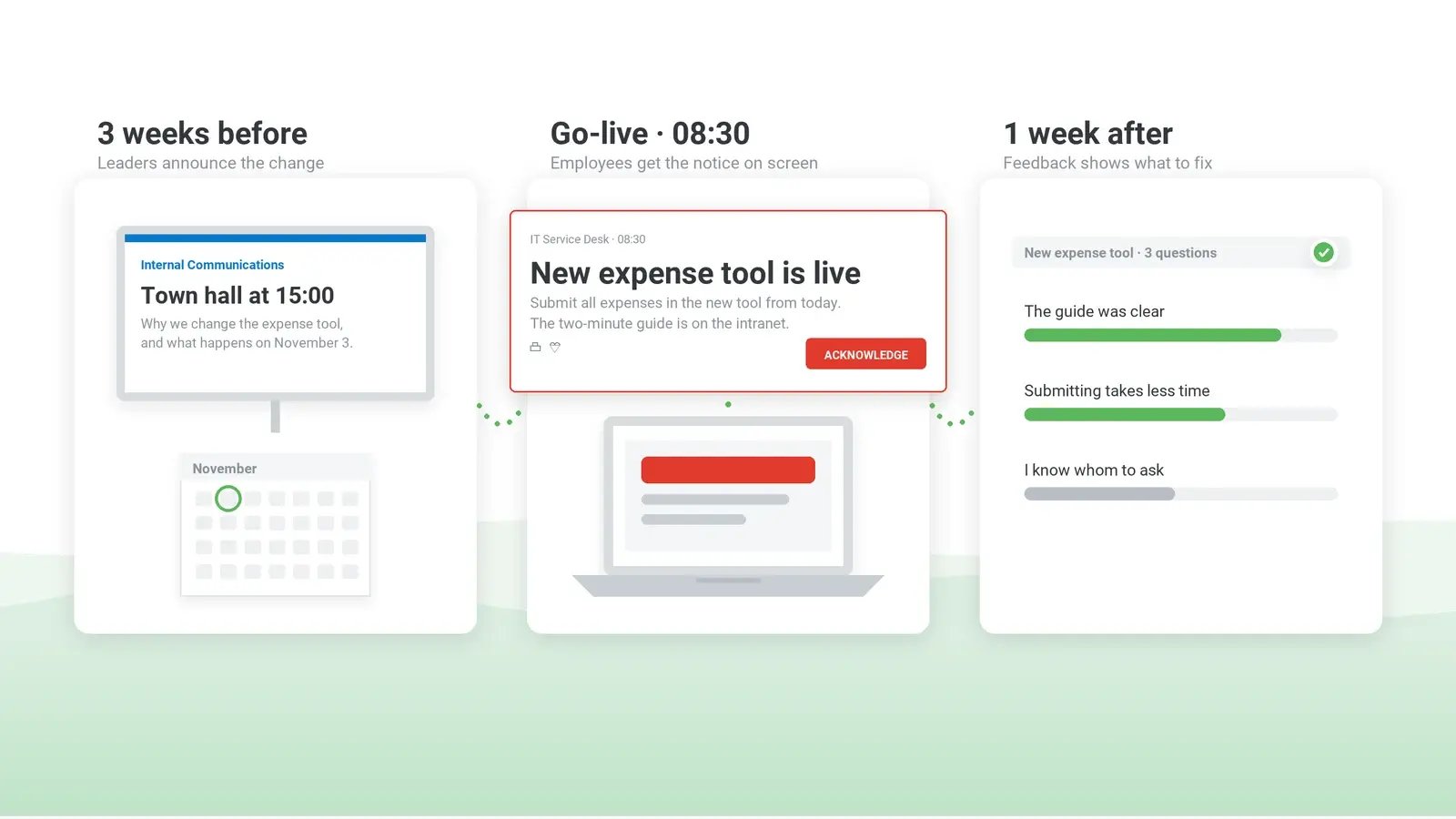
The plan fits on one page. This sample plan covers the four weeks before go-live and the month after for a single-country, office-based rollout of the records system, one migration wave at a time. If the decision itself was announced months earlier, the town hall row is the go-live announcement, and managers still hear its details first.
| Audience | Key message | Channel | Timing | Owner |
|---|
| Leaders and managers | What is changing, why, and the questions their teams are likely to ask | Briefing session and a written FAQ | Four weeks before go-live, before any wider announcement | Change lead and sponsor |
|---|
| All employees | What the change is, why it is happening, the go-live date and where to find help | Town hall, email from the sponsor and the intranet change page | Three weeks before go-live | Sponsor and internal communications |
|---|
| Employees who create records daily | What they cannot do during the migration window and what to do instead | Team meeting and a desktop alert to the affected group | Team meeting with the all-employee announcement; desktop alert one week before the migration window and again on the day | Team managers and IT |
|---|
| Help desk | Known issues, answers to likely questions and the escalation path | Briefing and a knowledge base article | Briefed before the all-employee announcement goes out – the first calls arrive within minutes of it – and again at a known-issues session one week before go-live | IT |
|---|
| Records staff (go-live) | From today, create records only in [new system]; links to training | Desktop alert to the affected groups | Go-live day | IT and internal communications |
|---|
| Everyone else (go-live) | The new system is live and where to find help | Scrolling ticker, screensaver and digital signage | Go-live day and the week after | Internal communications |
|---|
| All employees (feedback) | How the change is going and what is still unclear | Short survey or poll | One week after go-live, repeated a month later if needed | Change lead |
|---|
When you copy it, add the rows a larger rollout needs:
- employee representatives or the works council, at the design stage – months before go-live if a works agreement is needed;
- the sponsor’s dated appearances from step 6 and the steering committee’s weekly readiness report against the step 1 objectives;
- the records-handling policy, as an acknowledgment alert to records staff [n] days before go-live, sent by the policy owner;
- shift staff and contractors: the go-live message at the start of the shift through shift leads, the mobile app or SMS, confirmed through the shift lead or a two-option reply; contractors without a directory account through their own manager or the agency contact.
One more column, how you will know each message landed (manager confirmation, acknowledgments, quiz results), turns the plan into the readiness report.
Which rows of the plan need a change management communication tool
Most rows of the sample plan run on channels you already have: the town hall, the sponsor’s email, the intranet change page, team meetings and the help desk. Three kinds of row do not: the migration-window and go-live notices, the policy acknowledgment and the week after go-live on idle screens – the jobs in the third column of the step 5 table. DeskAlerts, our own alert software, meets them as follows, with the limits that matter for the plan.
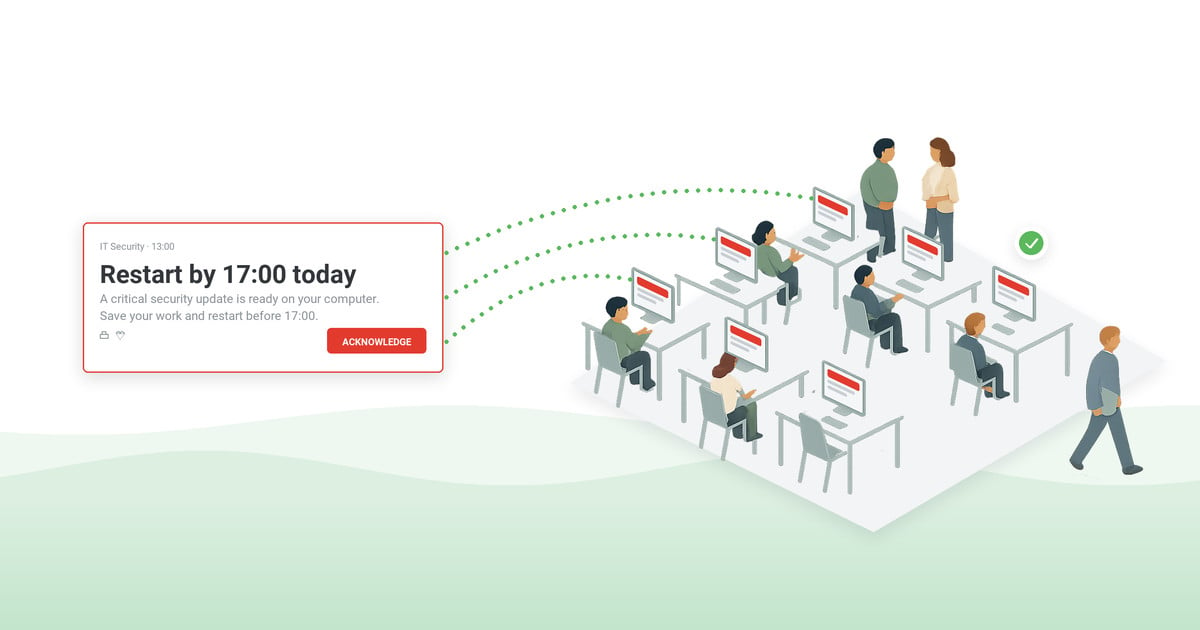
The migration-window and go-live notices go out as desktop pop-up alerts to the affected groups or organizational units, scheduled a week ahead and again on the day; a second send can target only the people the first did not reach. The Keep Active setting matters here: set to cover the next shift, it lets the notice reach computers switched on after the send.
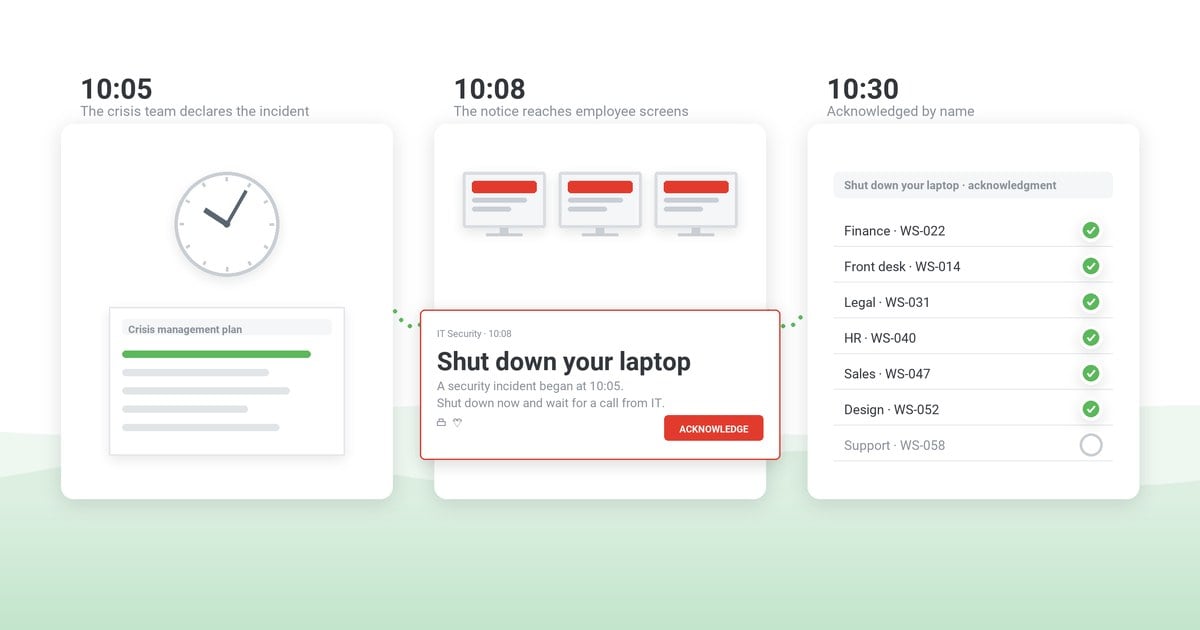
For the policy, enable acknowledgment on the alert: its close button is disabled, so the employee can dismiss it only by clicking Acknowledge. On clinical workstations, trading desks and control-room screens, a window that cannot be closed is not acceptable, so for those groups enable the optional Postpone button or schedule the alert for the start of the shift. After the deadline, the Users Report shows person by person who received and who acknowledged, and the resend goes only to people who have not acknowledged.
The Users Report is the kind of per-person report that step 2 flagged under section 87(1) no. 6, and it covers every alert, not only the policy one. Where a German works council exists, the acknowledgment row waits for the works agreement that step 9 and the template call for.
Acknowledgment is documented for desktop alerts only. On the mobile app, an alert counts as received when the employee opens it, and it does not take over the screen. Shift staff therefore confirm either through their shift lead, as in the template, or through a two-option RSVP alert, which can go out through the mobile app, text, email or Microsoft Teams and whose results show who voted and who did not.
For the week after go-live, a scrolling ticker on Windows and macOS, and screensavers and lock screens on Windows, show the date and the help link on idle screens; digital signage covers shared spaces.
The HR and legal review of step 4 has a place in the console. With the optional approval workflow on, program-team alerts wait in Pending Approval; a publisher given the approval role – someone in HR or internal communications, for example – marks them Approved or Declined.
Deskless staff are reached through the mobile app, once each employee has installed it and registered it with your server, by SMS through a third-party gateway your organization connects, and by email or Microsoft Teams where they have accounts. The audience list is synchronized from Active Directory or Entra ID, or users are added by hand – the contractors that step 2 set aside stay outside it unless someone adds them.
The other rows gain less from the tool: a video alert, a licensed module, can carry the sponsor’s message to the teams the sponsor cannot meet, and a pop-up or ticker alert can link to the change page so the dates stay in one place – useful, but not what the three rows above need.
The evidence for step 9 comes out of the same console: for the quiz, you set the correct answer for each question and publishers see the responses in the console, so the share of staff who miss the paper-fallback question is visible without a spreadsheet. The statistics, acknowledgments included, download as CSV or XLSX for the 30-day review packet; the alert title, with the policy name and version from step 9, appears in the report.
Change management communication examples
Example 1 turns the all-employee row into the sponsor’s email; Examples 2 and 3 write out the migration-window notice and the policy acknowledgment from the previous section; Example 4 announces a restructuring as a proposal under consultation; and Example 5 is the steering committee’s weekly update.
Example 1: announcing the change to all employees
Subject: We are moving to a new records system on [date]
From [date], we will create and store client records in [new system] instead of [old system]. We are making the change because [one-sentence reason]. Existing records will be transferred automatically. If you create or update client records, please complete the 30-minute training module by [date] – you will find the link on the intranet change page. Still to be decided: [open point]; we will confirm it on the change page by [date]. If you have questions, ask your manager or post them in the change forum.
[Sponsor’s name and title]
Example 2: an action reminder for the affected group
Records migration tonight: from 6 p.m. on [date] until 8 a.m. on [date], you will not be able to save new records in [old system]. Note any new records on the paper form and enter them in [new system] the next morning. Help desk: [extension].
Example 3: a policy change sent as a desktop alert with acknowledgment
Title: [Policy name] v[n], effective [date] – acknowledge by [date]
Our records-handling policy changes on [date], when [new system] goes live. The main change: [one sentence]. Please read [policy name, version] [link] and click Acknowledge by [date] to confirm you have read it. Questions: [policy owner, contact].
Example 4: a restructuring announced as a proposal under consultation
Subject: Proposal to consolidate [function] at [site] – consultation begins [date]
We are proposing to [one sentence]. No decision has been made. From [date], we will consult [the works council / employee representatives] on the proposal, including ways to avoid or reduce its impact. If your role could be affected, your manager will speak with you individually by [date]. We will post an update on the change page after each consultation meeting.
[Sponsor’s name and title]
Where collective consultation applies, the date for the individual conversations follows the consultation timetable (step 3).
Example 5: a weekly readiness update for the steering committee
Records system – readiness, week of [date] (go-live in [n] days)
Training: [n] of [n] records staff completed (objective: all by [date]); lowest team: [team], [n]%.
Quiz: [n]% answered the paper-fallback question correctly.
Policy acknowledgment: [n] of [n]; [n] outstanding, managers following up by [date].
Shift staff: [n] of [n] confirmed through shift leads or the RSVP alert.
Manager cascade: [n] of [n] team conversations confirmed.
Works council: works agreement [signed on / due by] [date].
Help desk: change-related tickets [n] last week, [n] this week.
Sponsor: go-live message drafted; appearance confirmed for [date].
Decision needed by [date]: [team] is at [n]% training completion – move it to the second wave or add floor support on go-live day.
Change management communication plan checklist
Run these checks at the plan review, before anything is announced; a gap in any of them tends to surface on go-live day or at the 30-day review.
- Each objective names what a group must know or do by a date, and how understanding will be measured.
- Shift staff, shared workstations, contractors and teams in other time zones each have a named channel and send time.
- The order of disclosure is written down, and consultation, disclosure and supervisory timing are confirmed by HR, employment counsel and legal and built into the dates.
- A holding statement is ready, and the wording of anything on roles, terms, pay or monitoring is approved by HR and legal.
- Line managers are briefed a set number of days before their teams, with an FAQ, an escalation route and a date to confirm the team conversation.
- The sponsor’s appearances after the launch are dated on the steering committee agenda, with a named stand-in.
- The dates have been checked against other programs, change freezes and the calendar of your internal communications strategy.
- Only the messages named in step 7 – the migration-window notice, the go-live alert and any policy acknowledgment – are set to interrupt work.
- Feedback has a route back into the plan, and you have decided what it can and cannot change.
- Messages that need a record carry the version in the title, an acknowledgment deadline and a plan for following up with those who miss it.
- Compliance has agreed on where the acknowledgment export is kept and for how long.
***
Book the 30-day review when you approve the plan, and bring three things to it: the objectives from step 1, the evidence from step 9 and what the feedback from step 8 changed.
See how DeskAlerts gets the go-live notice in front of the people it concerns
A demo shows a go-live alert sent only to the groups that use the new system, a policy acknowledgment alert with the deadline in its text, the per-person report of who has acknowledged and the statistics export for the 30-day review.
Frequently asked questions
What is the difference between a change communication strategy and a change communication plan?
The strategy is the set of decisions the steering committee approves once, usually at kickoff: the objectives, the audiences, the order of disclosure and who speaks. The plan is the dated schedule built from those decisions, and it is the document that moves: re-dated at each migration wave and adjusted within the scope you set for feedback; if it keeps changing in ways the strategy does not explain, the decision itself is being reopened, and that goes back to the sponsor.
What is the difference between change management and communications?
Change management covers everything people need to adopt a change: sponsorship, training, support, reinforcement and the measurement of adoption. Communication is one of its workstreams. It can build awareness and understanding, but it cannot make up for missing training, a system that does not work or a manager who cannot answer questions.
What are the requirements for an internal communications and change manager?
When hiring for the role, look for the standing to coach a sponsor and push back on dates, the judgment to sequence sensitive news, and enough grounding in employee relations to recognize when HR, legal or employee representatives must see the wording. Experience reporting adoption to program leadership matters more than channel skills, which are easier to learn.

 Steve Wilson: Oct 16, 2026, 9:00:00 AM