
Enterprise Communication Software Solution for Any Scenario
Benefit from instant, hard-to-miss, and reliable communication across your entire organization in any situation – from emergencies to routine maintenance and employee engagement. DeskAlerts delivers messages to every employee, everywhere, on any scale.

SOC 2 Type II audit completed · GDPR compliant




Deliver Urgent Messages to Employees Wherever They Are
- Send one emergency alert simultaneously to employees’ computers, the mobile app and digital signage.
- Reach employees through the channels they actually notice – choose from 15 channels and formats, including pop-ups, scrolling tickers, corporate screensavers, mobile push alerts, and more.
- Reach office, remote, hybrid, and field workers.

Enterprise-Grade Security and Granular Control
- Focus on operations instead of legal risk, as DeskAlerts has completed a SOC 2 Type II audit and is GDPR compliant.
- Manage role-based access to alert publishing and enjoy Single Sign-On (SSO).
- Send targeted messages by role, department, or location only to affected employees using Active Directory synchronization.
- Install DeskAlerts crisis communication system either in the cloud or on-premise – whatever fits your security needs.

Easy to Use for Non-Technical Teams
- Empower HR, Safety, and other teams to act. They can send alerts through a centralized system themselves without the need for IT support.
- Reduce new system training time and costs.
- Enjoy fewer internal support calls or helpdesk requests related to alerting.

Prove Compliance and Accountability with Real-Time Reports
- Provide auditors with a record of which alerts were sent, to whom, and who acknowledged them.
- Easily measure the impact of your communication on a comprehensive dashboard.
- Export data in CSV or Excel formats to share with stakeholders.

Message Customization and Flexibility
- Teams can choose different looks for their alerts, so employees instantly recognize who the alert is from.
- Easily integrate DeskAlerts into your existing systems via REST API. No need to disrupt current workflows



Government
Manufacturing

Education

Oil and Gas

Engineering
- Respond fast when lives, operations, or reputation are at stake in emergencey and crisis situations such as severe weather, equipment malfunction, injury, fire, or external threat.
- Reach every employee – office, field, remote – with one-click urgent alerts that can’t be ignored.
- Send emergency notifications through reliable channels even during infrastructure failures, track responses, and take control over crisis moments with confidence.


- Keep employees informed about system downtime to minimize confusion and downtime.
- Use scheduled unmissable alerts to notify different departments or time zones. Avoid unnecessary calls and time-consuming helpdesk tickets.



- Notify frontline and shift workers about hazards, evacuation orders, or PPE reminders, even if they’re not behind a desk.
- Reach them through screensavers, signage, or mobile devices, and confirm delivery.


- Send policy updates that employees must acknowledge before they can close them, and keep a record of acknowledgments by name.
- Display compliance and policy updates on employees’ screens rather than relying on email alone.
- Use unmissable surveys and quizzes to assess how well employees understand the rules and policies, and where to find them.

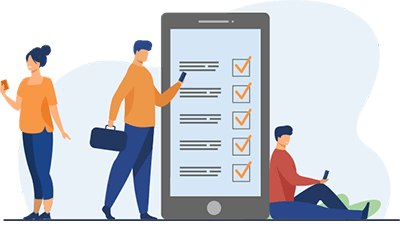
- Remind employees about your company values using corporate screensavers or other communication tools.
- Recognize the best-performing employees through pop-ups with text, images, and videos.
- Send surveys, quizzes, and polls that can’t be ignored or skipped.
- Analyze the performance of your campaigns, identify trends, and find ideas for improvement.

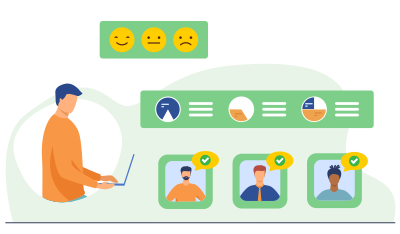

Onboarding
Ensure smooth adoption and faster time to value.

Training and Support
We will help you learn how to use the system to meet your specific needs.

Dedicated Success Manager
Ensure long-term success.
Ready to See DeskAlerts in Action?
Request a demo with our sales team to explore custom pricing plans based on your unique needs and goals.
