Messages about site closures and evacuations tend to miss the people who are not at a screen – the night shift, field crews and drivers, staff at home when a site closes at 5 a.m. Afterward, the first question is who actually got the message.
A text message alert system is aimed squarely at that group. Its strength is reach; its weaknesses lie in what the text depends on. If you are choosing a system for employees, the SMS notification system for employees page covers the channel itself; this article weighs the pros and cons of text alerts for staff.
Pros
- Reaches almost any mobile phone, smartphone or not, with no app, VPN or corporate login.
- Reaches people with no corporate device or mailbox: contractors, drivers, off-shift staff.
- Often gets through on a busy network when a call does not.
Cons
- The phone list goes stale, and a reassigned number delivers to a stranger.
- In the US, carrier registration sets how fast you can send and how many messages go out per day.
- Texts are billed per segment, and one emoji cuts a segment from 160 characters to 70.
- A delivery report shows that the phone received the text, not that anyone read it.
Table of Contents
1. What a text alert system for business does well
2. Where the phone numbers come from, and why they go stale
3. Why the last text can land an hour after the first
4. Price one incident, not a month
5. What a delivery report proves, and what it does not
6. In an emergency plan, text alerts reach the people the alarm cannot
7. Three ways to run the text, and what each one leaves to you
8. An alerting console adds the list, the approval and the record – the gateway keeps delivery
9. Frequently asked questions
What a text alert system for business does well
Text messaging for critical alerts works because it asks almost nothing of the recipient. That is why it reaches agency staff, maintenance crews, the electricians called out to a substation fault and the off-duty clinicians a hospital calls in during a major incident. When networks are overloaded, the FCC's own advice for emergencies is to try a text.
Compared with email for critical notifications, text alerts win on reach and lose on length: a text holds a few sentences. Put the one action in the text and keep the procedure on the intranet or in the desktop alert. A link is a weak bridge between the two. In a text from an unknown number, it looks exactly like smishing (SMS phishing), which security awareness training tells people to ignore. Publish the sender number on the intranet, have staff save it at onboarding, use it in every drill and name the company and site in the first words of each text.
If you need shift swaps and replies, that is employee texting, a different category of product; in an employee notification system, SMS is one channel of several.
Where the phone numbers come from, and why they go stale
An all-staff text is only as good as the list behind it. Mobile numbers are stored in the HR system, the directory or a spreadsheet exported for the last drill, and each source misses someone: new hires whose numbers were never entered, contractors who are not in HR, people who changed numbers and told only their manager.
Stale numbers fail quietly. A disconnected number simply does not deliver; a reassigned one does. In its 2018 order on reassigned numbers, the FCC estimated that about 35 million US numbers are disconnected and made available for reassignment each year. The same order set up the Reassigned Numbers Database, which lets a sender check whether a number has been permanently disconnected since a given date. An incident update sent to a former employee's old number discloses incident details to whoever now holds the number.
Before you mass text employees on their personal phones, expect HR, legal and, where there is one, the works council or union to ask what the numbers are used for, who may send to them and what happens to a number when its owner leaves. The list also needs an owner and a routine, with a check at onboarding, at every drill and whenever an account is disabled. Treat the failed and undelivered numbers from each drill as the correction list, and send them to the list owner the same day.
Why the last text can land an hour after the first
For 8,000 employees, the same two-segment closure notice can clear the queue in a few minutes or take an hour and a half. In the US, the difference comes mostly from how the sender number is registered with the carriers.
Business texts from ordinary 10-digit numbers (A2P 10DLC, application-to-person traffic over a 10-digit long code) need a registered brand and campaign, and Twilio blocks US-bound messages from an unregistered 10-digit number. Registration takes time – Twilio's help pages quoted 5 to 15 days for campaign review in October 2026 – so finish it before go-live. It also sets throughput, measured in message segments per second. The table uses Twilio's published limits, checked in October 2026. The example is a 200-character notice – two segments, since a long text is split into parts of 153 standard characters – sent to 8,000 employees: 16,000 segments. Where a rate is split across carriers, the time depends on how your employees are spread among them.
| US sender | Segments per second | 16,000 segments take |
|---|
| 10DLC, trust score 75 or more | 225 (75 per carrier) | 1–4 minutes |
|---|
| 10DLC, trust score 50–74 | 120 (40 per carrier) | 2–7 minutes |
|---|
| 10DLC, trust score below 50, or an unvetted low-volume brand | 12 (4 per carrier) | 22 minutes or more |
|---|
| 10DLC, Low Volume Mixed campaign | 3.75 | 71 minutes or more |
|---|
| Toll-free number, default | 3 | about 90 minutes |
|---|
| Short code, default | 100 | about 3 minutes |
|---|
The supervisor who has to open the gates may be number 7,900, so send first to the people who must act – supervisors, security, the gatehouse – as a separate alert, and keep that first notice to one segment.
Adding numbers does not buy speed. 10DLC throughput is set per campaign and shared by all its numbers, and Twilio warns against spreading traffic across extra numbers, a practice known as snowshoeing.
T-Mobile adds a daily limit. It caps 10DLC volume per company tax ID (EIN), and the cap is shared across every brand and campaign registered under that ID, including marketing's promotional texts. In Twilio's figures, checked in October 2026, the cap is 200,000 segments a day at a trust score of 75 or more, 40,000 at 50–74, 10,000 at 25–49 and 2,000 below 25. A company that skipped vetting gets 2,000 unless it is in the Russell 3000, in which case it gets 200,000. If even 1,000 of the 8,000 employees use T-Mobile, a 2,000-segment cap is spent on the first two-segment notice, and every later text to those T-Mobile users, the all-clear included, fails until midnight Pacific time. Finish secondary vetting before the first drill, and check what marketing's campaigns already use.
A short code sits outside both limits. Twilio lists it, as of October 2026, from $1,000 a month (a random short code, billed quarterly, plus a setup fee) and with a usual wait of six to ten weeks for carrier approval. Sender rules outside the US differ by country, but ask any gateway the same two questions: how many segments per second will our sender get, and what daily caps apply?
Price one incident, not a month
Gateways bill per segment, so a per-segment rate says little until you multiply it out. A segment holds 160 characters of the standard GSM alphabet, but only 70 once the text contains a single character outside it, such as an emoji or a curly apostrophe pasted from a Word template. A 200-character notice then becomes three segments, which means 50 percent more sending time and cost. Twilio can replace curly quotes with standard ones (it calls this Smart Encoding), so check whether your gateway setup does; emoji still count.
Budget per incident: recipients × segments × sends. A site closure is rarely one text. There is the first notice, an update or two and the all-clear. For 8,000 employees, a two-segment text sent four times comes to 64,000 billable segments, or 96,000 if an emoji slips into the template. At Twilio's US list price for October 2026 ($0.0083 a segment plus a carrier fee of $0.0035 to $0.005), that is roughly $750 to $850 per incident, or $1,130 to $1,280 with the emoji. Registration fees are extra.
Overuse costs more than the traffic. Every routine text – a parking notice, a cafeteria change, a reminder that could have been an email – teaches people that texts from this number can wait, which is how alert fatigue starts. Some people mute the sender. Others reply STOP, and on a Twilio long code or toll-free number a STOP blocks every later message from that sender number to that person, the evacuation notice included, until they reply START (or UNSTOP); carrier rules make a short code honor STOP as well, but on Twilio that handling is yours to set up. Who follows up with an employee who has opted out is an HR conversation, not a gateway setting. Reserve SMS for staff alerts that change what someone does in the next few hours, and decide in advance who may send to everyone.
What a delivery report proves, and what it does not
For SMS alerts, the record of who got the message is a status per number. Twilio marks a text delivered once the carrier reports delivery, with confirmation from the handset itself when the network passes it back. Twilio's read status covers RCS and WhatsApp only. So a delivery report shows that a phone received the text. It does not show who held the phone, whether anyone read the text or whether the instruction was followed. Reply-to-confirm polling ("reply 1 if safe") narrows the gap without closing it: a reply proves that someone with that phone answered, not who, and silence does not tell you whether someone is unsafe, asleep or out of coverage.
When the board, an insurer or a regulator asks who saw the instruction, the evidence has to come from elsewhere. It can be a supervisor's roll call, the muster list from the assembly point or an acknowledgment on a desktop alert, which records a deliberate click, though not comprehension. Decide which of these you will rely on before the incident, rather than while the bridge call is asking whether everyone got the text.
In an emergency plan, text alerts reach the people the alarm cannot
An emergency text alert system sits beside the alarm, not in place of it. OSHA's standard for employee alarm systems (29 CFR 1910.165) requires an alarm "capable of being perceived above ambient noise or light levels by all employees in the affected portions of the workplace." A text to a phone left in a locker is perceived by nobody. In the emergency action plan, the text's job is to reach the people the alarm cannot – those off site, off shift or on their way in – and the plan should say who texts them, with what instruction and when.
In an emergency notification system, the channel that reaches each group first, and the record it leaves, depend on where people are:
| Where people are | What reaches them first, and what you know afterward |
|---|
| At a computer, in the office or at home | A pop-up or full-screen desktop alert. With acknowledgment switched on, you know who confirmed. |
|---|
| On a production floor, phone in a locker | The site alarm and PA system; a text for those off the floor. Delivery status only. |
|---|
| On the road or on a job site | A text, or the mobile app where it is installed. The text leaves a delivery status; the app alert leaves a record once it is opened. A phone out of coverage usually gets the text when it next finds a network, if that happens within the carrier's retry period, so put the time in every text and always send the all-clear. |
|---|
| Off shift, at home, before a site closure | A text. Delivery status only. |
|---|
| On call during a major incident | A phone call that reads the alert aloud, then a text with the details; call and delivery status sit in the gateway's log. A ringing phone is more likely to wake someone than a text. |
|---|
Three ways to run the text, and what each one leaves to you
The four cons at the top are the four tests for whatever runs the text. It has to take its phone list from a record somebody already maintains, and show which people that record misses. It has to carry a registered sender with a known throughput and daily cap. It has to keep the cost of an incident predictable and keep routine notices off the channel. And it has to leave a record that an insurer or a regulator would accept beside the muster list and the acknowledged alert at the desk. The emergency plan adds a fifth test: a separate tool for the text means a second send, a second list and a second record to reconcile afterward, so the same notice should leave for the desk, the phone and the on-call line from one place, at the same time.
Three kinds of product run the text. A text alert service – a vendor whose product is the texting itself, often with voice calls and email beside it, run from its own web console – handles the sending and the opt-outs for you. It keeps a list of its own, so unless that list is fed from HR or the directory there are two to maintain, and unless it also has a desktop channel, its record of the incident sits apart from what the desk channel produced. A gateway account alone, used from the gateway's own web dashboard or a script, has no software bill and the least to set up, and it leaves the list, the approval and the record entirely to you. An alerting console – an employee alert system with texting as one of its channels – keeps the list, the approval step and the send record beside the desktop alert and the mobile app, and still sends every text through a gateway account of the second kind, whether the vendor's or yours.
An alerting console adds the list, the approval and the record – the gateway keeps delivery
The third route is how DeskAlerts, the console we make, runs SMS, so it is the example here – starting with what it does not do.
DeskAlerts has no SMS network of its own. Texts go out through a third-party SMS notification service that you connect as the gateway in the system settings. The provider covered in the DeskAlerts documentation is Twilio, and production use needs a paid Twilio account. Sender registration, throughput, daily caps, opt-outs and per-segment billing all belong to your gateway account, whichever console sits on top.
The list is the first test, and the console meets half of it. Phone numbers can be synchronized from Active Directory, which ties the list to a record you already maintain; errors in the directory become errors in the SMS list. Sync covers only people who have a directory account, so contractors and frontline staff without one need their numbers added from another source, on the Recipients tab. Who the directory misses, the console cannot tell you; that comes out at the drill, from the people who report never getting the text.
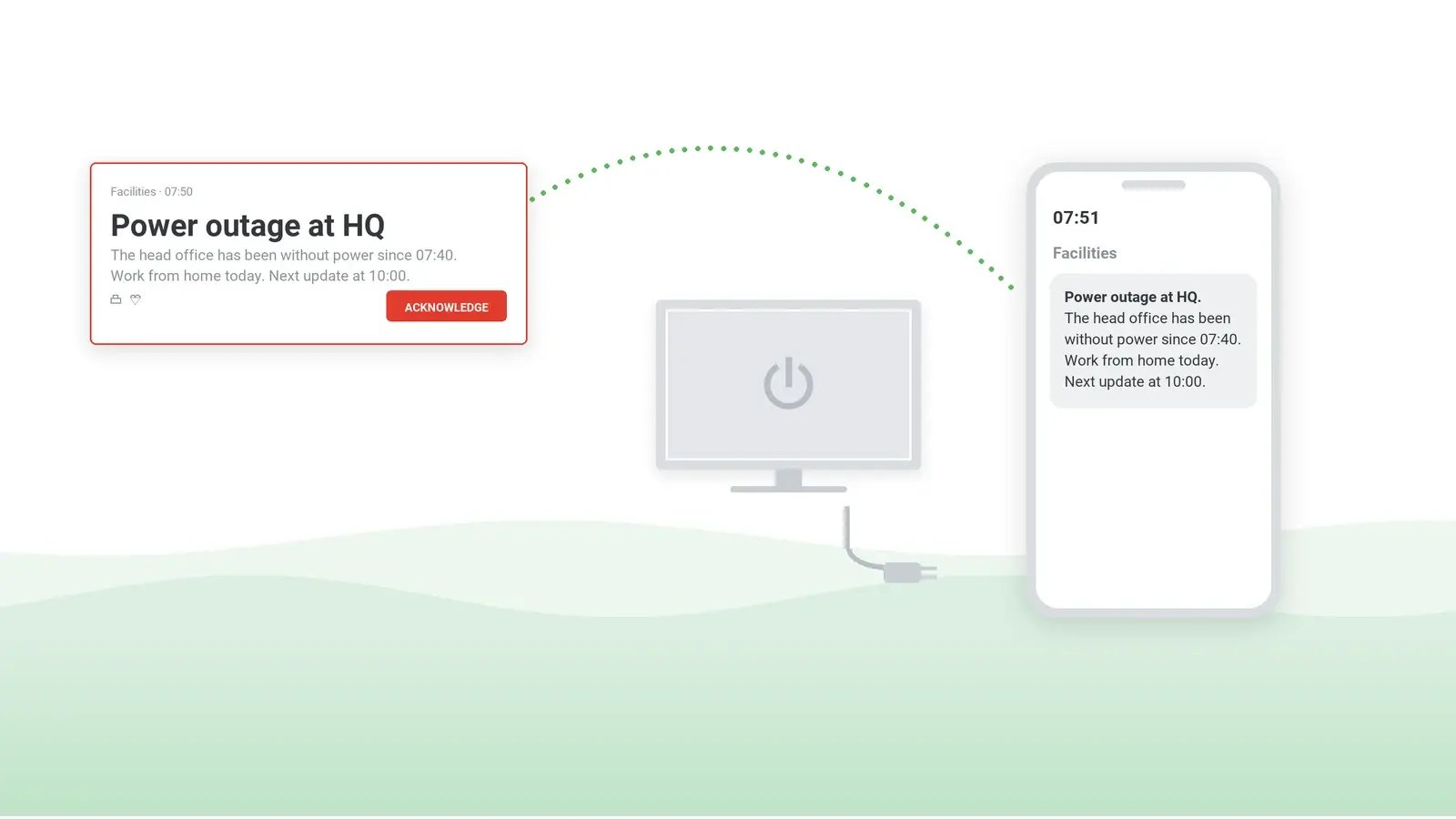
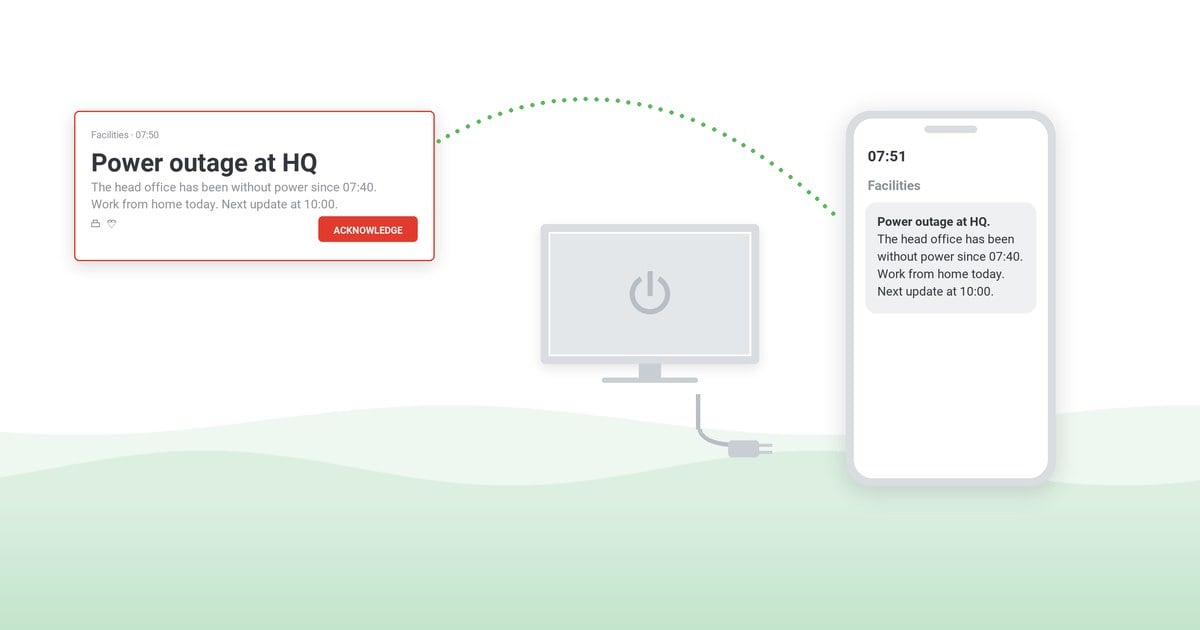
Everything in the emergency table except the site alarm and PA goes out as one send. In DeskAlerts, the SMS channel is part of the same console that sends desktop pop-up alerts, mobile app alerts, email and Microsoft Teams messages. SMS carries text only, so surveys, images and video stay on the desktop and in the app. For on-call roles, Text-to-Call turns the alert text into a phone call read aloud.
With the optional approval workflow switched on, an alert waits in Pending Approval until someone holding the approval role approves it, so plan an on-call approver for after-hours alerts, or that step becomes the delay. Publisher policies can also limit which recipients each sender can reach, which is where the rule from the cost section is enforced.
The Alert Report records each alert's sender, channels and creation date, the Users Action Log records sends with timestamps, and the Users Report lists, name by name, who received the alert at a desk or in the app and who acknowledged it. Plan around two limits. First, DeskAlerts does not move an alert to SMS on its own when a desktop alert goes unread; the channels are chosen when the alert is sent. Second, an acknowledgment is recorded for desktop alerts only. The mobile app records the alert once someone opens it, and for texts the only per-number record is the delivery status in your gateway's message log. After an incident, the evidence therefore sits in two systems, so export the gateway log into the incident file and check how long the gateway keeps it.
Against the alternatives: a text alert service – or a multichannel notification service with voice and email – and a gateway account alone keep the advantages described above; the trade is where the record sits. None of the three replaces the alarm that OSHA requires, which DeskAlerts does not send either.
See one notice go to the desk and the phone
Ask for a demo and see one site-closure notice set up to leave the console as a desktop alert and as a text through a gateway account, then the record each channel leaves behind.
Frequently asked questions
How do text alerts work?
Text message alerts are SMS messages that an organization sends to many phone numbers at once: each goes from the sending system to an SMS gateway, then to the recipient's mobile carrier, which delivers it to the handset and returns a delivery status.
How do text alert systems work?
A text alert system is software that sends one message to a whole list of phone numbers, from a web console or an API. It adds what a single text lacks: a recipient list kept in sync with the directory, targeting by group or site, approval before an all-staff send and a timestamped log of each sender's texts.
How much does a text alert system cost?
Whether you buy a text alert service or add SMS to an alerting console, there are two costs. The first is the alerting software, priced by the vendor. The second is the message traffic, billed per segment plus carrier fees – by your gateway or inside the service's price. With DeskAlerts, the software price is on the DeskAlerts pricing page.
How to set up a text alerts system for business?
Choose the sender first, because it sets lead time and speed. In the US, a 10-digit number needs brand and campaign registration; a toll-free number needs verification; a short code takes the longest. Then settle where the numbers come from, who may send to everyone and how the list is checked at each drill.

 Steve Wilson: Oct 23, 2026, 9:00:00 AM