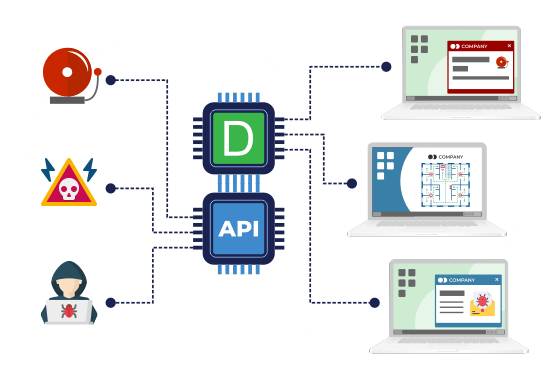
Desktop alerts
The alert is delivered to computer screens and immediately captures employees’ attention no matter what they are doing at that moment.
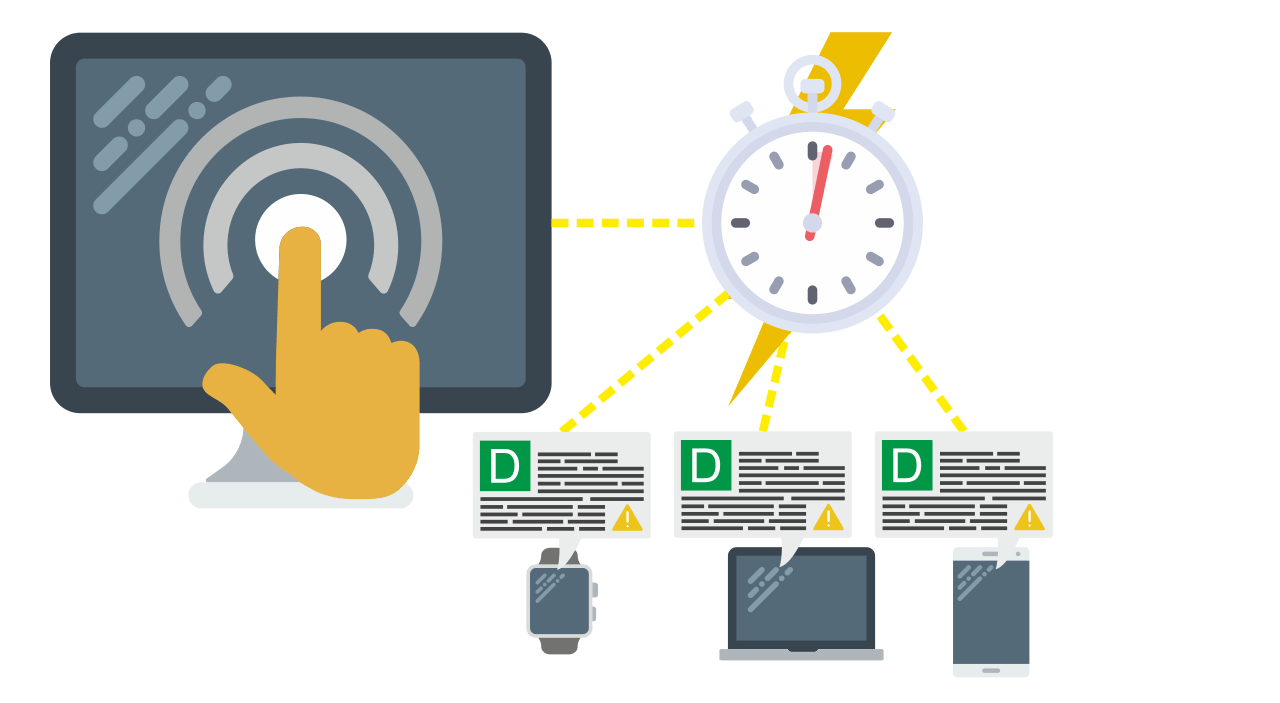
DeskAlerts delivers emergency and routine notifications to desktops, mobile phones and digital signage screens – active recipients receive them within seconds, and capacity grows by adding DeskAlerts servers.
Real-time mass notification is the core job of DeskAlerts employee notification software: alerts go to your own workforce – an internal audience, not the public – with delivery tracked per alert.
The DeskAlerts emergency alerts module works as a mass notification software solution, sending mass notifications in real time to any corporate device before, during and after a critical situation occurs.
The emergency mass notification system has more than 12 communication channels to instantly inform employees about emergencies, coordinate their actions, get feedback, conduct training and raise awareness.
Messages can be sent in different formats (text, image, video etc).
For large enterprises that need to deliver instant alerts across thousands of employees, departments, and regions, explore our enterprise communication solution for scalable, secure mass notification with advanced control and analytics.
When the message is an emergency instruction, our emergency notification system for business shows how the alert is prepared, confirmed and followed up.
Send mass notifications with only one click using a digital version of a panic button – known as “shortcuts”. You can place shortcuts on the desktops of your reception team or use the emergency mobile app to send an alert instantly as a situation unfolds.
Shortcuts will send pre-created alert notifications and decrease the time it takes to send and deliver your messages to a fraction of a second.
Using color codes will help employees clearly identify what is going on and so they can take the appropriate next steps.
Targeted notifications can be sent to all employees or only a group of them (based on their location, department and other criteria) - from tens of thousands of employees to one individual.
Ensure all recipients read the messages with confirmation reports.
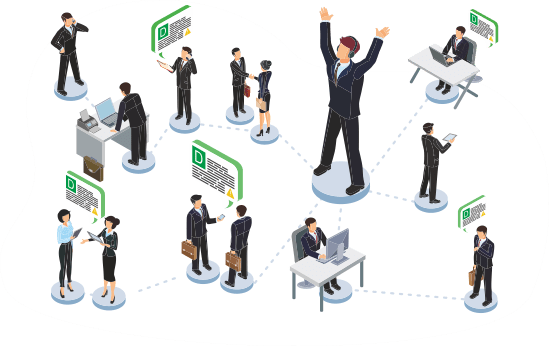
During a crisis, it’s crucial to alert all affected employees, grab their attention and clearly communicate what they need to do. The power of DeskAlerts as an employee notification system is in using all available channels at once and leaving no chance your message will not be seen.
After an emergency, make sure everybody is safe and have all they need - with DeskAlerts surveys.
A resilient business is one that is prepared for anything. improve emergency preparedness by using powerful visual communications tools (corporate screensavers and lockscreens).
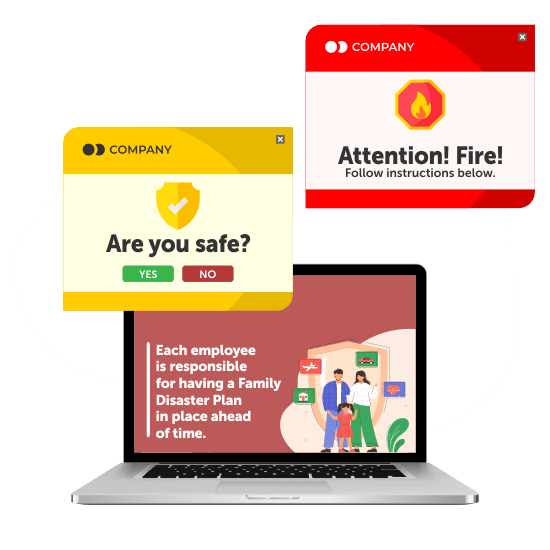
Emergency messages will be shown no matter what user is doing at that moment in time - even if their screen is blocked.
Target messages to all staff, or just groups of staff, depending on the situation.
Use different skins (alert border colors) to determine the type of event and the level of emergency.
Create shortcuts on the desktops of people who have publisher access so they can send the alert in a couple of seconds.
Determine who gets to send each type of content to various segments of your organization.
Send a copy of your desktop alert as a voice message to an employee's phone (based on Twilio gateway).
Schedule alerts to be sent on specific date and time. Notifications can recur in accordance with a specified pattern.
Get confirmation of reading and compliance to ensure better understanding and behavioral change.

Healthcare, Belgium
Communication is not missed anymore
“All departments use DeskAlerts to send communication that would ordinarily be missed via email communication.”

Broadcast information that affects daily work
“DeskAlerts lets us broadcast system information to users. We have placed information monitors in several positions in our building where we broadcast systems alerts and news to share information about system breakdowns or other significant information that can affect peoples’ daily work.”

It is important to have pop-up notifications
“DeskAlerts enabled us to deploy emergency notifications to our employees’ desktops without relying on any of the existing platforms. It was important for us to have a pop-up notification that would be in the user’s face, no matter what they were working on at the time.”

The alert is delivered to computer screens and immediately captures employees’ attention no matter what they are doing at that moment.

Replace default backgrounds with engaging images and raise awareness among employees.

Send surveys directly to your employees' screens or mobile phones to make sure they are ok and find out if they need any assistance.

Reach all employees with your alert even if they are not in the office or do not have internet connection.

A mass notification system is a system that is used to send hundreds or thousands of messages to many people simultaneously.
Suppose the warehouse management system goes down at 2 p.m. and orders have to be handled on paper until 4. The operations manager’s alert goes out to the affected sites as a pop-up on office computers, a push notification in the mobile app for the field team, and an SMS to pickers on the floor. The analyst, the driver, and the picker are all sent the same two-line message instead of a version relayed by a supervisor. Our emergency communication system for business page sets out, scenario by scenario, which channels to use for a fire, a lockdown, a cyber incident, and the all-clear.
Hospitals and plants that run shifts, logistics and retail companies with frontline staff, and companies spread across several sites or time zones – anywhere an email reaches the office but not the loading dock, the night shift, or the contractor on site. Public warnings such as Wireless Emergency Alerts cover a geographic area, not a staff list; the staff list is the job of an employee emergency notification system.
First, list the employees who have no company computer or email account and name the channel each of them will get: the mobile app if they install it, otherwise SMS or a voice call. Second, ask who holds the SMS contract. In DeskAlerts, SMS and voice calls run through your own account with a gateway provider; Twilio is the provider covered in our documentation, and live sending through Twilio requires a paid account. Third, switch one computer off before the demo alert goes out: when it comes back on, the alert should still appear, as long as the period set in the Keep Active setting has not ended. If procurement is treating phone-first and screen-first alerting as two separate purchases, our mass notification system for business page explains why one system covers both.
The sender writes the alert once, chooses the audience and selects the channels for that send. The audience can be groups synchronized from Active Directory or Microsoft Entra ID, organizational units from Active Directory, individual users, or recipients added manually in the console, such as contractors. SMS and voice calls go to the mobile number held in each employee’s Active Directory account or entered for the recipient in the console. There is no automatic switch from one channel to another: when the alert report lists recipients as Not received, the sender resends the alert to them or picks another channel. A siren or a PA tone signals that something is wrong, but not what to do; our emergency alert system for businesses page explains how the alert delivers that instruction.