



Skip to the main content.
TRIAL
REQUEST DEMO
TRIAL
REQUEST DEMO

Emergency Notification System for Business

DeskAlerts is emergency notification software for business: one click on a pre-configured button sends an alert to every employee affected – full-screen over every open window on desktops, as a push notification in the mobile app – with per-person acknowledgment reports for the post-incident review. SMS and Text-to-Call through the Twilio integration reach people who are away from their screens. As an employee emergency notification system, it addresses your own workforce rather than the public.

Get demo

DeskAlerts has completed a SOC 2 Type II audit and is GDPR compliant


Trusted by Companies Worldwide

Deloitte logo NHS logo Roche logo The Savola Group logo KPMG logo Raiffeisen Bank logo DHL logo

What is an emergency notification system for business?

An emergency notification system (ENS) is software that broadcasts urgent messages to an entire workforce at once – across desktops, phones, email, and displays – and records who received and acknowledged each alert. DeskAlerts is emergency notification software built for employee-facing alerts: it pairs hard-to-miss delivery with the reports a post-incident review asks for.

Messages stay visible even when email or chat is down: DeskAlerts delivers over its own agent-to-server channel, with acknowledgment records, delivery statistics, and action logs for the follow-up.

Emergency alerts are the highest-priority channel of DeskAlerts employee notification software.

What counts as an emergency notification

An emergency notification is a message sent to a particular audience to alert it to an emergency: a fire, a tornado, an earthquake, a chemical spill, a gas leak, a hurricane, severe weather, an active shooter. An emergency notification system for business prepares the organization for the act of communicating when such a situation is real: it reaches employees and other stakeholders with instructions and tells them where to go.

The three types of emergency alerts

Public warning in the United States has three types: Wireless Emergency Alerts sent to phones in an area, the Emergency Alert System on radio and television, and opt-in alerts from local authorities. An employee emergency notification system is a fourth, private layer: it reaches your own workforce on the devices your IT department manages, with a record of who acknowledged the alert.

An employee emergency notification system for your own workforce

The audience of an employee emergency notification system is internal: the people who work for you, on the devices your IT department manages. That is why DeskAlerts builds its audiences from Active Directory and Microsoft Entra ID, reports per recipient, and leaves public warning to the authorities’ alert systems.

Not only for emergencies

DeskAlerts is more than an emergency notification service. The same system carries urgent and routine communication to employees: IT outages and scheduled maintenance, company projects and initiatives, instructions that require acknowledgment, policy changes and reminders. For company-wide alerts outside emergencies, see the mass notification system for business.
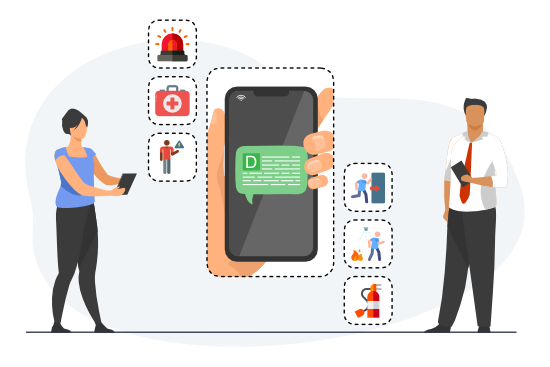
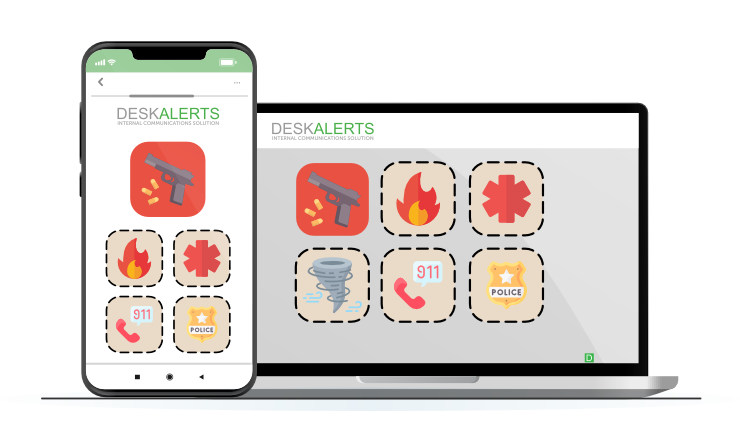
Employees receiving emergency alerts on mobile devices with icons for fire, medical, evacuation, and hazard notifications, representing DeskAlerts' emergency alert system for business safety.

What does DeskAlerts do in an emergency?

Screen takeover for critical alerts

A full-screen, high-priority pop-up overrides the current screen: it opens on top of other windows and, with acknowledgment enabled, stays until the employee confirms it.

Two-way acknowledgment

Employees reply with the Acknowledge button or Postpone, or through a survey, poll or quiz sent with the alert – two-way communication with the status recorded per recipient.

Reports for the post-incident review

Each message has delivery and acknowledgment statistics per recipient – received, not received, acknowledged – with export to CSV or XLSX, and can be resent to those who have not acknowledged it.

Audiences from Active Directory and Entra ID

Audiences come from users, groups and organizational units in Active Directory, across several domains, and from users and groups in Microsoft Entra ID; the Windows agent deploys through Microsoft Configuration Manager (SCCM), Microsoft Intune or Group Policy.

Windows 11 and macOS

The desktop agent runs on Windows 11 and on macOS 12.6.1 or later; lock screens and screensavers are Windows-only.

When desktops are off

The mobile app on Android and iOS, SMS through the Twilio integration or another configured gateway, email, Microsoft Teams and digital signage reach employees on other channels.

Which kind of emergency notification system do you need?

Desktop-first employee alerting (DeskAlerts)Critical-event-management platformsHardware and PA systems
What it is forReaching employees on their work devices with a message that must be seen and acknowledgedManaging the whole event: threat intelligence, travel safety, public-safety workflows, coordination of responders at scaleReaching everyone on the premises regardless of device: speakers, strobes, desk phones
Typical buyerIT and internal communications teams of a company, hospital, plant or campus, up to tens of thousands of employeesVery large global enterprises with a dedicated resilience functionFacilities and security teams of a site
What DeskAlerts adds or does not doThe six capabilities above, delivered on the employee’s own screen; no threat intelligence, no travel-safety services, no hardwareDeskAlerts runs alongside such a platform as the employee-screen channelDeskAlerts supplements a PA system with maps and instructions on screens; it does not replace sirens

Named comparisons are on the comparison pages.

Emergency scenarios: channels and who gets the alert

Fire / evacuation

ChannelsFull-screen pop-up, mobile push, digital signage

Who gets itEveryone in the affected building

Severe weather

ChannelsPop-up, push, SMS and Text-to-Call via Twilio, email

Who gets itAffected sites and field staff

Active shooter / lockdown

ChannelsFull-screen pop-up, push, SMS

Who gets itEveryone on site; response team via Panic Button

IT / cyber incident

ChannelsPop-up, ticker, Teams

Who gets itAffected teams, IT and security groups

All-clear / update

ChannelsPop-up, email, signage

Who gets itEveryone previously alerted

IT outage with email down

ChannelsDesktop pop-up over the DeskAlerts agent-to-server channel, independent of the mail server; mobile push; SMS

Who gets itThe affected employees and the service desk

SeeDoes it work when email or messengers are down?

Multi-site and global organizations

ChannelsAll channels, with a separate alert and audience per site or region

Who gets itAudiences by organizational unit, group or IP range, synchronized from each Active Directory domain

Where DeskAlerts is used in emergencies

Manufacturers use DeskAlerts for emergency and incident response; a hospital used it for emergency communication during a terrorist attack; a university for targeted emergency alerts in higher education; for schools, how Alyssa’s Law requirements map to DeskAlerts tools. On the IT side: how IT teams keep everyone informed when systems fail and the incident communication runbook.

Emergency readiness checklist

  • Emergency buttons created for your top scenarios, with wording and color-coded skins
  • Authorized senders assigned to each button
  • Audiences synchronized from Active Directory or Entra ID
  • Templates set to require acknowledgment
  • Panic Button response team configured and aware
  • A test alert sent and delivery statistics reviewed
  • Channels agreed per scenario – including SMS and Text-to-Call for off-network staff
  • A plan for reading the post-incident report – received, not received, acknowledged

How it works in an emergency: one click from alarm to alert

The work happens before the crisis. Administrators create emergency buttons in advance – “Fire in the building”, “Severe weather”, “IT outage” – each with its wording, color-coded skin, pop-up size, and the list of people authorized to press it.

When the moment comes, the authorized sender clicks the button in the tray menu or mobile app – and a full-screen, high-priority alert takes over the screen. Acknowledgments arrive in the report as employees confirm. Hospitals can map buttons to alert color codes.
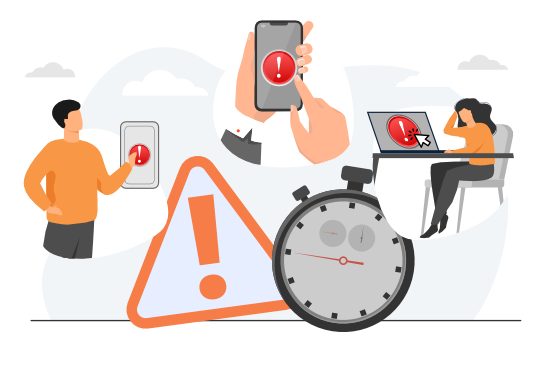
Employees triggering urgent alerts on mobile and desktop devices, highlighting fast emergency communication and response speed.

Two buttons, two directions

Emergency alert buttons broadcast from the crisis team to the workforce: one click, full-screen alerts to everyone affected.

The Panic Button works the other way: an employee in trouble sends an S.O.S. to the response team, which receives a pop-up within seconds – plus SMS and email when enabled; from mobile, the S.O.S. carries a location link – and every activation is logged in the Panic Button history.

For large organizations with multiple sites, crisis response teams, and strict compliance protocols, explore our enterprise communication solution for scalable, secure emergency messaging.
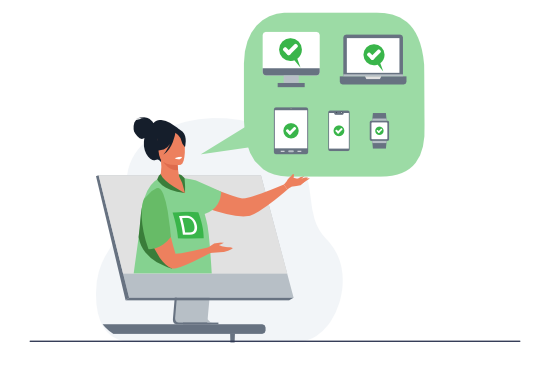
DeskAlerts employee presenting emergency alert compatibility across desktop, laptop, tablet, and mobile devices for unified internal communication.

Before, during, and after an emergency

Prepare in advance, alert in one click, gather feedback, and adjust – six moves DeskAlerts covers

With DeskAlerts emergency notification system, you can send alerts to desktops, mobiles, and digital signage to keep people informed, safe, and ready to act. Acknowledgment tracking, mobile push, resend to the unconfirmed – built to keep alerts in front of people.

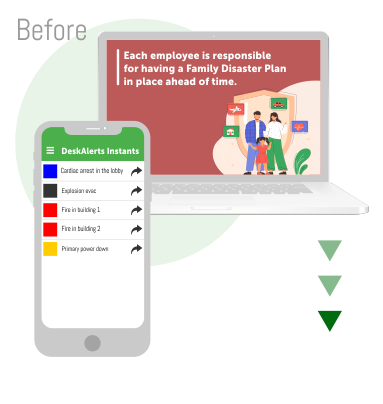
Mobile and desktop emergency alert system displaying a preparedness checklist and family disaster plan notification to improve workplace emergency readiness.

Emergency preparedness

Prepare Employees in Advance

  • Emergency buttons send the pre-built alert in one click
  • Use screensavers, lock screens and digital signage to remind employees about emergency policies and procedures and raise awareness
  • Use DeskAlerts’ acknowledgment tracking tool and extended reports to evaluate the success of running tabletop exercise scenarios
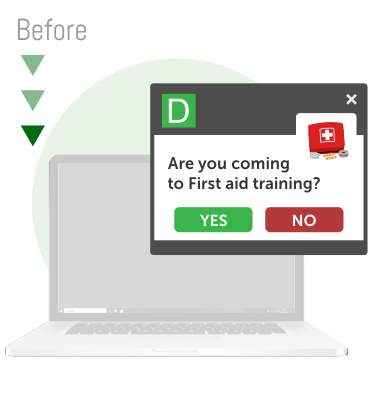
Popup notification for employee first aid training reminder on a laptop screen using DeskAlerts.

Emergency training

Deliver Emergency Training Messages

  • Invite employees to join training sessions via the RSVP tool and know exactly who is going to come
  • Make training more effective by sending employees information via pop-ups
  • Test employee knowledge with quizzes to check that they understand the topic
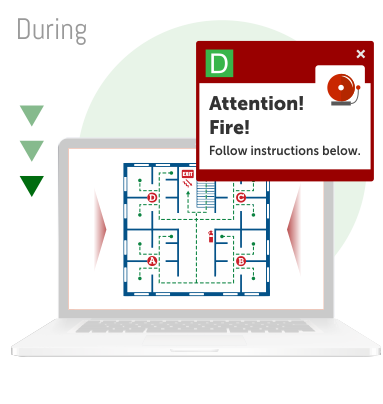
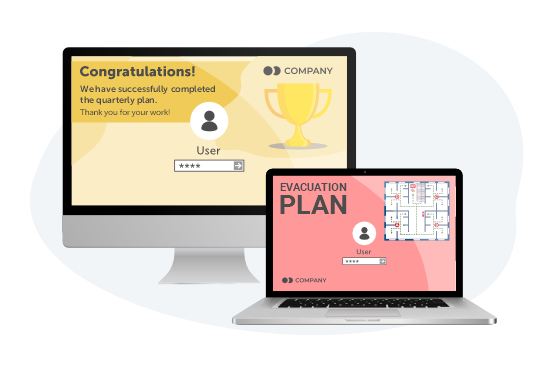
Real-time emergency fire alert with evacuation map on a desktop screen, demonstrating instant crisis communication using DeskAlerts software.

Alert in one click

Send Alerts Within Seconds

  • Alert staff on every channel at once (desktop, mobile, digital signage)
  • High-priority pop-ups open on top of other windows and can stay on screen until acknowledged
  • Authorized senders fire pre-configured emergency buttons from the tray or mobile app
  • Send pop-ups with emergency information, blocking the entire screen
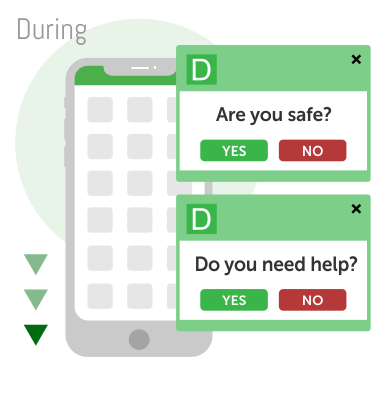
Real-time mobile safety check notifications using DeskAlerts emergency communication app.

Get feedback

Get Feedback

  • Check that your people are safe by sending surveys to their cell phones and computers
  • Ask if they need any immediate assistance
  • Know exactly who is not responding and be ready to help them
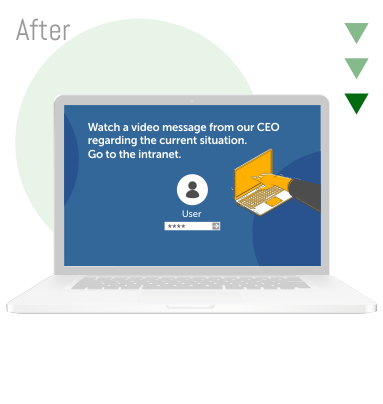
Laptop screen showing CEO video message notification, supporting ongoing crisis communication and leadership updates.

Keep informed

Keep Staff Informed

  • Inform staff about what is going on after an emergency
  • Give clear instructions about what to do right now
  • Use the lock screen to cheer people up, tickers to update them with new information and pop-up and mobile alerts for vital news and CEO messages
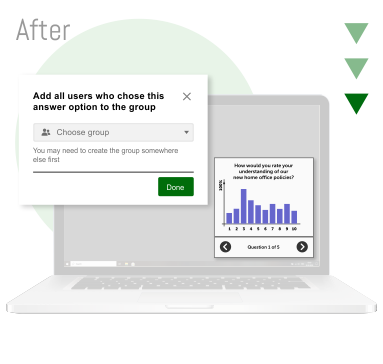
Post-crisis communication dashboard with group segmentation and response analytics for evaluating employee engagement.

Measurement and segmentation

Measure and Segment

  • Use the statistics module to find out which actions worked best
  • Use survey statistics to divide people into groups and send each group specific information (for example to people who worked in a damaged building – about new working conditions)


See DeskAlerts in action

DeskAlerts has completed a SOC 2 Type II audit and is GDPR compliant

Reach employees on every channel

Computer

Computers

Alert employees directly on their desktops and laptops.

Mobile

Mobiles

Alert employees wherever they are – push notifications, and SMS or a spoken phone call via the Twilio integration when they are away from Wi-Fi.

Digital signage

Digital signage

Use digital screens as a place to display important information in shared spaces – for employees who aren’t at a computer or phone at the time.

Panic Button: an S.O.S. straight to your response team

  • An employee in trouble presses the Panic Button on a corporate device – the response team gets a pop-up within seconds – plus SMS and email when enabled.
  • From a mobile device, the S.O.S. carries a location link, so the team knows where help is needed.
  • The response team and its channels – pop-up, plus SMS and email when enabled – are configured in advance.
  • Every activation is recorded in the Panic Button history for the post-incident review.
Panic Button sending an S.O.S. from a corporate device to the response team

Key features of DeskAlerts emergency notification software

Self Destructing

Self-Destructing Messages

Send a message that will remove itself from the history once the user closes the alert window.

Urgent Alerts

Delivery to Offline Computers

A computer that is offline when the alert goes out receives it once it is back online, within the delivery period the sender sets.

Statistic

Follow-Up on Another Channel

Identify the employees who have not acknowledged the alert and send them a copy through another channel – SMS, Text-to-Call or the mobile app.

Acknowledgment icon

One Instruction, Exact Wording

Issue an instruction once to all sites and shifts, so that employees receive the crisis team’s exact wording rather than a version relayed at handover.

Auto-Closing

Auto-Closing

Messages will disappear from the screen after a short time.

Recurring Messages

Recurring Messages

Repeat identical messages at customizable intervals – set once, delivered on schedule.

Emergency alerts in practice: our use case guide

Inside the guide:

  • How to navigate real-world emergencies with actionable scenarios;
  • How to utilize DeskAlerts’ tools effectively during crises;
  • How to enhance team safety and make communications more efficient.
Cover of the DeskAlerts use case guide to emergency alerts

Customer Testimonials: How DeskAlerts Performs During Emergencies

"DeskAlerts provided a reliable communications channel, which was proven to be vital in the state of emergency during terror attack, in the event of usual channels being overloaded and inaccessible."

CHU Saint-Pierre logo

Healthcare, Belgium

Read Case Study


Deloitte logo
“All departments use DeskAlerts to send communication that would ordinarily be missed via email communication.”
Deloitte
Accounting, East Africa

★★★★★
Topdanmark logo
“DeskAlerts lets us broadcast system information to users. We have placed information monitors in several positions in our building where we broadcast systems alerts and news to share information about system breakdowns or other significant information that can affect peoples’ daily work.”
Topdanmark
Insurance, Denmark

★★★★★
Littelfuse logo
“DeskAlerts enabled us to deploy emergency notifications to our employees’ desktops without relying on any of the existing platforms. It was important for us to have a pop-up notification that would be in the user’s face, no matter what they were working on at the time.”
Littelfuse
Electronics
★★★★★

Frequently Asked Questions

Learn More About Emergency Alert and Crisis Communication Solutions