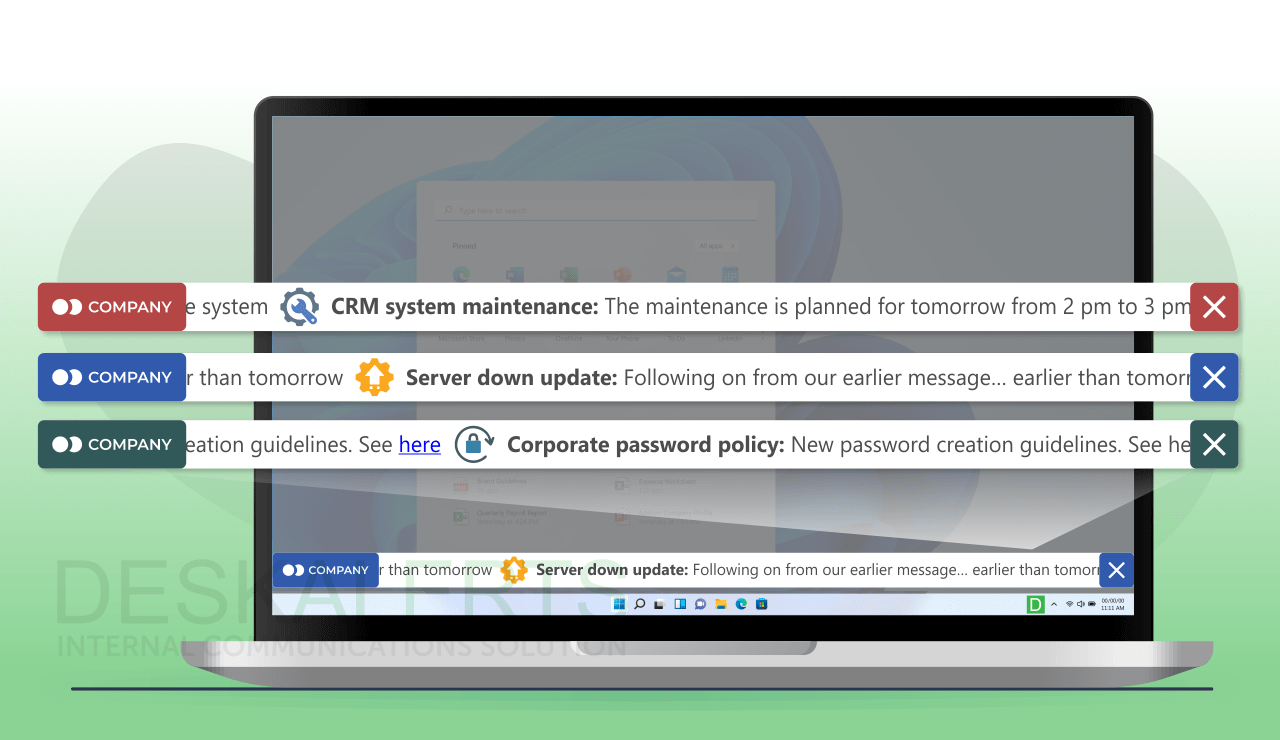
Communication failures rarely happen because someone “forgot to send an email”, but rather because channels like email, Teams, Slack, and SMS were never designed for the speed, reach, and confirmation that modern IT operations depend on. They often fail in critical or time-sensitive situations.
Research shows that internal emails reach only about two-thirds of employees, and notification fatigue leads many people to mute alerts entirely (Atlassian).
For routine messages, this is merely inconvenient. But for IT outages, maintenance announcements, security events, or production-critical workflows, it poses a real operational risk.
This article focuses on the three IT scenarios where communication gaps usually cause the most damage. You’ll also learn how IT teams in healthcare, education, and manufacturing organizations solved them.
Table of Contents
1. The Three Most Common IT Scenarios Where Communication Failure Becomes High-Risk
2. Communication Failure Pattern
3. Alerting Systems vs Email, Teams, and SMS
4. Evaluation Checklist
5. Assess Your Own Infrastructure
The Three Most Common IT Scenarios Where Communication Failure Becomes High-Risk

Frameworks like NIST SP 800-61 and ITIL 4 Major Incident Management treat communication as a core factor in containing and resolving incidents. The closer an event is to impacting business continuity, safety, or security, the more critical timing becomes.
Among our customers, we consistently see three IT-related scenarios where miscommunication can escalate issues:
#1. Emergency – IT Incidents
Delays increase downtime and SLA impact. Analysts have found that unplanned outages cost enterprises ~$8,000 per minute on average, so any delay in notifying responders or users extends those losses.
To minimize the risks, an IT team needs fast delivery and acknowledgment tracking to confirm visibility.
#2. Planned Maintenance and Scheduled Downtime
Poor communication before and during maintenance often causes helpdesk ticket spikes, so teams need a way to send clear, timely reminders and get proof that notices were seen.
#3. Cybersecurity Threats
When credentials, systems, or data are at risk, NIST guidelines stress fast, coordinated communication targeted to specific users.
Real Organizations Show the Same Communication Failure Pattern
Different industries, but the same challenge: standard channels tend to fail precisely when visibility matters most. Here are three examples of how organizations approached and resolved IT communication issues.
A Hospital Resolves Issues with IT Outages

Frequent outages made email and phones unreliable. The hospital opted for desktop notifications, namely desktop ticker alerts, which ensured high message visibility, even when other channels were down.
Read more ➝
Research Lab’s IT Team Avoids Data and Money Loss During Maintenance

Weizmann Institute of Science is one of the world's largest multidisciplinary basic research institutions in the fields of natural and exact sciences.
Properly functioning IT systems and timely notices were crucial for the institute’s operations. Research workflows could be disrupted if staff miss maintenance notifications, leading to substantial data and financial losses. Therefore, the IT team was looking for a communication solution with real-time acknowledgement tracking and maximum multi-channel visibility.
Eventually, they chose a system with desktop pop-ups and mobile notifications. The IT team could send messages to certain groups of users within their Active Directory to ensure all affected users are aware of the situation.
Read more ➝
Pharmaceutical Manufacturer Sends Targeted Messages to Reach Only People Affected

Shire is a biopharmaceutical company that employs thousands of employees worldwide.
The company needed a reliable way to inform its employees about the system outages and downtimes. But it was also important to be able to send targeted notifications to specific users or user groups, as well as provide granular role-based access to the selected communication system.
After researching various solutions, the IT team implemented a dedicated system that synchronized with their Active Directory and allowed them to specify the access rights. This reduced noise, improved response, and ensured the company had full control over high-stakes IT communication.
Read more ➝
Why Alerting Systems Solve What Email, Teams, and SMS Cannot
Incident-management guidelines expect communication during outages to be fast, predictable, and verifiable, and collaboration tools or emails were never built for that.
Where standard channels break down
- Pull-based delivery means messages are only seen when users check them.
- High notification noise leads to muted alerts.
- No guaranteed visibility on screen.
- No acknowledgment.
- No fallback if a channel is down.
What alerting systems add
- Multi-channel delivery: desktop pop-ups, scrolling tickers, lock screens, mobile push notifications, TV screens, etc.
- Forced visibility for critical alerts.
- Acknowledgment tracking to confirm who saw the message.
- AD/Entra ID targeting for different roles, departments, and buildings.
- Fallback paths if primary channels fail.
As a result, instead of hoping that users notice an alert, IT teams get a communication layer built for instant visibility and real-time reporting.

Is your IT communication resilient enough?
Download our free self-assessment checklist. Test your organization’s ability to reach employees and stakeholders during planned and unexpected service disruptions.
Practical Evaluation Checklist
When comparing alerting tools, IT teams usually anchor their evaluation in recognized frameworks and real-world patterns. Here are some tips on what to evaluate:
1. Delivery speed
Evaluate real delivery benchmarks and test the channels under load.
2. Visibility even when muted
Evaluate forced visibility and behavior during full-screen use.
3. Precise targeting
Evaluate AD/Entra ID targeting and multi-site/shift logic.
4. Fallback delivery
Evaluate routing behavior during outages.
5. Acknowledgment tracking
Evaluate: reporting, response patterns at scale.
6. Low admin workload
Evaluate UI simplicity, weekly admin time, and delegation options.
These criteria help teams compare vendors based on operational performance.
Validate These Criteria Against Your Own Infrastructure
Every IT environment is a mix of legacy systems, hybrid AD setups, distributed teams, and mission-critical workflows. The fastest way to know whether an alerting solution fits is to test how it performs in your scenarios, whether during outages, for scheduled maintenance, or when security events happen.
Meanwhile, explore a notification solution that leading companies, such as DHL, NHS, Deloitte, Fujifilm and more, use to communicate IT outages and planned maintenance.
Use the examples from IT teams from healthcare, education, and manufacturing covered above as reference points. If their challenges feel familiar, you’ll likely see similar gaps in your own environment and similar gains from introducing a communication layer built for high-stakes IT operations.

 Anastasiia Akhmatzianova


 Steve Wilson: Aug 17, 2026, 9:00:00 AM